

Commerce
melis-commerce adds a full e-commerce domain to Melis: catalog, customers, cart, checkout and orders — exposed both as backoffice tools and front-office plugins. This page is a map to get oriented; read the module's src/Service/ for the exact, current API.
In Melis v6 the framework, the module and its services are unchanged — what changed is the back-office UI: the commerce tools now run as native React "bricks" inside /melis-react (see Create a tool). Each tool keeps a per-tool New / Old toggle so you can fall back to the classic screen in an iframe, and the global floating AI Assistant is available over every tool.
Domain model
The main concepts (entities under melis-commerce/src/Entity/, tables prefixed melis_ecom_*):
| Area | Concepts | Tables (examples) |
|---|---|---|
| Catalog | Product, Variant (sellable SKU), Category, Attribute & values | melis_ecom_product, melis_ecom_variant, melis_ecom_category, melis_ecom_attribute |
| Pricing | Price by variant/product × country × currency × client group | melis_ecom_price, melis_ecom_client_groups |
| Customers | Client (account), Client person, addresses | melis_ecom_client, melis_ecom_client_person |
| Cart | Anonymous & persistent baskets | melis_ecom_basket_anonymous, melis_ecom_basket_persistent |
| Orders | Order + addresses, payment, shipping; returns | melis_ecom_order, melis_ecom_order_address, melis_ecom_order_payment |
| Promotions | Coupons (product/client restricted) | melis_ecom_coupon, melis_ecom_coupon_product |
| Localization | Country, Currency | melis_ecom_country, melis_ecom_currency |
| Media | Documents (images/PDF) | melis_ecom_document |
Services you'll use
All registered in melis-commerce/config/module.config.php (service_manager.aliases). The main ones:
- Catalog:
MelisComProductService,MelisComVariantService,MelisComCategoryService,MelisComAttributeService,MelisComPriceService,MelisComProductSearchService,MelisComDocumentService. - Cart & checkout:
MelisComBasketService,MelisComOrderCheckoutService,MelisComOrderService,MelisComShipmentCostService,MelisComPostPaymentService,MelisComOrderProductReturnService. - Customers:
MelisComClientService,MelisComAuthenticationService,MelisComContactService,MelisComClientGroupsService. - Config:
MelisComCouponService,MelisComCurrencyService,MelisComSeoService.
$products = $sm->get('MelisComProductService');
$orders   = $sm->get('MelisComOrderService');
Each service sits on a MelisEcom*Table data layer (e.g. MelisEcomProductTable → melis_ecom_product). The React back-office does not re-implement any of this: its /melis/react-api/… endpoints only validate input and shape JSON, then call these same services.
In the backoffice
MelisCommerce registers a MelisCommerce section in the /melis-react sidebar with 13 React tools covering the whole domain: Accounts, Contacts, Catalogs, Products, Orders, Coupons, Attributes, Countries, Commerce languages, Currencies, Order status, Client's groups and Commerce settings. Each is a real React page (no iframe in the default "New" view) that opens at its own route; the "entity" tools open a record as a persistent sub-tab so you can jump back to the list without losing your place. Every tool carries a New / Old switch — "Old" shows the classic tool in an iframe so you can compare.
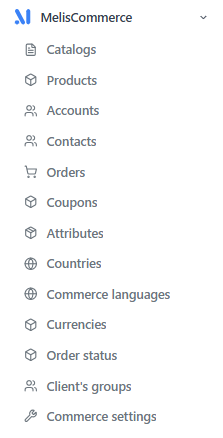
A typical workflow: build the catalog (Attributes → Catalogs → Products/Variants), manage customers (Accounts + Contacts), then run the order pipeline (Orders + coupons), all backed by the commerce reference lists (Countries, Currencies, Order status, Client's groups, Settings).
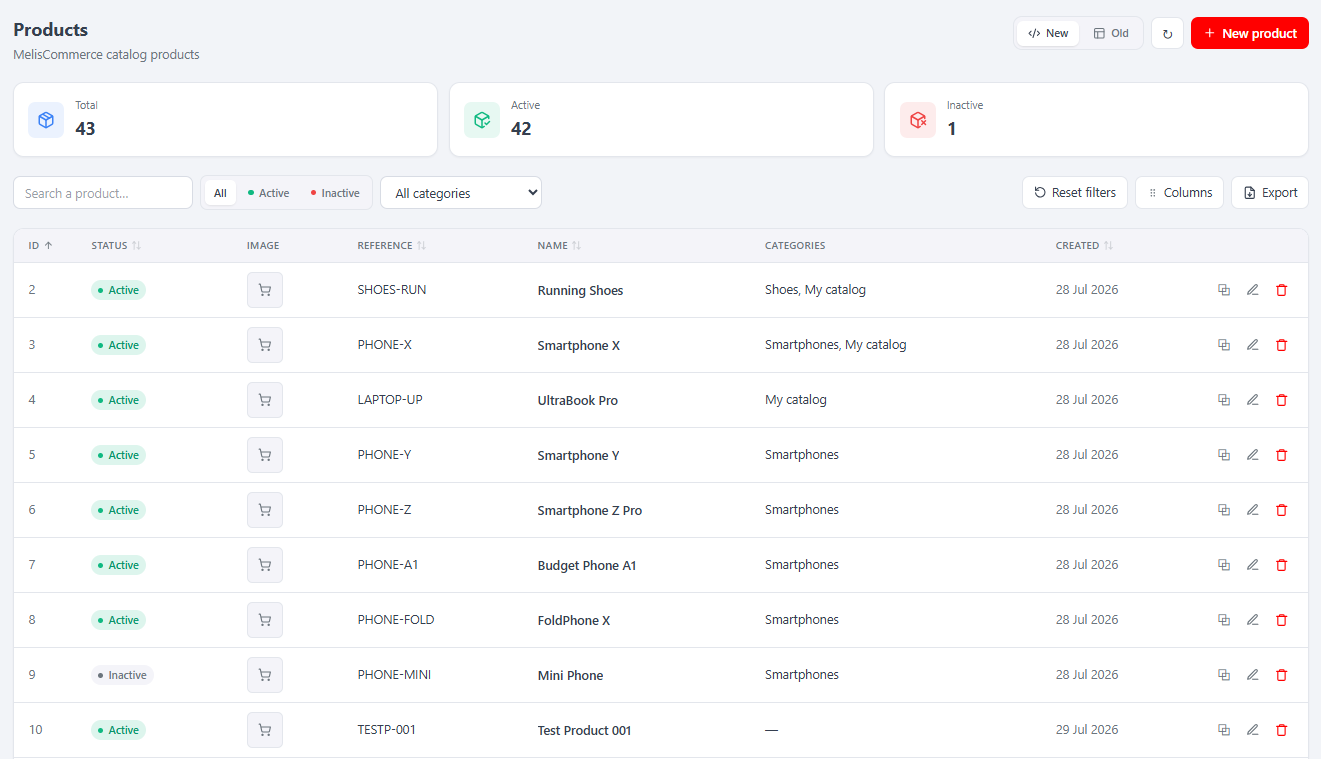
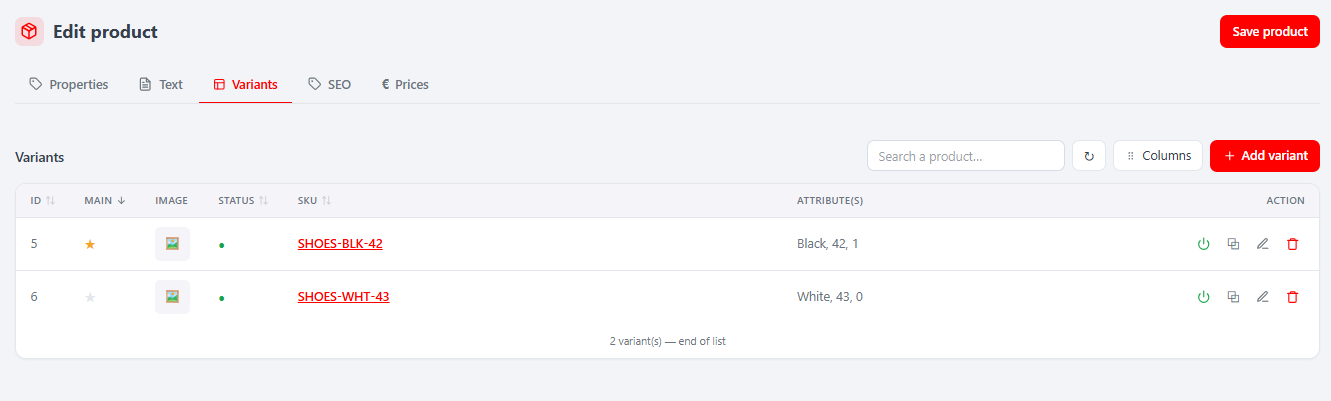
Catalog — the Catalogs tool is a category tree (drag to reorder; Properties / SEO / Products per node). Products lists products (search, duplicate, export); the editor has Properties, Text, Variants, SEO and Prices tabs, with a rich per-variant editor (prices, stocks, SEO, associations, media). Attributes manages typed characteristics (Properties / Labels / Values).
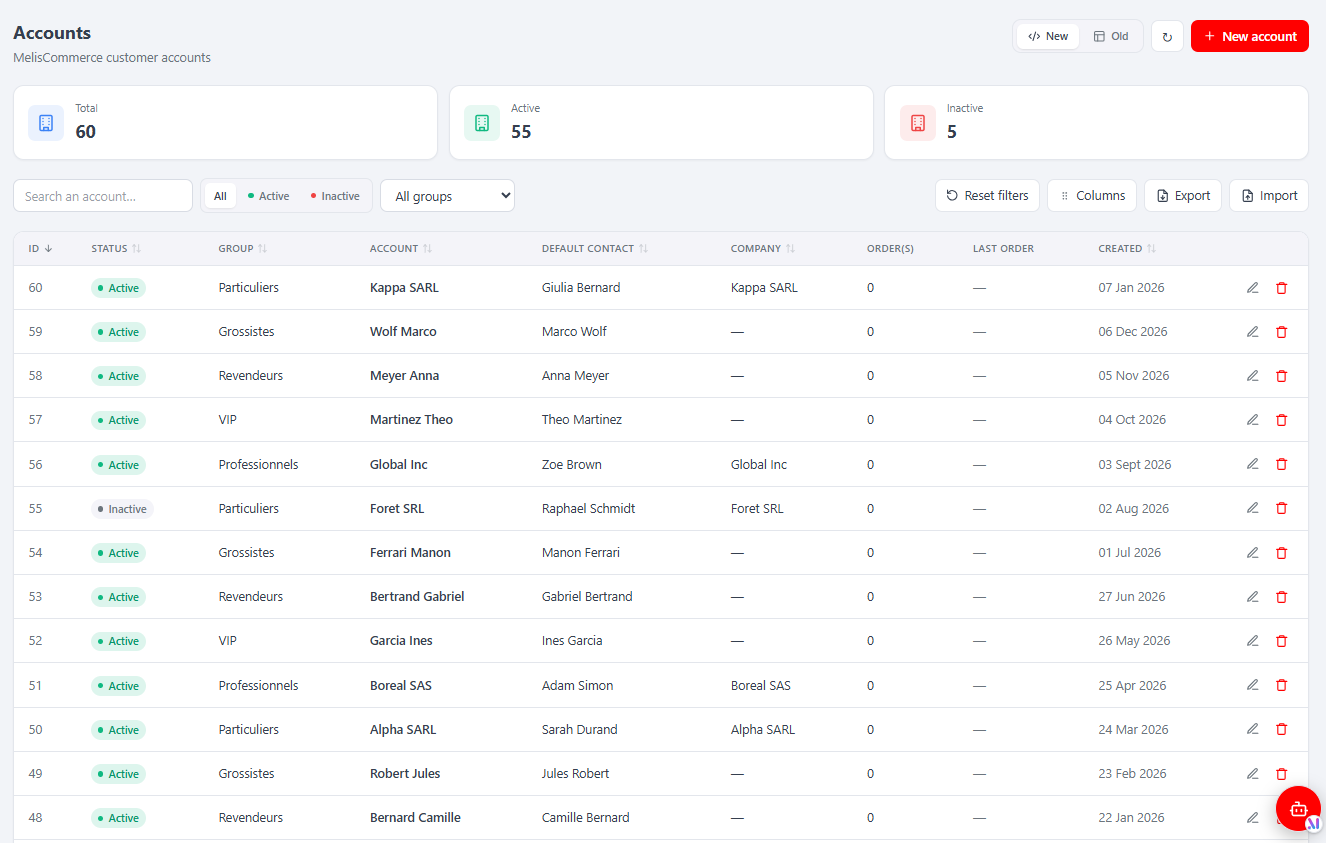
Customers — Accounts are B2B customers (Properties, Company, Contacts, Addresses, Orders, Files), with search, filters, a column manager, export and CSV import. Contacts are the individual people (Information / Address / Association), linked to one or more accounts.
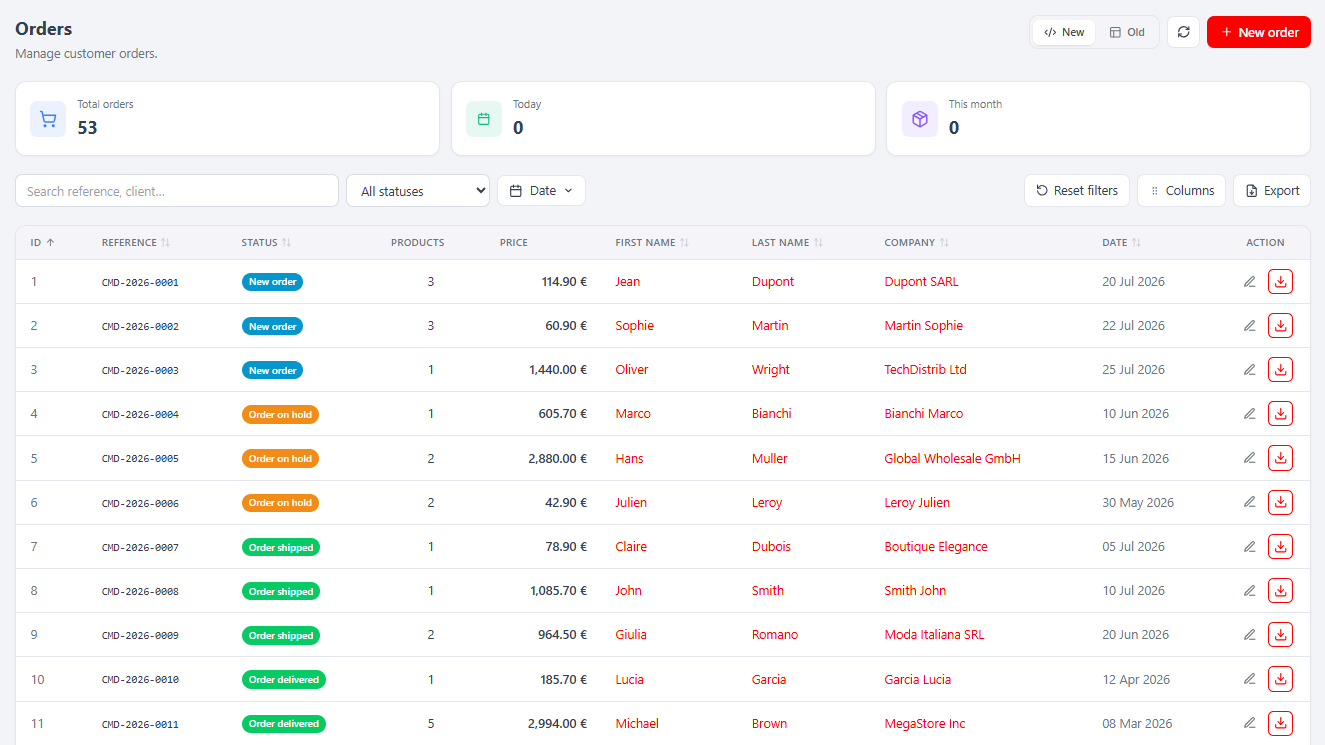
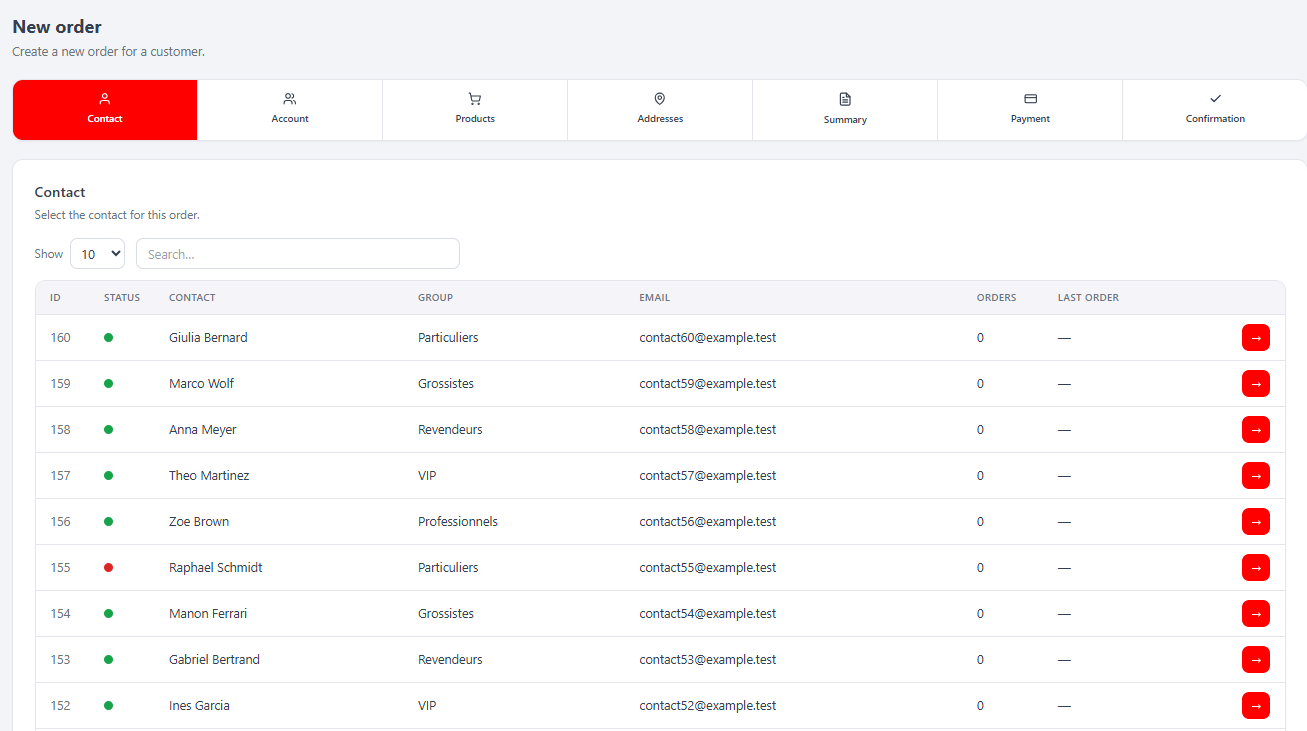
Orders — the Orders tool lists orders (filters, status filters, export). The per-order editor has Properties, Basket, Addresses, Payment, Shipping, Messages and Returns tabs (plus Invoices when invoicing is active — see below). New Order opens a guided 7-step checkout wizard (contact → account → products → addresses → summary → payment → confirmation) backed by a server-side session that resumes where you left off.
Reference & config — Coupons (Properties, Assign account, Assign product, usage Orders), Countries, Commerce languages, Currencies (with a set default action), Order status (status + colour + per-language labels), Client's groups, and a single Commerce settings page (Properties + Accounts).
For the full per-tool tab-by-tab reference (routes, capabilities, react-api endpoints) see the melis-commerce module reference.
On the front office
Commerce ships a large set of templating plugins (drop them into pages — see Plugins) covering the whole storefront:
- Catalog:
MelisCommerceProductShowPlugin,MelisCommerceProductListPlugin,MelisCommerceProductSearchPlugin,MelisCommerceCategoryProductListPlugin,MelisCommerceRelatedProductsPlugin. - Account:
MelisCommerceLoginPlugin,MelisCommerceRegisterPlugin,MelisCommerceAccountPlugin,MelisCommerceProfilePlugin, delivery/billing address plugins. - Cart & checkout:
MelisCommerceAddToCartPlugin,MelisCommerceCartPlugin,MelisCommerceCheckoutPlugin(+ cart / coupon / addresses / summary / confirm steps). - Orders:
MelisCommerceOrderHistoryPlugin,MelisCommerceOrderPlugin,MelisCommerceOrderReturnProductPlugin.
…plus dashboard widgets (orders count, sales revenue, order messages).
A storefront is therefore assembled mostly by placing these plugins on CMS pages and styling them in your site module's views. The React back-office change does not affect the front office: the storefront plugins and their views are unchanged.
Invoicing
melis-commerce-order-invoice extends commerce with PDF invoice generation (via Spipu/Html2Pdf): an invoice service + table (melis_ecom_order_invoice) and listeners that generate invoices from order data. In the React back-office it has no tool of its own — it is an extension brick that injects two pieces into the Orders tool when the module is active:
- an Invoices tab in the order editor — list invoices, Regenerate Invoice, and download any listed invoice;
- a per-row download button in the Orders list that grabs the order's latest invoice PDF.
If you don't see them, check that melis-commerce-order-invoice is active and that your role has the Orders Invoices right. See the melis-commerce-order-invoice module reference.
Key files
| Concern | Path |
|---|---|
| Services | vendor/melisplatform/melis-commerce/src/Service/ |
| Entities | vendor/melisplatform/melis-commerce/src/Entity/ |
| Schema | vendor/melisplatform/melis-commerce/install/sql/setup_structure.sql |
| Front plugins | vendor/melisplatform/melis-commerce/src/Controller/Plugin/ |
| React bricks & API | vendor/melisplatform/melis-commerce/ui-react/, config/react-api.php, src/Controller/ReactApi/ |
| Invoicing | vendor/melisplatform/melis-commerce-order-invoice/ |