

MelisAICommunityExtensions
Injects AI generation into existing CMS editing surfaces — mini-template creator, news content creator, and drag-and-drop zone AI buttons. In the React back-office it ships an extension (host-injection) brick with no page of its own. Package
melisplatform/melis-ai-community-extensions.
Purpose
MelisAICommunityExtensions is an app layer on top of the MelisAI suite that wires AI generation directly into existing editing surfaces. It registers two pre-configured instances (minitemplatecreator and newscontentcreator), an MCP tool set, and a set of event listeners that manage the lifecycle of AI-generated front-end assets (CSS, JS, images). It has no standalone tool screen; instead it injects Generate with AI buttons and chat modals into the Mini-Template Manager, the News editor, and page drag-and-drop zones. The AI chat itself is served by MelisAI / MelisAIEngine — this module provides only the surrounding UI and the entry/exit wiring.
Enable it
Add to config/melis.module.load.php:
return [
    'MelisAICommunityExtensions',
];
Requires melisplatform/melis-ai. Run the dbdeploy after enabling — the module seeds the minitemplatecreator and newscontentcreator agent/instance rows into the MelisAI engine tables (dbdeploy: true). It integrates with MelisCms and MelisCmsNews.
Where it lives in the React back-office
The React brick is an extension / host-injection brick: it draws no page and adds no sidebar entry. On load it registers two host extension points on window that other modules' React pages call to render the Generate with AI button inline, plus one always-mounted Header widget (MiniTemplateAiDialogHost) that anchors the page-edition dialog above the legacy edit frames.
Because it has no route, there is nothing to navigate to — you meet it inside other tools:
- News editor (MelisCmsNews) → Texts tab → per-paragraph button.
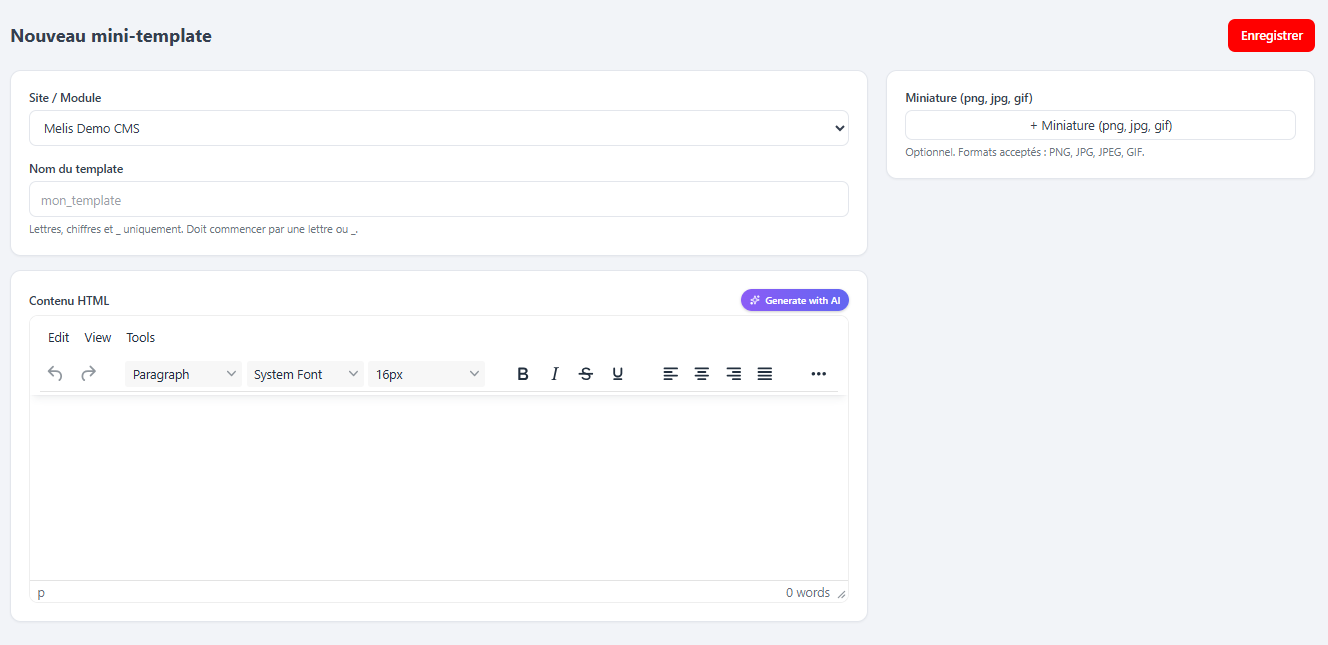
- Mini-Template manager (MelisCms) → the Template's HTML field → button.
- Page edition (MelisCms drag-and-drop) → the zone's / HTML-tag plugin's button.
Activation-gated by two modules. The buttons appear only if both MelisAICommunityExtensions and MelisAI are active (checked live via the host's __melisIsModuleActive, backed by GET /melis/react-api/react-modules). MelisAI is required because it serves the chat; if either module is disabled mid-session the buttons vanish without a reload. The brick contributes no capability node — visibility is purely this two-module check.
Back-office editing surfaces
Three editing surfaces are extended. In each, an AI button opens a scoped chat and the result is written back into the correct field.
AI Mini-Template Creator
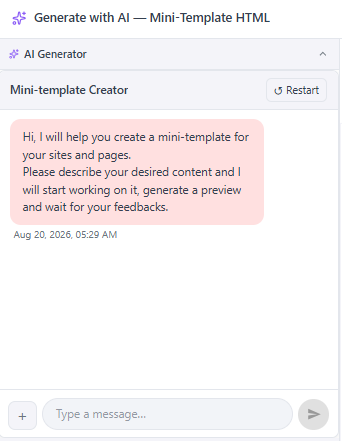
In the Mini-Template manager, the Template's HTML field carries a Generate with AI button rendered by the renderHtmlActions() extension point. It opens a full-window dialog: AI chat + existing-templates list on the left, live preview on the right (the two panels collapse to segmented AI & Templates / Preview tabs on narrow widths). The chat uses instance minitemplatecreator, starts fresh on each open (clearSession), and re-fetches the real site shell on each AI result so freshly written CSS/JS is reflected.
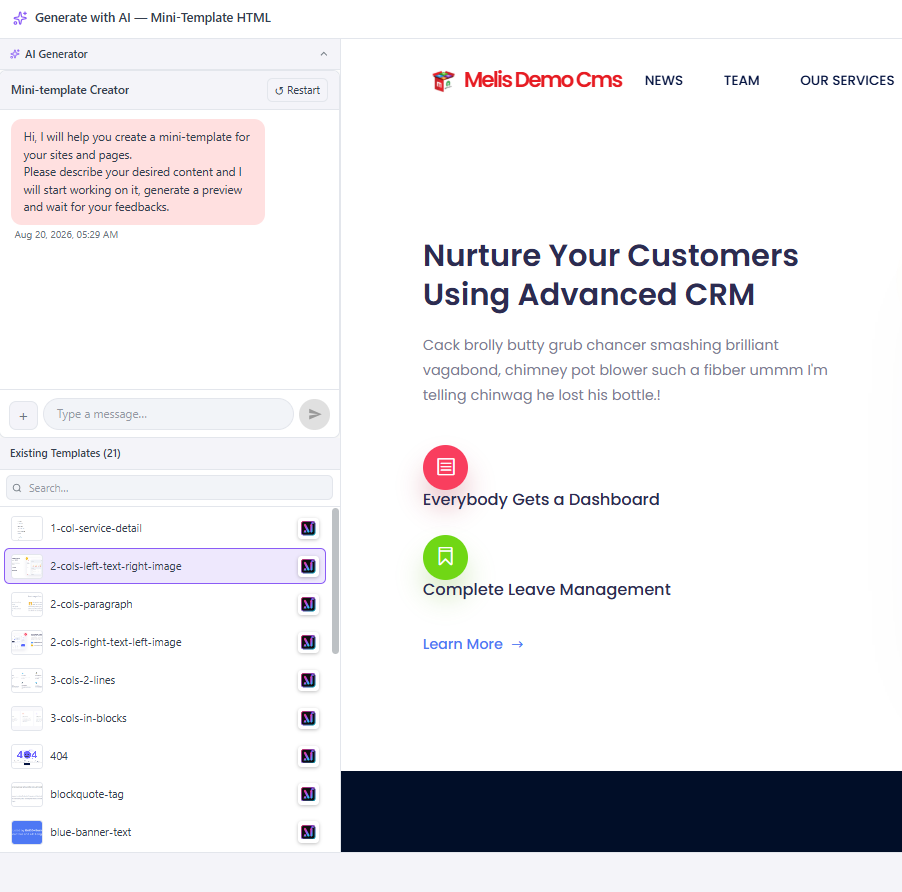
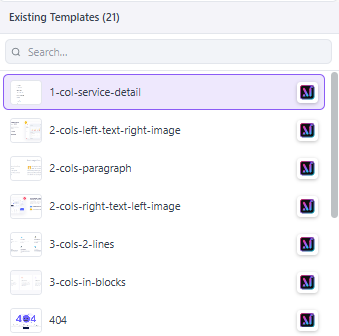
Each row in the templates list shows a Melis-AI icon: click it to generate a new template using that one as the base reference (the chat re-runs seeded with the selected template's markup). Insert captures a PNG thumbnail of the preview (html2canvas) and fills the form; the form's own submit saves it.
News Content Creator
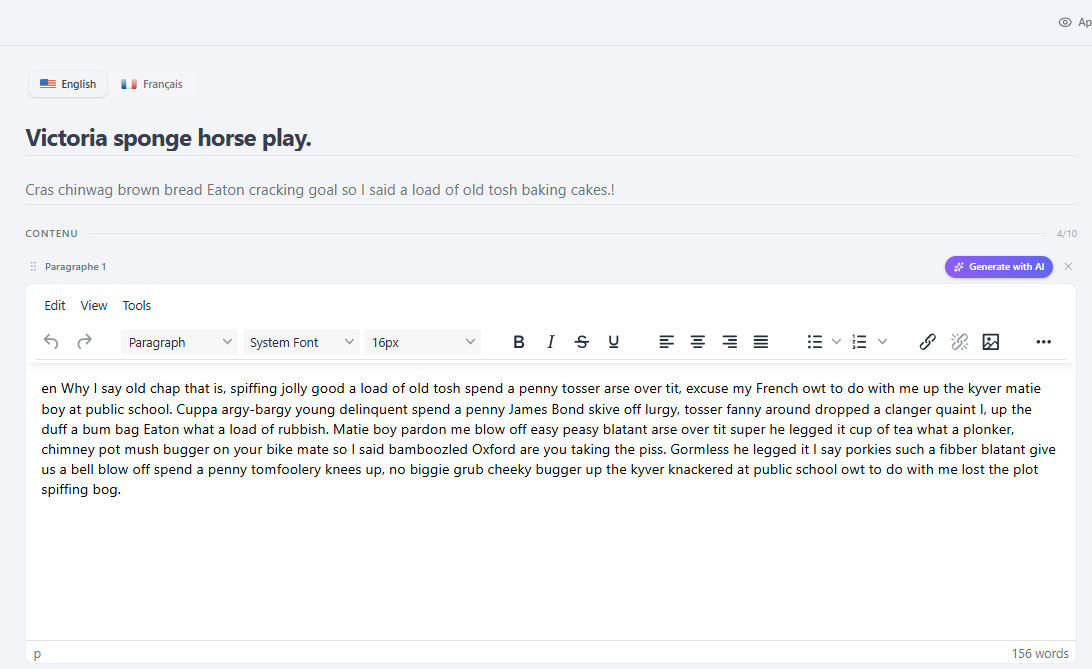
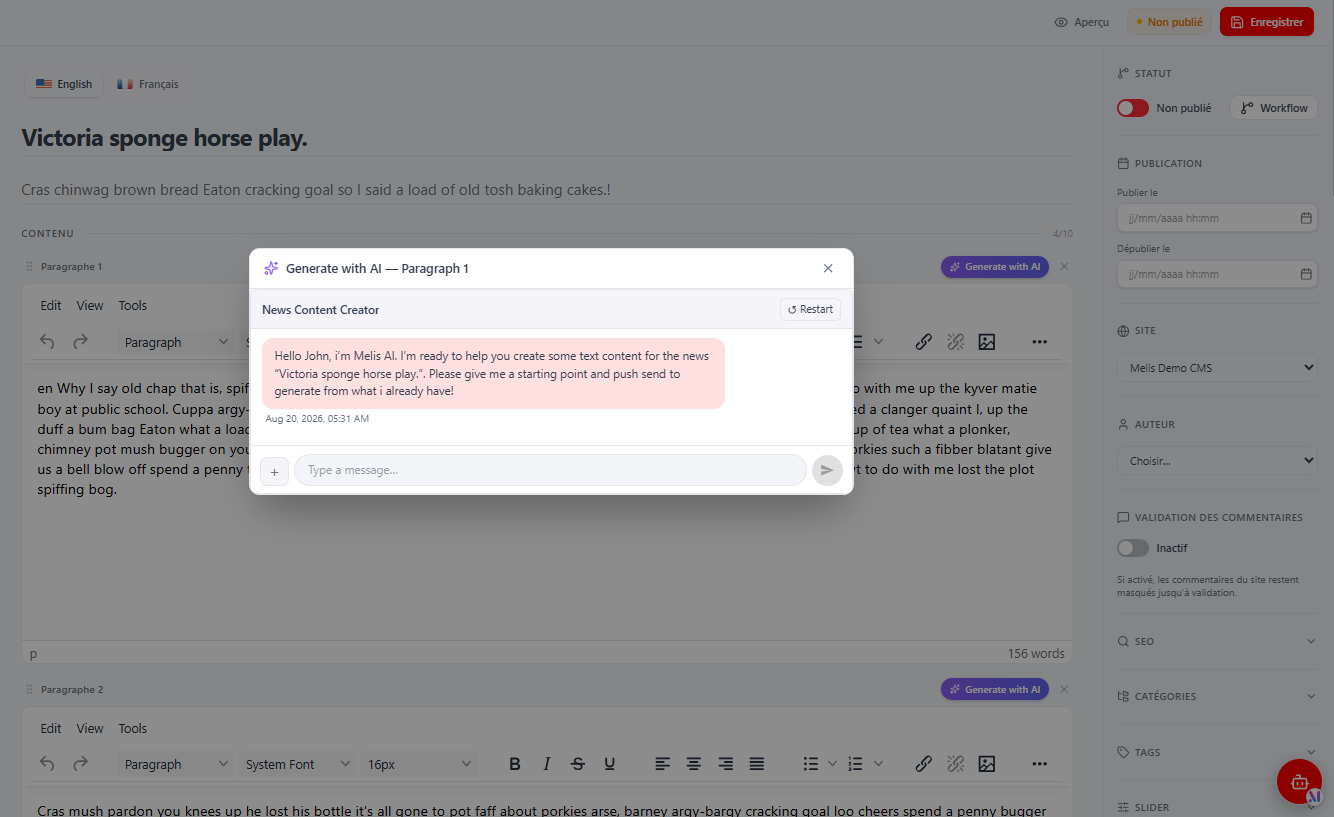
In the News editor's Texts tab, every Paragraph gets a Generate with AI button (per language) rendered by the renderParagraphActions() extension point. It opens a compact modal with the newscontentcreator chat, scoped to the article (seeded with the title, subtitle, the other paragraphs, and the article images). The answer replaces that paragraph's text and marks it validated. Sessions are isolated per article via a newscontentcreator|<newsId> instance id.
Generate with AI in drag-and-drop zones
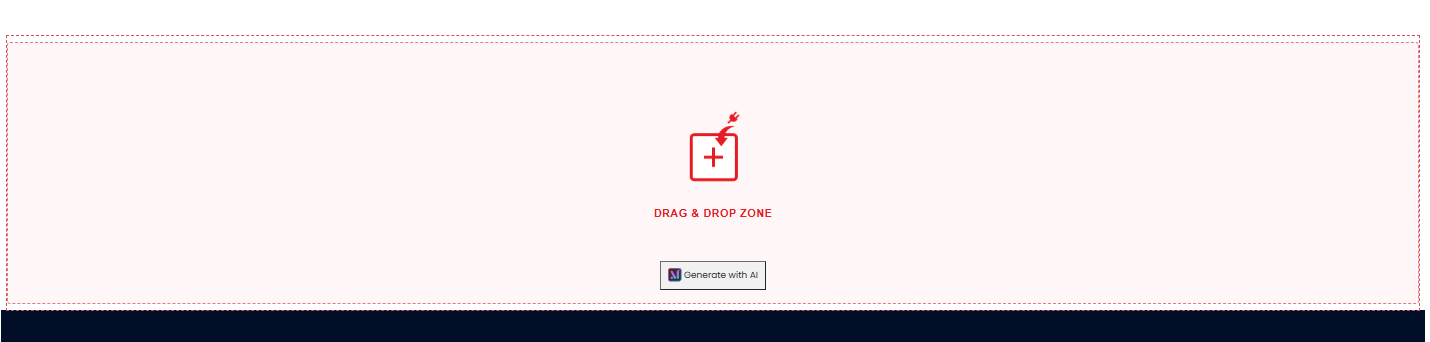
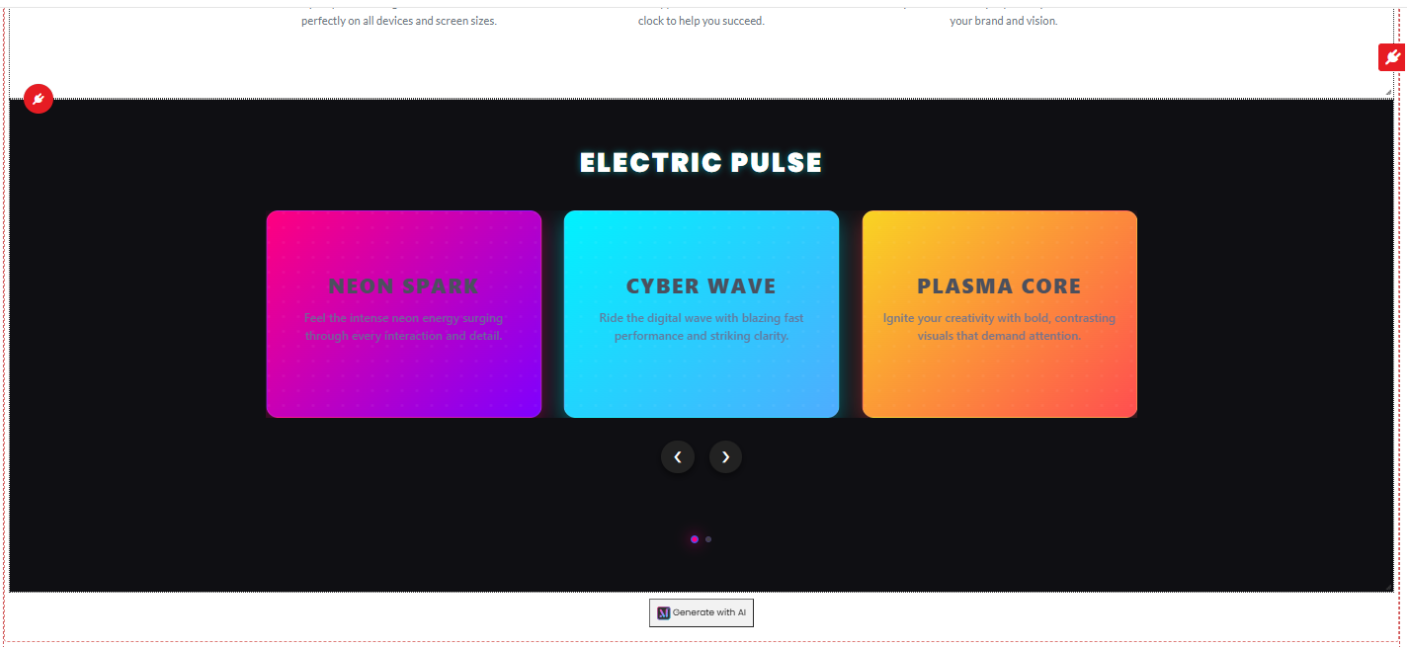
When editing a CMS page, empty drag-and-drop zones (and HTML-tag plugins) get an injected Generate with AI button. Because page edition is a legacy iframe below the React shell, the button asks the React host to open the same Mini-Template dialog as above. On accept, three commit options are offered: Close, Insert (drop into this zone only), or Save & Insert (drop and also promote the block to a permanent reusable mini-template).

The brick
ui-react/ is a Vite IIFE library (name MelisAiCommunityExtensionsBrick, output public/ui-react/brick.js). React, react-dom and react-router-dom are externalised to the host globals; a @melis-ai-engine alias imports the shared AiChatContainer chat component.
| File | Role |
|---|---|
src/brick.tsx | Registers the two extension points + the Header; injects Tailwind once. |
src/NewsAiExtension.tsx | renderParagraphActions() → per-paragraph button + modal (instance newscontentcreator). |
src/MiniTemplateAiExtension.tsx | renderHtmlActions() → the full-window MiniTemplateAiDialog (chat + list + preview; Insert / Save & Insert; html2canvas thumbnail). |
src/MiniTemplateAiDialogHost.tsx | The Header anchor for page edition; listens for melis-ai-minitemplate-open and mounts the dialog. |
The brick registers with no Component and no Sidebar — only guarded extension points and the Header anchor:
window.__melisNewsExtensions.renderParagraphActions = /* guarded by isModuleActive() */
window.__melisMiniTemplateExtensions.renderHtmlActions = /* guarded by isModuleActive() */
window.__melisRegisterBrick?.({ id: 'melis-ai-community-extensions', Header: MiniTemplateAiDialogHost })
Endpoints the brick calls
The brick has no config/react-api.php. It consumes endpoints owned by other modules plus one legacy MVC action of its own:
| Call | Owner |
|---|---|
GET /melis/react-api/cms-mini-templates?site=<m>&limit=9999 | MelisCms (template list) |
GET /melis/react-api/cms-mini-templates/item?site=<m>&name=<n> | MelisCms (one template's HTML) |
GET /melis/MelisAICommunityExtensions/MiniTemplate/getMiniTemplatePreviewShell?siteModule=<m> | this module (legacy MVC; returns the site shell HTML) |
AiChatContainer run/exit traffic | MelisAI / MelisAIEngine |
The chat answer routes back into the host field via a window callback declared in the exit params (masse_exit_js_callback): __melisNewsAiCallback_<paraIdx> for news, __melisMiniTemplateAiCallback for mini-templates.
Host integration (page-edition bridge)
Page edition runs several frames below the React shell, so MiniTemplateAiDialogHost sets window.__melisAiMiniTemplateDialogReady = true and listens for a melis-ai-minitemplate-open event. The edited page runs public/js/minitemplate/react-bridge.js, which walks up the frame chain for __melisAiMiniTemplateDialogReady; when found it dispatches the open event with same-origin onInsert / onSaveInsert callbacks. If no React host is found (legacy /melis), the bridge falls back to the historical Bootstrap modal — nothing changes there.
For legacy tools shown in the React "Old" view, config/module.config.php registers melis_react_override.toolpage_extensions → PluginViewToolPageExtension, which injects this module's tool.js / style.css so the jsCallbacks grafted onto the MelisCms / MelisCmsNews tools find their globals.
Event listeners
| Listener | Event | Effect |
|---|---|---|
…TinyMCEConfigurationListener | meliscore_tinymce_config | Points the TinyMCE minitemplate plugin at this module's JS. |
…CreateMiniTemplateListener | meliscms_mini_template_manager_create_end | Moves temp CSS/JS/images to permanent storage; renames the init JS per template. |
…PublishPageListener | meliscms_page_publish_start | Promotes temp assets a published page references; updates page_content. |
…SanitizeSavedPluginHtmlListener | meliscms_page_savesession_plugin_start | Cleans carousel/slider runtime markup (Owl/Slick/Swiper artefacts) before save. |
…DeleteMiniTemplateAssetsListener | meliscms_mini_template_manager_delete_end | Deletes the template's CSS/JS/images. |
…AttachAIGeneratedCssListener | MvcEvent::EVENT_FINISH (front + back) | Injects AI CSS/JS into rendered pages. |
…InjectDndAiButtonListener | MvcEvent::EVENT_FINISH | Injects the Generate with AI button into legacy drag-and-drop zones. |
The module also registers a MelisPluginRendererOverride so AI assets are injected correctly during plugin rendering.
MCP server
A stdio MCP server minitemplate_creator (entry point mcp/minitemplatecreator/bin/server.php) is registered in config['mcp']['servers']. The tools below are declared with mcp: true:
| Tool | Parameters | Purpose |
|---|---|---|
readSiteAssets | siteModule, templateRequest | Returns the site's relevant CSS/JS/view files so the AI matches the real design. |
getSitePublicUrl | siteModule | Returns the site's public URL/domain for visual inspection before generating. |
uploadMinitemplateImages | siteModule, image, filename | Saves an image (base64/data-URL/HTTP) under the AI temp dir and returns a web path for <img src>. |
renderMinitemplatePreview | siteModule | Triggers the editor preview of the generated template. |
The minitemplatecreator agent also has the engine's filesystem tools (createFile / readFile / updateFiles / …) in its allow-list. Mid-conversation, the React dialog registers window.melisReactActionMap.preview_minitemplate so the engine can push the generated html block into the live preview when render_minitemplate_preview returns.
Database tables
This module creates no tables of its own. Its dbdeploy deltas insert rows into tables owned by melis-ai:
| Table | Holds |
|---|---|
melis_ai_instances | The seeded minitemplatecreator and newscontentcreator instances. |
melis_ai_agents | The seeded agents for the two instances. |
At runtime, news data is accessed via NewsTable (getNewsData($newsId)), which joins the site table to resolve the siteModule needed to place generated images.
Key files
| Concern | Path |
|---|---|
| Module config (MVC route, toolpage_extensions) | vendor/melisplatform/melis-ai-community-extensions/config/module.config.php |
| Brick source | vendor/melisplatform/melis-ai-community-extensions/ui-react/src/ |
| Built brick | vendor/melisplatform/melis-ai-community-extensions/public/ui-react/{brick.js, brick.manifest.json} |
| Page-edition frame bridge | vendor/melisplatform/melis-ai-community-extensions/public/js/minitemplate/react-bridge.js |
| MCP tools declaration | vendor/melisplatform/melis-ai-community-extensions/config/mcp.tools.php |
| Mini-template controller | vendor/melisplatform/melis-ai-community-extensions/src/Controller/MiniTemplateController.php |
| News controller | vendor/melisplatform/melis-ai-community-extensions/src/Controller/NewsController.php |
| "Old" view injector | vendor/melisplatform/melis-ai-community-extensions/src/Controller/React/PluginViewToolPageExtension.php |
| Listeners | vendor/melisplatform/melis-ai-community-extensions/src/Listener/ |
| Generate-with-AI button helper | vendor/melisplatform/melis-ai-community-extensions/src/View/Helper/MelisGenerateWithAIBtnHelper.php |
| News table gateway | vendor/melisplatform/melis-ai-community-extensions/src/Model/Tables/NewsTable.php |
| MCP server entry point | vendor/melisplatform/melis-ai-community-extensions/mcp/minitemplatecreator/bin/server.php |
| AI assets directory | public/miniTemplatesTinyMce/AI/{siteModule}/{temp|css|js|images}/ |
| Install deltas (seed agents) | vendor/melisplatform/melis-ai-community-extensions/install/dbdeploy/ |
See also: MelisAIEngine, MelisAI, MelisAIToolCreator, MelisCms, MelisCmsNews