

MelisCore
The back-office foundation every other module builds on — login, users/roles/rights, the menu & tool framework, dashboard, config, email, GDPR, and the base service + event system — now rendered by the React back-office at
/melis-react. Packagemelisplatform/melis-core.
Purpose
MelisCore is the back-office heart of Melis Platform. It provides the application shell (header, left menu, tools tree, dashboard, footer), the MelisCoreConfig configuration tree that aggregates every module's app.*.php files, authentication and per-tool rights, user management, platform/environment handling, transactional emails, GDPR tooling, a micro-service auth endpoint, and the shared service/event layer that every other module extends. Every melisplatform/* module depends on it.
In v6, MelisCore also is the React back-office app. The same shell is served as a React 19 + TypeScript + Tailwind single-page app at /melis-react, running in parallel with the legacy .phtml back-office at /melis. MelisCore ships the shell (layout, routing, the generic react-api client, the module/brick loader, the capability resolver, the New/Old toggle) and its own native React tools (Users, Dashboard, Announcements, Emails, GDPR, Languages, Logs, Modules, Other config, Platforms, Platform theme, My account, login/2FA). Every other module plugs into this shell.
Enable it
Add to config/modules.config.php — MelisCore must load early because almost every other module calls its services:
return [
    'MelisCore',
    // … other modules …
];
The React back-office is delivered by three cooperating modules:
| Module | Role |
|---|---|
MelisCore | The React app source/build + the native tools' react-api routes and controllers. |
MelisReactApi | The generic react-api bridge (me, menu, assets, langs, react-modules, rights, i18n, dashboard). |
MelisReactOverride | Serves the SPA shell at /melis-react and the legacy iframe mechanism (/melis/react-tool-page). |
Its companion infrastructure modules remain MelisAssetManager (which serves the hashed React assets from /MelisCore/ui-react/), MelisDbDeploy, MelisComposerDeploy and MelisInstaller.
The React back-office architecture
The Vite + React app source lives in vendor/melisplatform/melis-core/ui-react/ and is built to the committed vendor/melisplatform/melis-core/public/ui-react/. At runtime:
- The shell (SPA) is served at
/melis-reactbyMelisReactOverride; the legacy back-office at/melisis untouched. - Hashed assets load from
/MelisCore/ui-react/(the Vitebase, served by MelisAssetManager). - The JSON API is under
/melis/react-api/…with the contract{ success, data, error }.
Every tool the user sees reaches the screen through one of three mechanisms:
- Native React tool — a real React page backed by a
MelisReactApi*Controllerin MelisCore (Users, Languages, Emails, GDPR…). Listed in the module registry (ui-react/src/lib/module-registry.ts). - Module brick — another active module ships its own React UI as a brick, loaded at runtime (present only if the module is active). Discovered via
GET /melis/react-api/react-modules. - Iframe pool — any legacy tool without a dedicated React route renders inside the shell in a pooled iframe via
/melis/react-tool-page?key=<melisKey>.
The menu is dynamic (GET /melis/react-api/menu returns the rights-filtered tool tree), tool routes are derived from that tree (/[section]/[tool], e.g. /melis-core/user), and nothing is hardcoded per module. A native tool can also carry a New (React) / Old (iframe) toggle to compare its React view with the classic tool.
Back-office shell
The shell (ui-react/src/components/layout/Shell.tsx) composes the sidebar, top bar, sub-tabs, the legacy tool tab bar and the content area. Every tool mount is wrapped in a per-tool ToolErrorBoundary so one tool's render crash never blanks the whole back-office.
Top bar
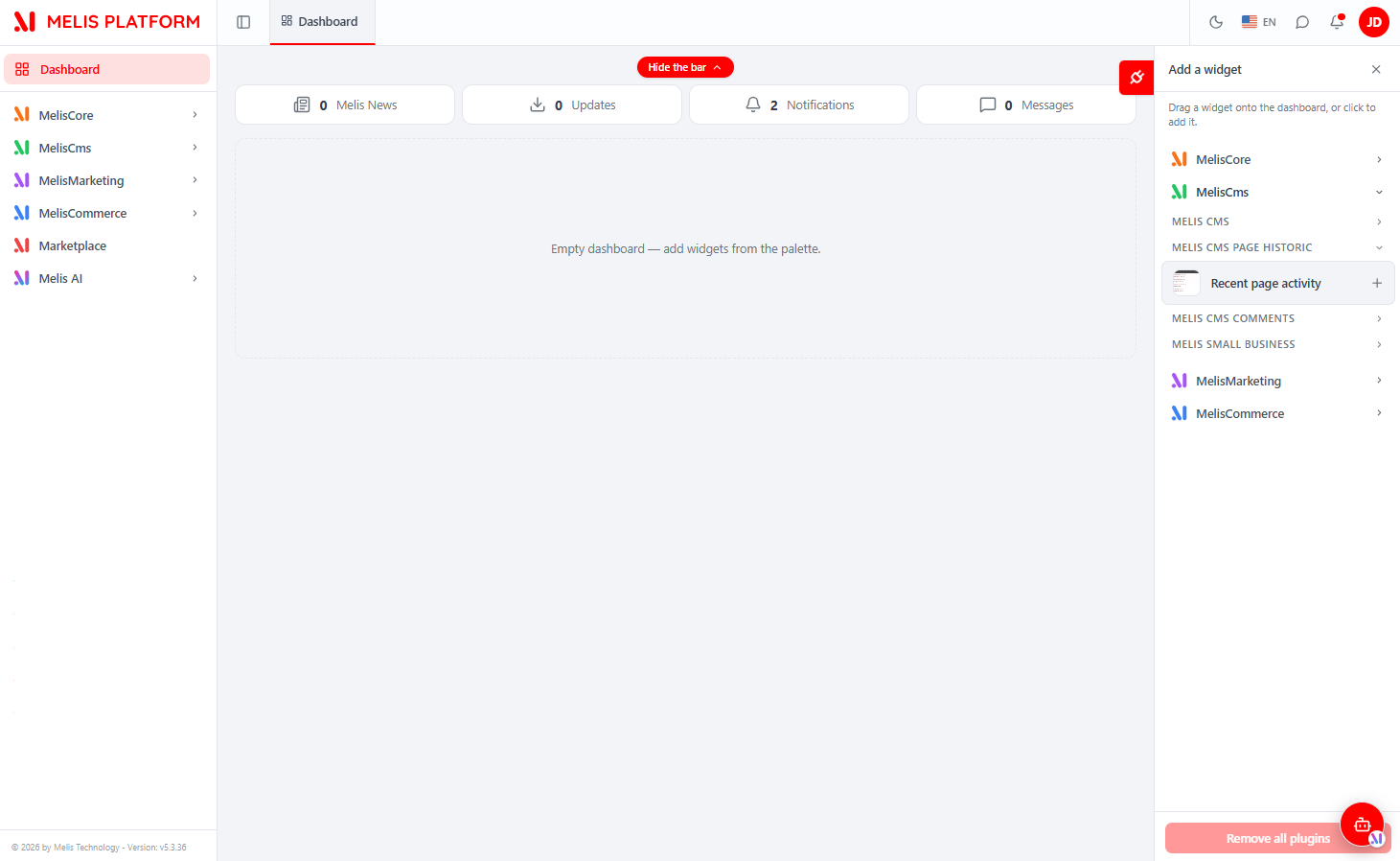
The right side of the top bar holds a theme (light/dark) switch, the language switcher, a Messenger icon (when that module is active), a notifications bell and your user avatar (opens My account and holds Logout). A hide-sidebar button sits on the far left.

Left sidebar and footer
The sidebar shows the Dashboard link plus the tools tree, grouped by section (MelisCore, MelisCms, MelisMarketing, MelisCommerce, Marketplace, Melis AI…). What you see depends on your rights — only tools you may use appear. The footer shows the platform / MelisCore version.

Dashboard
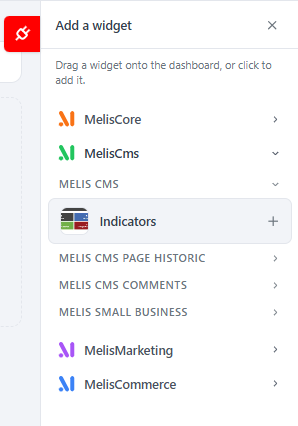
The landing page after login. It shows top bubbles (Melis News / Updates / Notifications / Messages counts) and a grid of widgets (dashboard plugins). Widgets are added from the "Add a widget" palette and arranged by drag-and-drop; availability depends on your rights.
Authentication
Login lives at /melis-react/login (React) — username + password, optional Remember me, and a language selector. On success you land on the Dashboard. Accounts with 2FA are sent to /verify-2fa (a new code can be re-requested when emailed). The Lost password link (/forgot-password) emails a reset link opening /reset-password/:hash. The login-panel branding is configurable via the Platform theme tool.
Under the hood the PHP layer is unchanged: login posts to the legacy POST /melis/authenticate, session polling uses GET /melis/islogin, and rights come from MelisCoreAuth / MelisCoreRights.
Users, roles & rights
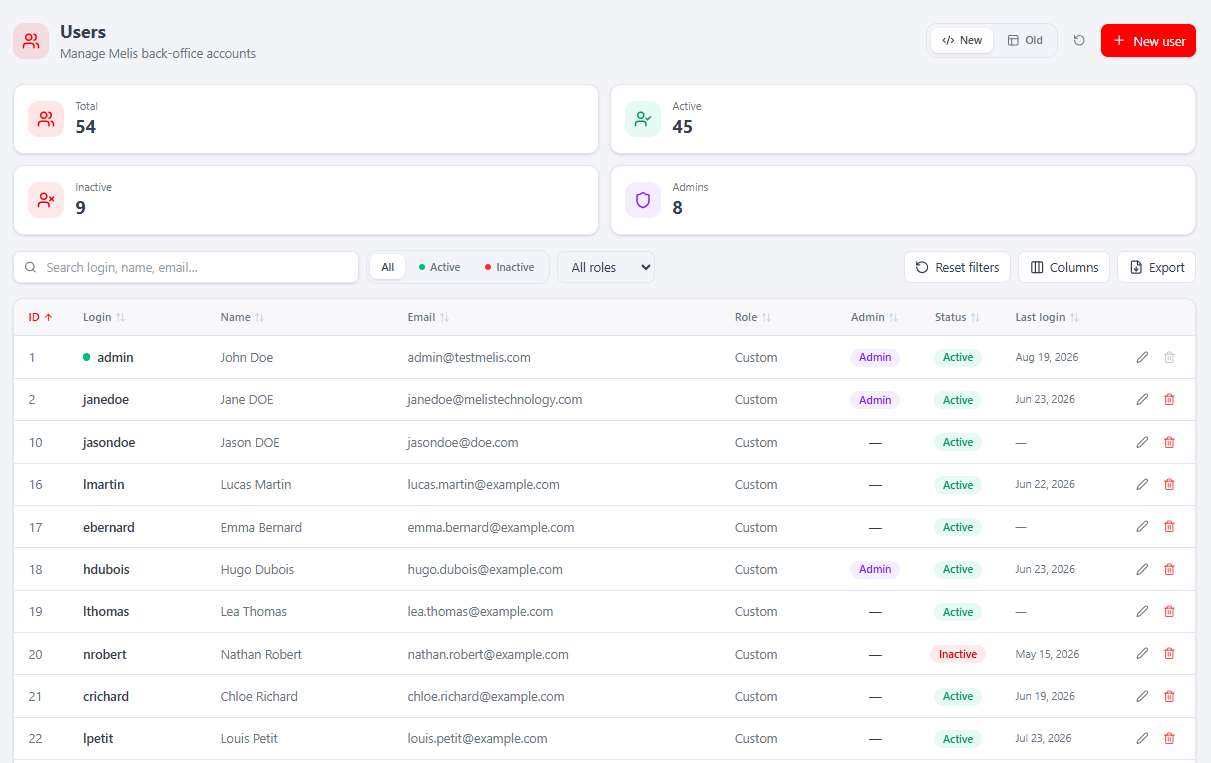
Where: MelisCore → Administration → User management (/melis-core/user). Manage every back-office account. The list has KPI cards (Total / Active / Inactive / Admins), search, status and role filters, a Columns manager, Export, the New/Old toggle and + New user.
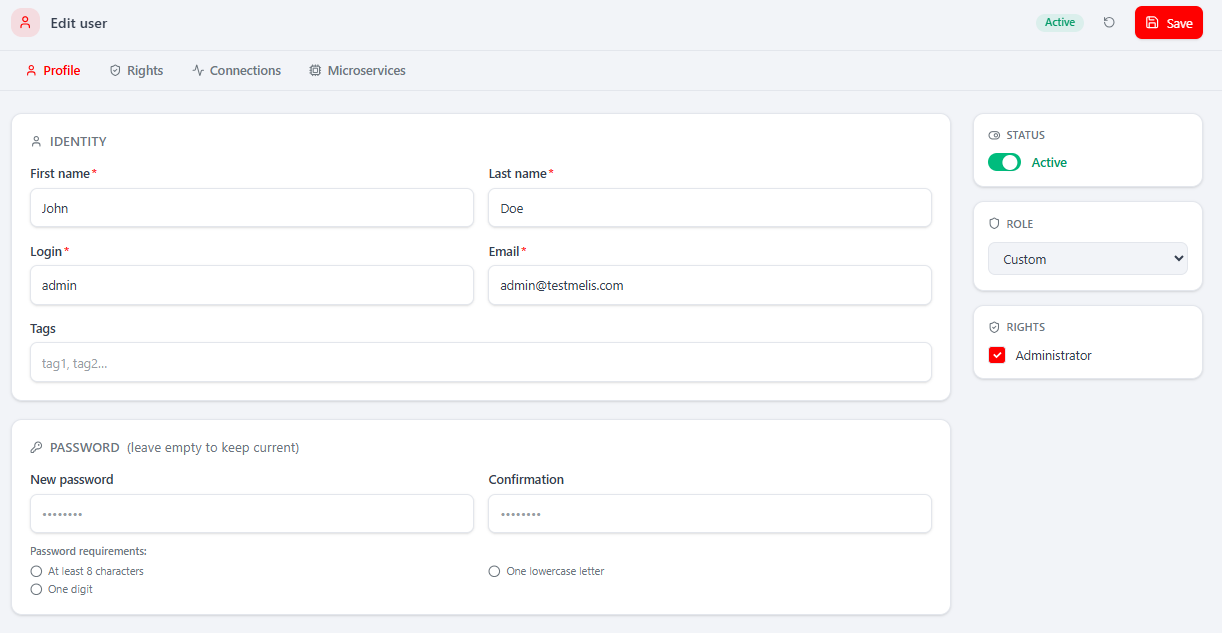
Opening a user gives four tabs:
Profile — identity, tags, status toggle, role, an Administrator flag and a password section with live complexity feedback.
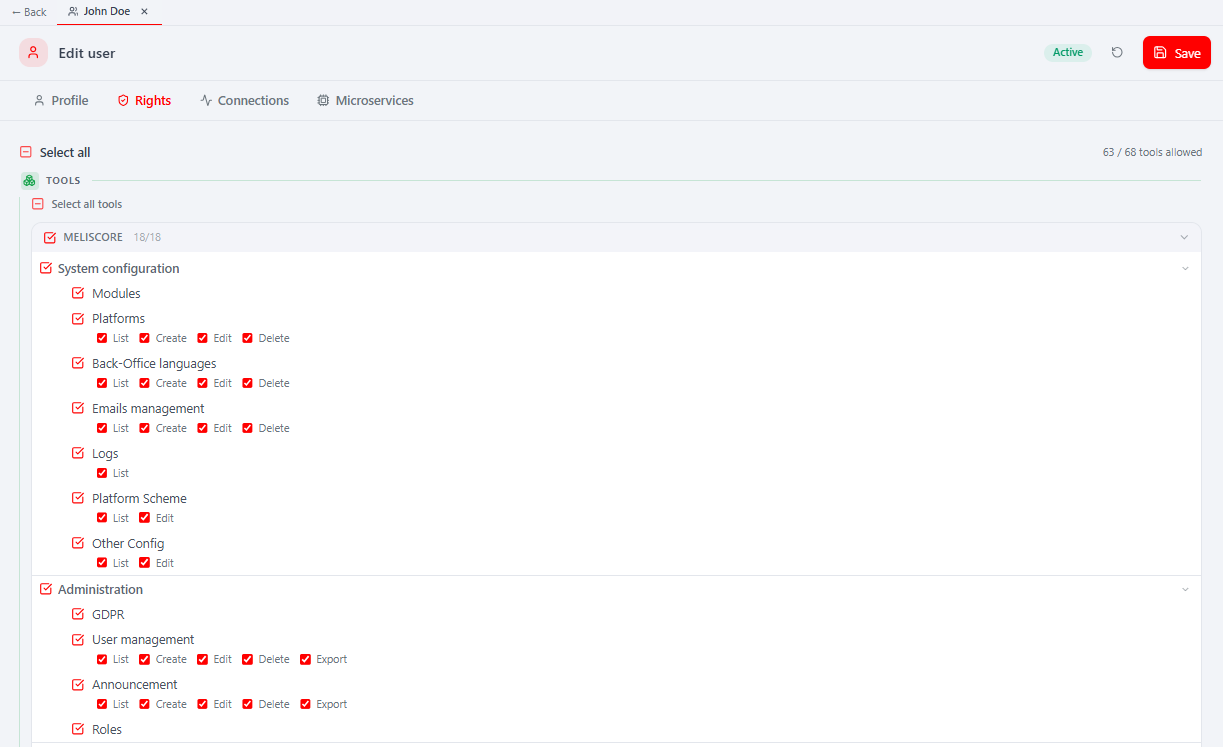
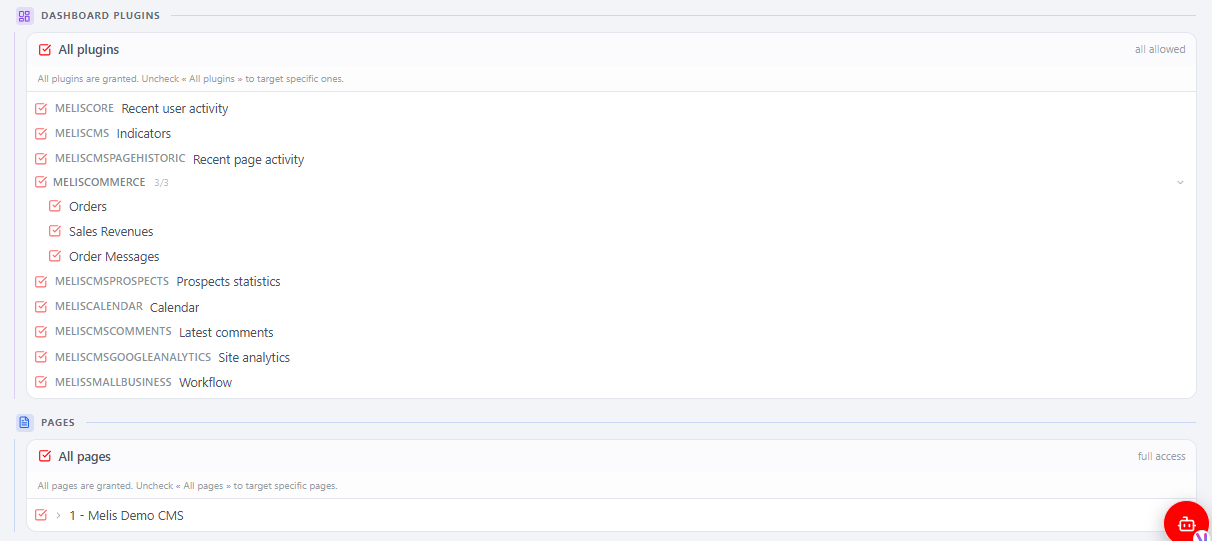
Rights — the access tree (tick which tools/sections the user may use), plus a Dashboard Plugins panel and a Pages panel. Anything not granted is hidden from the user's menu. Tools that declare capabilities expose sub-checkboxes (List / Create / Edit / Delete / Export).
Connections — the user's login history (date, time in/out, duration).
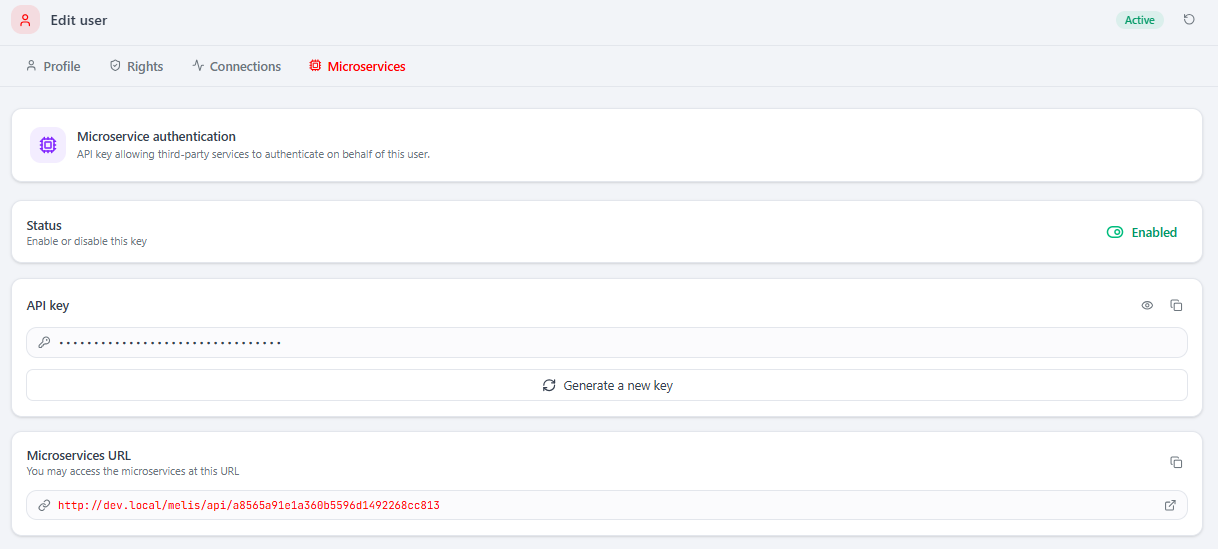
Microservices — generate an API key so third parties can authenticate as this user against the micro-service endpoints.
Roles define a set of rights once and assign them to many users; the Roles tool is contributed by MelisSmallBusiness, so the Profile tab's Role selector appears only when that module is active.
Rule of thumb: if someone "can't see a tool", their Rights tree doesn't grant it — edit the user (or their role) → Rights → tick the tool.
My account
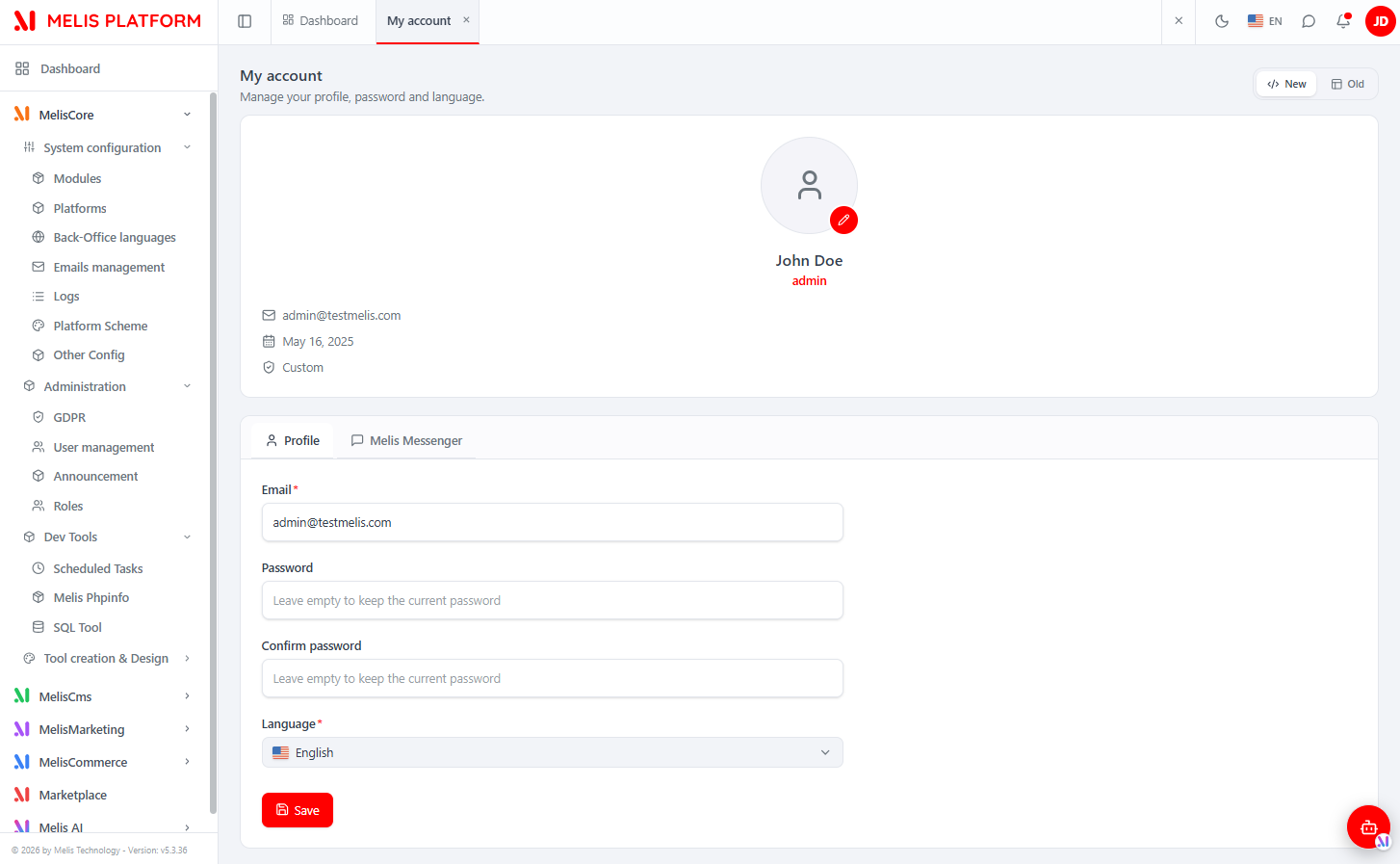
Where: top-bar avatar → My account (/melis-core/account). Edit your own email, change your password, set your interface language and upload a profile picture. Modules can add tabs here (e.g. Melis Messenger). This is the only native tool with no capability guard — it is open to any authenticated user.
Announcements
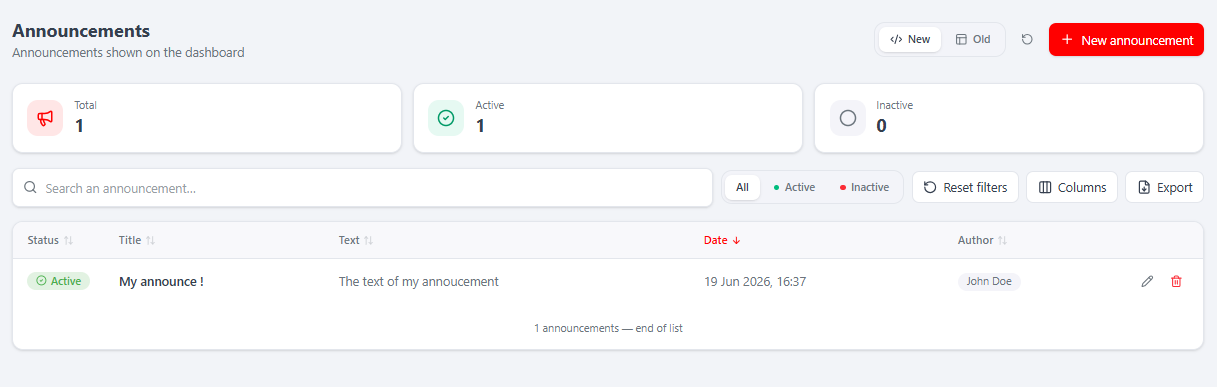
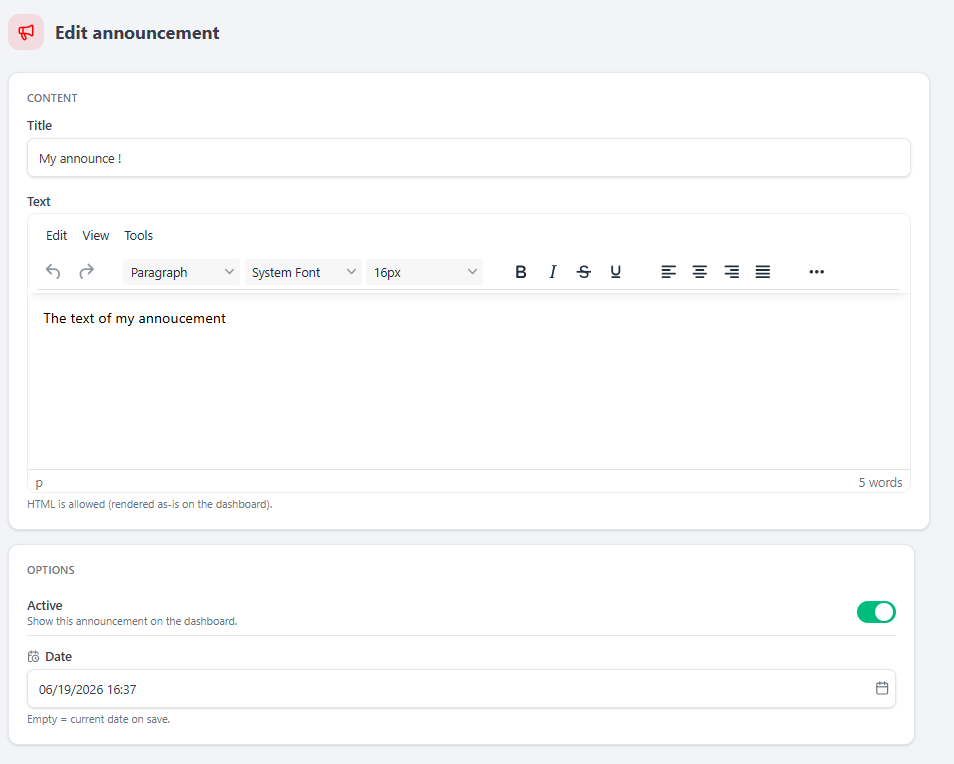
Where: MelisCore → Administration → Announcement (/melis-core/announcement). Platform announcements shown on the dashboard, with KPI cards, search, a status filter and + New announcement. The editor is a title + rich-text (TinyMCE) body, an Active toggle and a Date.
Back-Office Languages
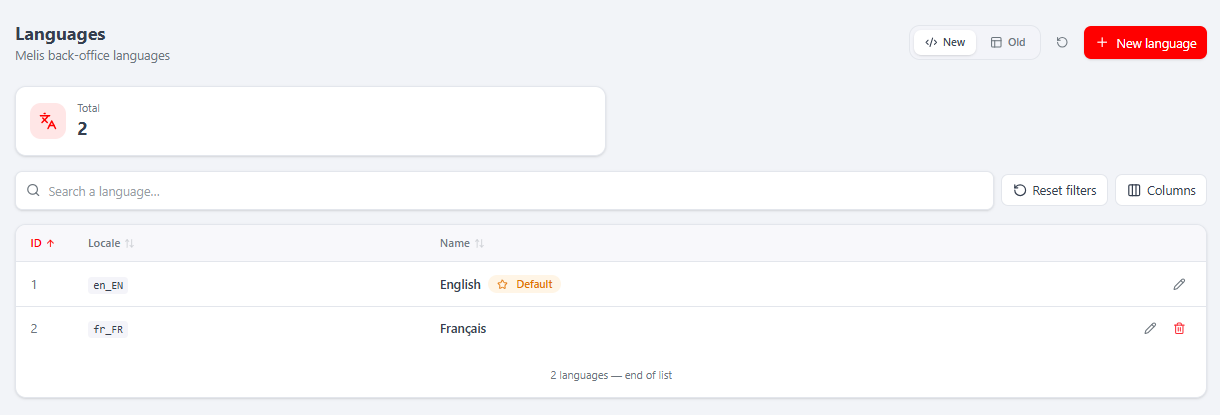
Where: MelisCore → System configuration → Back-Office languages (/melis-core/language). The locales (locale + name) available to back-office users. en_EN is the protected default (cannot be renamed away or deleted). Saving regenerates the translation files via MelisCoreTranslation.
Emails management
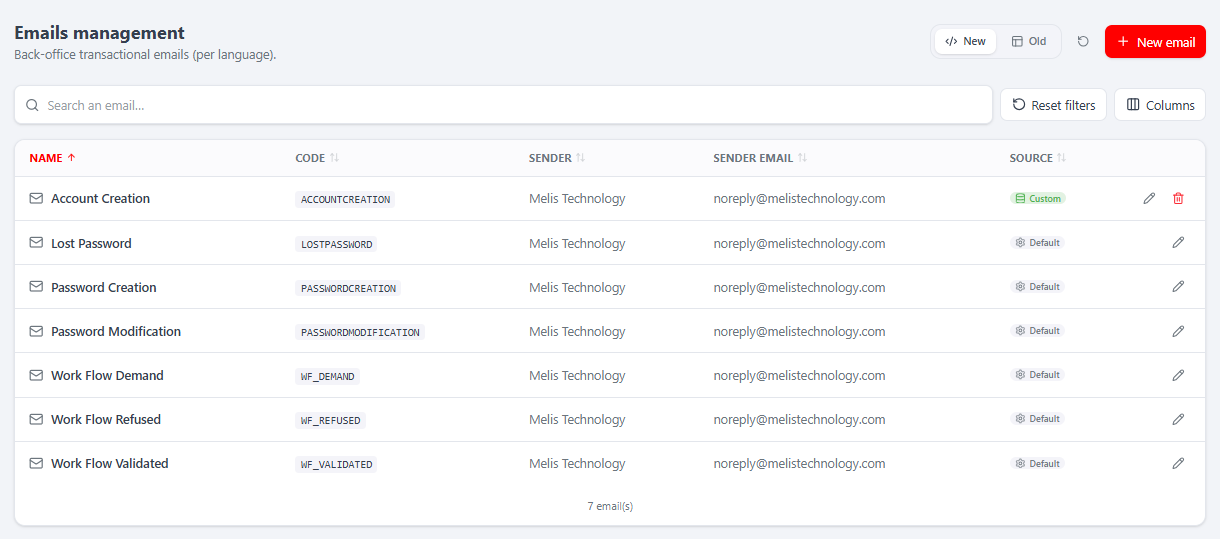
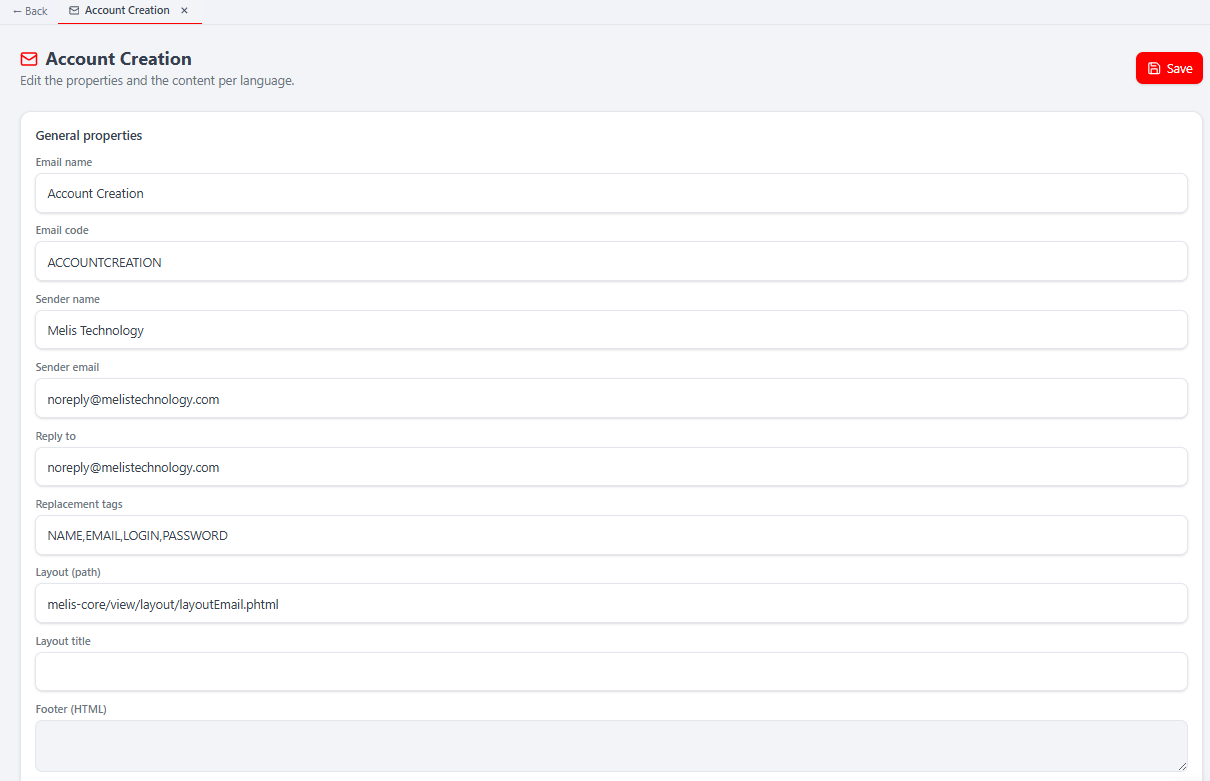
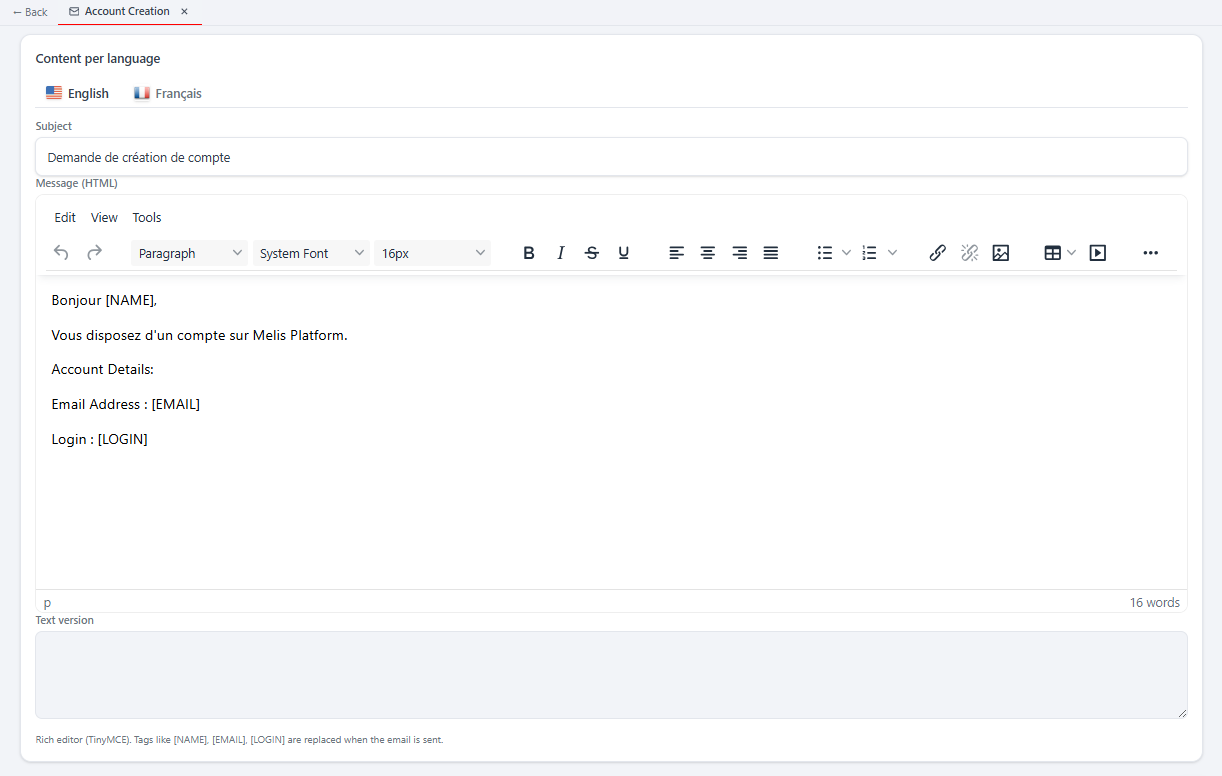
Where: MelisCore → System configuration → Emails management (/melis-core/emails). The platform's transactional emails (account creation, lost password, workflow…). The list shows name, code, sender/sender-email and a Source badge (Default vs Custom).
The editor has General properties (name, code, sender, reply-to, replacement tags, layout path) and a Content per language section (subject + HTML/text body per language) with replaceable tags like [NAME], [EMAIL], [LOGIN]. Saves delegate to MelisCoreBOEmailService::saveBoEmailByCode.
GDPR
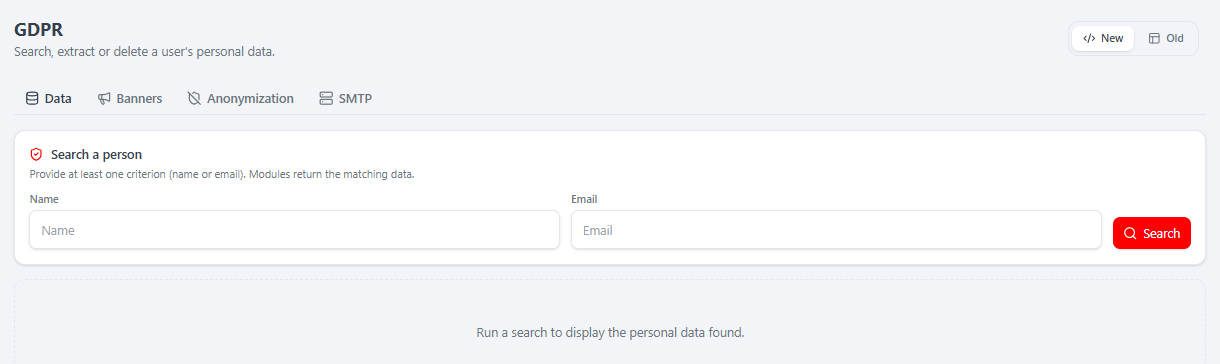
Where: MelisCore → Administration → GDPR (/melis-core/gdpr). Four tabs:
Data — search a person by name/email; across all modules, see the data held on them, then extract (export XML) or delete the selected records.
Banners — configure the GDPR cookie/consent banner texts per site + language.
Anonymization — the scheduled auto-delete / data-retention configs (one per site + module), with Run and Logs.
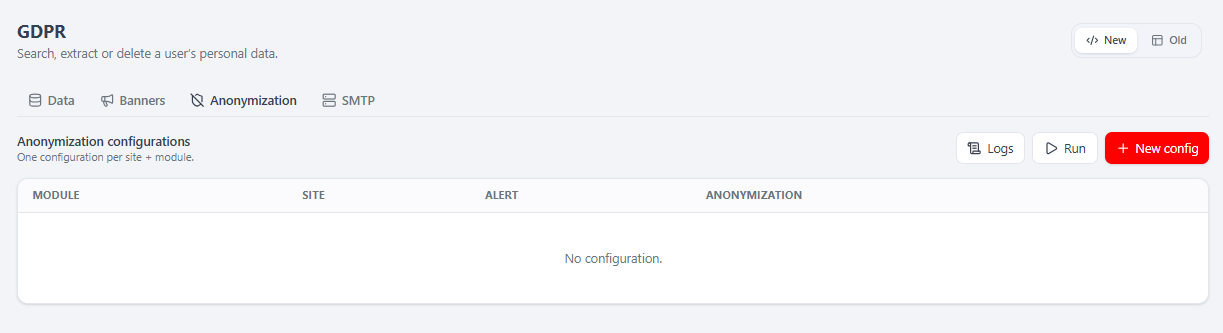
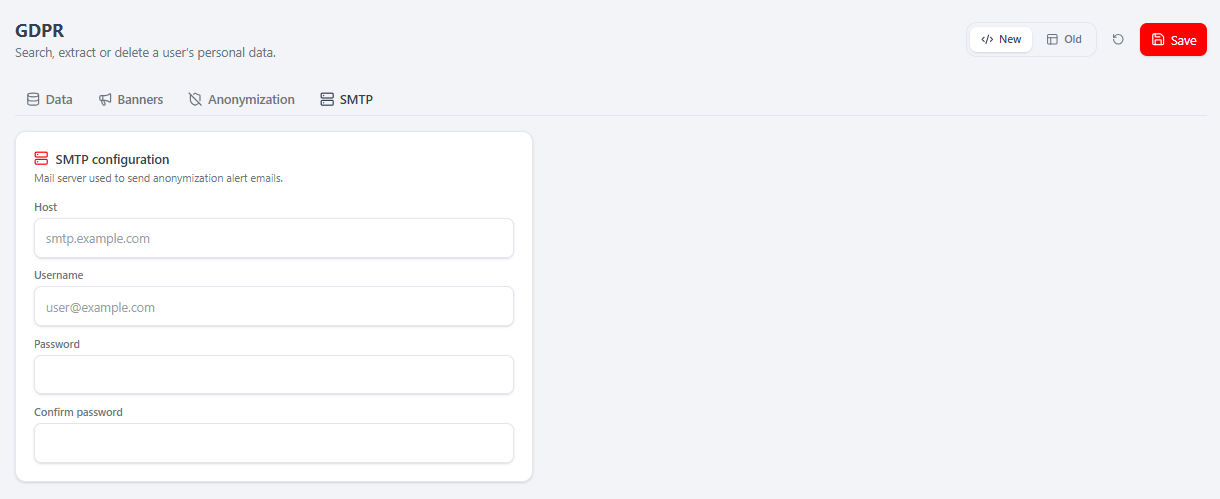
SMTP — the mail server used to send anonymization alert emails.
Logs
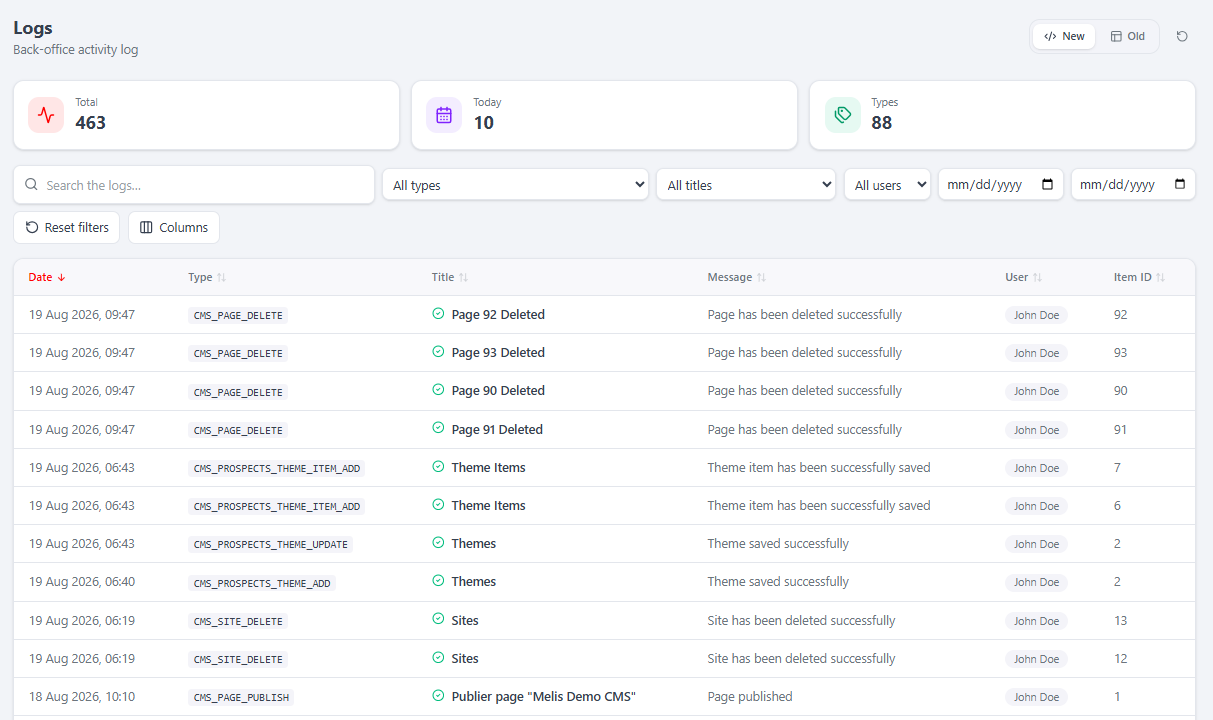
Where: MelisCore → System configuration → Logs (/melis-core/logs). A read-only, searchable activity log — filter by type, title, user and date range, with KPI cards (Total / Today / Types). Non-admins see only their own actions.
Modules
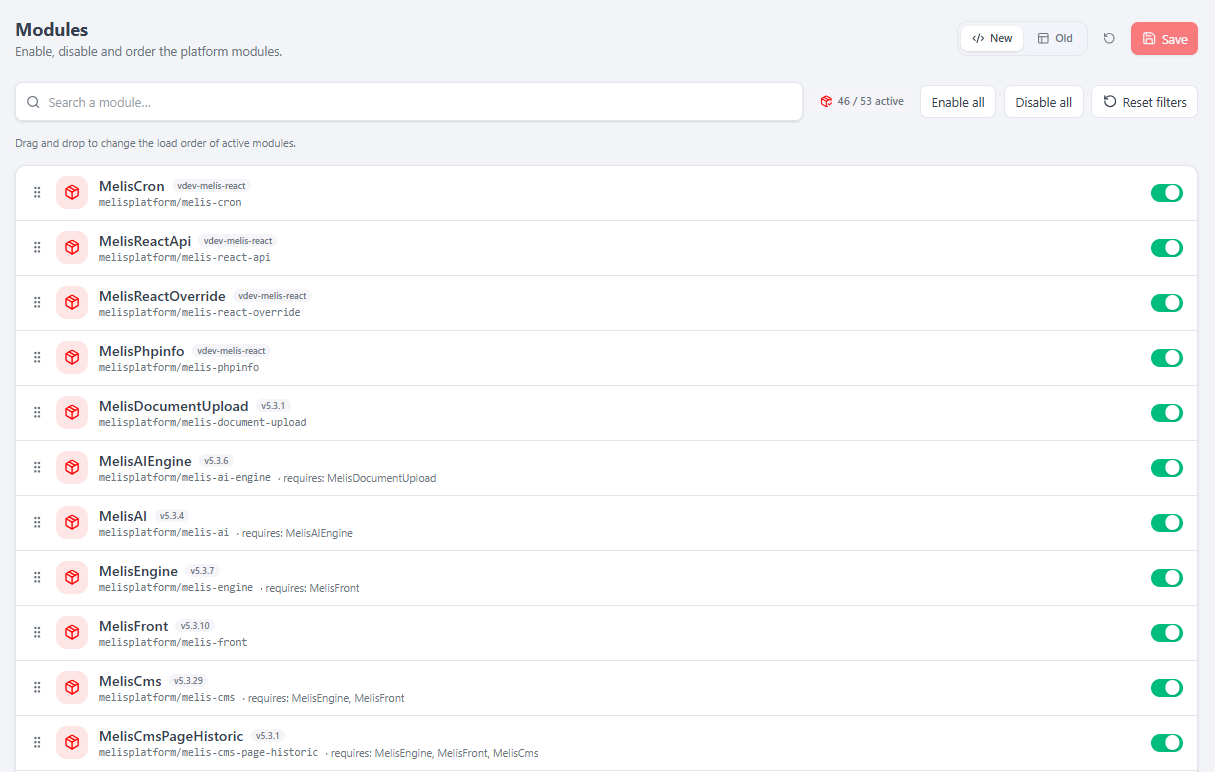
Where: MelisCore → System configuration → Modules (/melis-core/modules). Enable/disable and reorder (drag-and-drop) the platform modules; each row shows the module, its package, version and dependencies. Save rewrites config/melis.module.load.php and fires meliscore_module_management_save_end.
Other config (login & password policy)
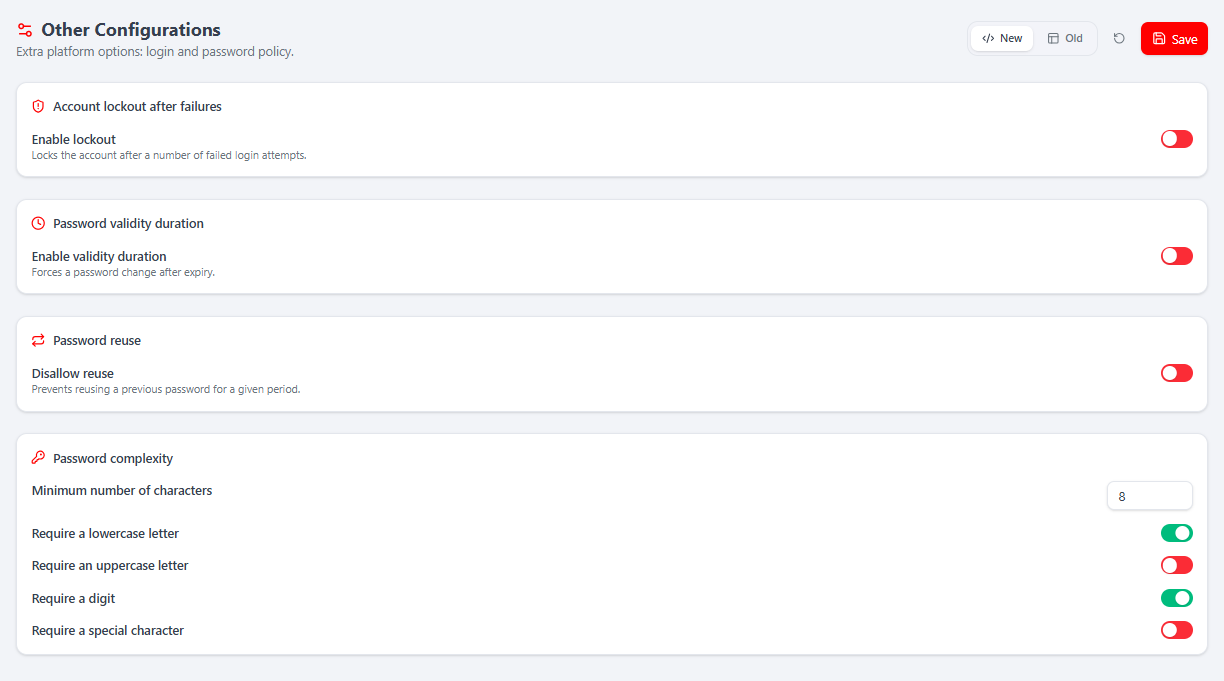
Where: MelisCore → System configuration → Other Config (/melis-core/other-config). The security policy: account lockout after failures, password validity duration, password reuse, and password complexity (min length + lower/upper/digit/special requirements). Written to app.login.php via MelisPasswordSettingsService.
Platforms
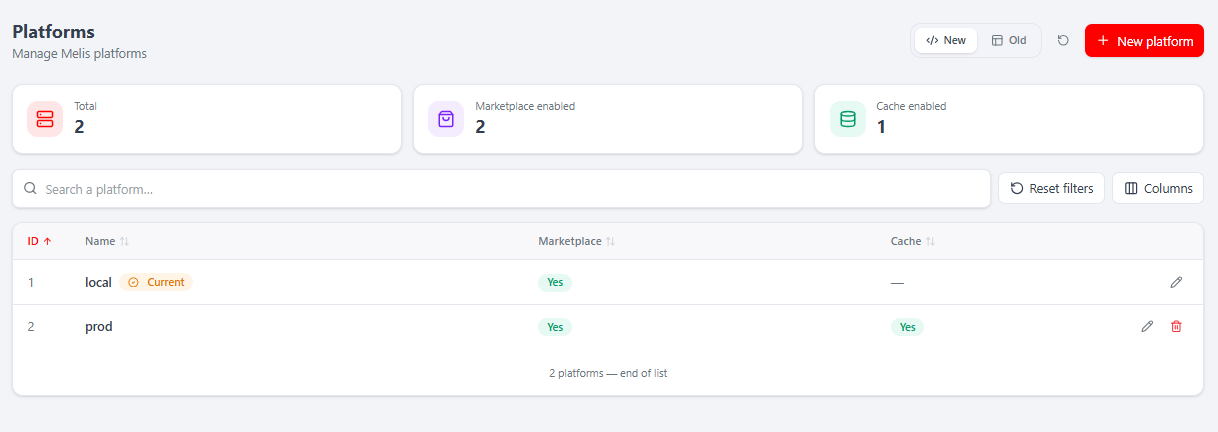
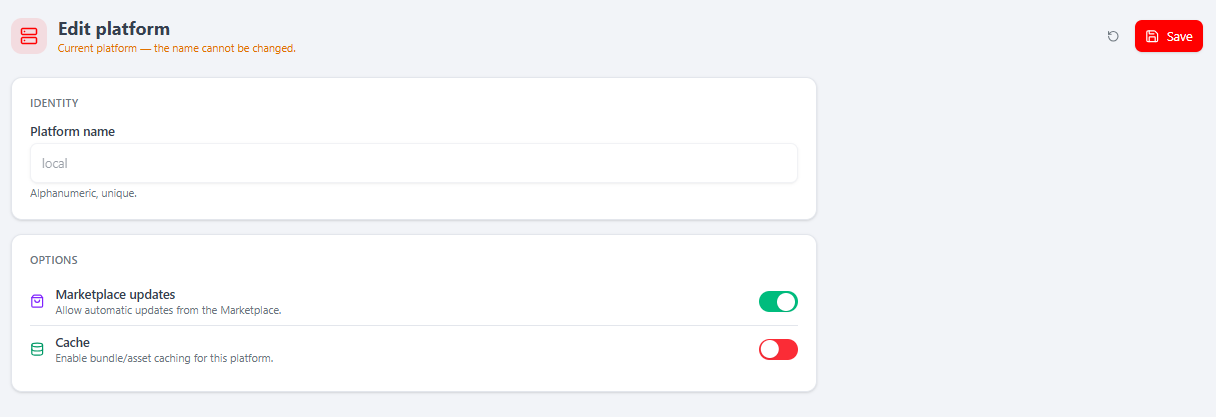
Where: MelisCore → System configuration → Platforms (/melis-core/platforms). Manage the environments (dev/staging/prod), with KPI cards, search and + New platform. The current platform is flagged and its name can't be changed.
Platform theme
Where: MelisCore → System configuration → Platform Scheme (/melis-core/platform-scheme). Configure the back-office branding: the header logo, the login left-panel (logo, background, per-language title/subtitle) and the favicon. Restore to Default resets it.
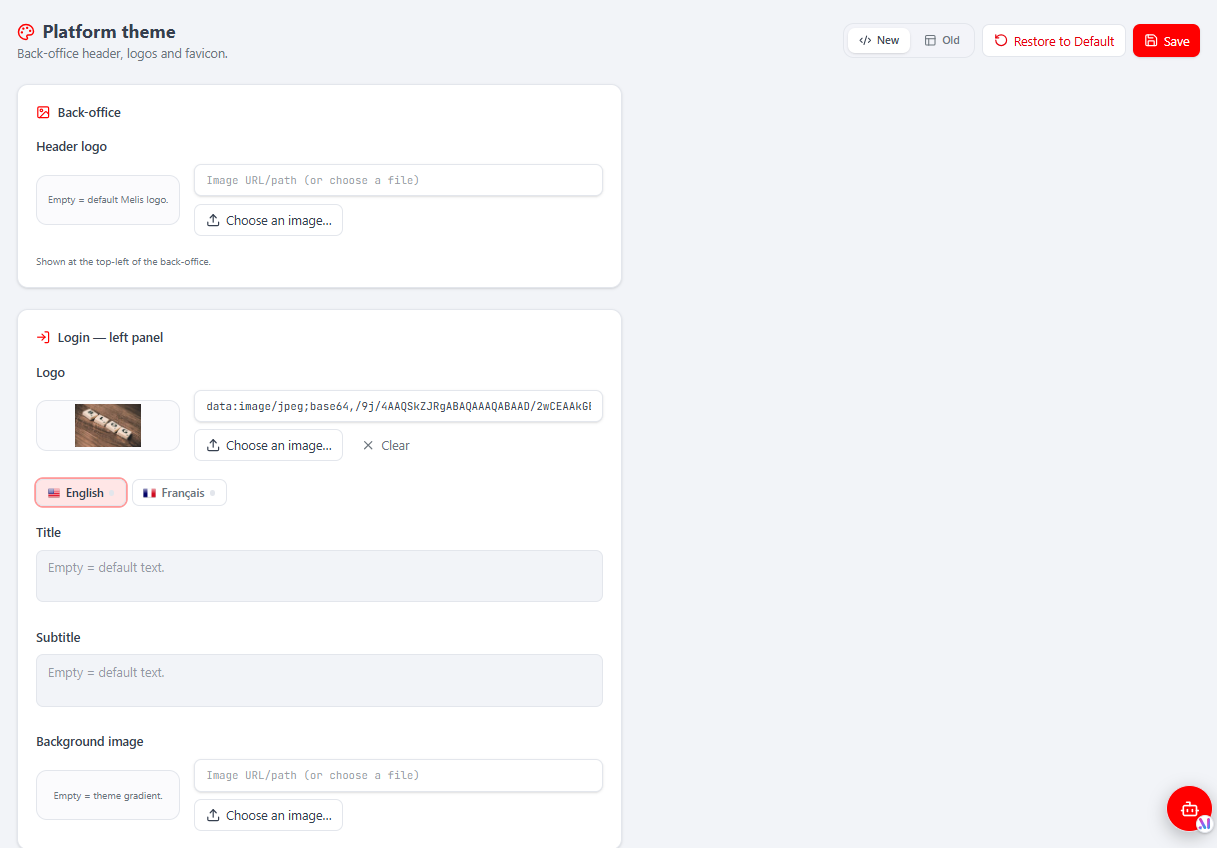
In React there are two theme controllers keyed under the same rights node
meliscore_tool_platform_scheme: this Platform theme page (React branding — logos, login, favicon) and the legacy colour scheme (back-office colours, regeneratesschemes.css).
Native tools → controllers & capabilities
Each native React tool maps to a MelisReactApi*Controller (in src/Controller/) declared in config/react-api.php, guarded by a rights-bearing melisKey. Advanced per-action capabilities are declared in config/react.capabilities.php and enforced server-side (default-allow in the UI).
| Tool (route) | Controller | melisKey / guard | Capabilities |
|---|---|---|---|
Users (/melis-core/user) | MelisReactApiUserController | meliscore_tool_user | list, create, edit, delete, export |
My account (/melis-core/account) | MelisReactApiUserProfileController | meliscore_user_profile (auth-only) | — |
| Announcement | MelisReactApiAnnouncementController | melis_core_announcement_tool | list, create, edit, delete, export |
| Emails | MelisReactApiEmailsController | meliscore_tool_emails_mngt | list, create, edit, delete |
| GDPR | MelisReactApiGdprController | melis_core_gdpr | enforced, not declared → default-allow |
| Languages | MelisReactApiLanguageController | meliscore_tool_language | list, create, edit, delete |
| Logs | MelisReactApiLogController | meliscore_logs_tool (read-only) | list |
| Modules | MelisReactApiModulesController | meliscore_tool_user_module_management | list, edit |
| Other config | MelisReactApiOtherConfigController | meliscore_tool_other_config | list, edit |
| Platforms | MelisReactApiPlatformController | meliscore_tool_platform | list, create, edit, delete |
| Platform theme | MelisReactApiPlatformScheme(React)Controller | meliscore_tool_platform_scheme | list, edit |
| Auth (public) | MelisReactApiAuthController | none (forgot/reset/i18n) | — |
Every guarded action runs the same two-line gate:
private const MELIS_KEY = 'meliscore_tool_user';
if ($deny    = $this->denyUnlessAccess())    { return $deny; }    // 401 unauth / 403 canAccess(MELIS_KEY)
if ($denyCap = $this->denyUnlessCan('list')) { return $denyCap; } // capability (CapabilityGuardTrait)
The react-api
The shell consumes a generic react-api (from the MelisReactApi module) plus the native tools' routes (from MelisCore). Base /melis/react-api, contract { success, data, error }; every call sends X-Requested-With: XMLHttpRequest and credentials: 'include'.
| Method & URL | Purpose |
|---|---|
GET /melis/react-api/me | Current user (id, name, login, email, picture, isAdmin, capabilities). |
GET /melis/react-api/menu[?full=1] | Rights-filtered tool tree (full=1 = unfiltered, rights editor only). |
GET /melis/react-api/react-modules | Active modules shipping a brick + the concatenated bundle URL. |
GET /melis/react-api/langs · /assets · /i18n?locale=… | BO languages, platform assets, public translations. |
GET /melis/react-api/dashboard/{bubbles,stats,layout} · POST …/layout | Dashboard data + shared layout. |
GET/POST /melis/react-api/{users|languages|platforms|emails|…} | Native tools' CRUD (per controller above). |
Example — a native keyset list and a save:
// GET a keyset page of platforms
const r = await fetch('/melis/react-api/platforms?limit=25&sort=plf_id&dir=desc', {
  headers: { 'X-Requested-With': 'XMLHttpRequest' }, credentials: 'include',
})
const { success, data } = await r.json()   // { success, data: { items, total, nextCursor } }

// POST save a language
await fetch('/melis/react-api/languages/save', {
  method: 'POST',
  headers: { 'X-Requested-With': 'XMLHttpRequest', 'Content-Type': 'application/json' },
  credentials: 'include',
  body: JSON.stringify({ id: null, locale: 'de_DE', name: 'Deutsch' }),
})
Key services (unchanged)
Registered as service_manager aliases in config/module.config.php — the PHP backbone the React tools call through:
| Service alias | Role |
|---|---|
MelisCoreConfig | Runtime config tree over the aggregated app.* files: getItem('/meliscore/interface/…'), getItemPerPlatform('/meliscore/datas/'), getFormMergedAndOrdered(…). |
MelisCoreAuth | Back-office authentication: hasIdentity(), getIdentity(), getAuthRights(), encryptPassword(), isPasswordCorrect(). |
MelisCoreRights | Per-tool access control: canAccess($melisKey), getRightsValues($id, $isRole), createXmlRightsValues(…). |
MelisCoreTool | Back-office tool helper (columns, forms, DataTable config) for legacy/iframe tools. |
MelisCoreBOEmailService | Transactional templates: sendBoEmailByCode(), getBoEmailByCode(), saveBoEmailByCode(), deleteEmail(). |
MelisCoreGdprService / MelisCoreGdprAutoDeleteService | GDPR subject access/erasure and the scheduled retention engine. |
MelisCoreTranslation | Loads and merges tr_* translations per locale (regenerated on language save). |
MelisGeneralService | Base class most services extend — sendEvent(), makeArrayFromParameters(), getServiceManager(). |
Event system
MelisGeneralService still fires *_start / *_end events around each service method, so any module can intercept. Hook via the shared event manager:
$sm->get('SharedEventManager')->attach(
    'MelisCore',
    'meliscore_tooluser_savenew_end',
    function ($e) { $p = $e->getParams(); /* react */ },
    100
);
Common core events: meliscore_tooluser_savenew_start/end, …delete_start/end, …save_start/end, melis_core_check_user_rights, meliscore_install_create_new_user, melis_core_new_platform, meliscore_module_management_save_end, and the GDPR events (melis_core_gdpr_user_info_event, …_extract_event, …_delete_event, melis_core_gdpr_auto_delete*).
Database tables
| Table | Holds |
|---|---|
melis_core_user | Back-office users (login, password hash, usr_rights XML, admin flag, lang, role). |
melis_core_user_role | Roles and their urole_rights XML. |
melis_core_user_connection_date | Login history. |
melis_core_lang | Back-office languages. |
melis_core_platform | Environments/platforms. |
melis_core_bo_emails / _details | Transactional email templates and per-language bodies. |
melis_core_log / _log_type / _log_type_trans | Action log, types and translations. |
melis_core_lost_password | Password reset tokens. |
melis_core_microservice_auth | API keys for micro-service endpoints. |
melis_core_dashboards / _dashboard_schema | Per-user dashboard layout. |
melis_core_plugins | Registered plugins. |
melis_core_gdpr_delete_config / _delete_emails_logs | GDPR auto-delete rules and audit trail. |
melis_user_password_history | Password history (reuse prevention). |
melis_announcement | Back-office announcements. |
Key files
| Concern | Path |
|---|---|
| Module bootstrap | vendor/melisplatform/melis-core/src/Module.php |
| Routes, services, controllers, view helpers | vendor/melisplatform/melis-core/config/module.config.php |
| Legacy back-office shell & tools tree (interface) | vendor/melisplatform/melis-core/config/app.interface.php |
| DataTable tool declarations | vendor/melisplatform/melis-core/config/app.tools.php |
| Micro-service endpoints | vendor/melisplatform/melis-core/config/app.microservice.php |
| Native react-api routes + controllers | config/react-api.php + src/Controller/MelisReactApi*Controller.php |
| Native tools' capabilities | config/react.capabilities.php |
| React app source | vendor/melisplatform/melis-core/ui-react/src/ |
| Built React app (committed) | vendor/melisplatform/melis-core/public/ui-react/ |
| Services · Controllers · Table gateways | src/Service/ · src/Controller/ · src/Model/Tables/ |
| Install SQL & migrations · Translations | install/ · language/ |
See also: Module reference, Create a tool, Plugins