

MelisCmsProspects
Leads / contact management: a front-office contact form captures visitor messages as prospects, and a React back-office lets you browse, filter, edit, export and delete them, plus classify requests by themes. Package
melisplatform/melis-cms-prospects.
Purpose
MelisCmsProspects captures visitor contact-form submissions as prospects (leads) stored in the database. Back-office users browse, filter, edit, export (CSV/Excel) and delete those leads, and classify them by themes. The module ships a dashboard statistics widget and plugs into the platform's GDPR tooling (user info / extract / delete + auto-delete cycle).
In Melis v6 the two back-office tools — Prospects and Themes — are native full-React UIs served under /melis-react, each talking to a JSON react-api layer. The underlying data model, services, the front Show Form plugin and the GDPR wiring are unchanged from v5.
Enable it
Add to config/melis.module.load.php:
return [
    'MelisCmsProspects',
];
Dependencies: melis-core, melis-engine, melis-front, melis-cms and laminas/laminas-mvc-plugin-flashmessenger. The module is dbdeploy: true — its tables are created/updated through the dbdeploy mechanism. Both React tools appear in the back-office only while the module is active (they are discovered from its brick.manifest.json).
React back-office
Where: left sidebar → MelisMarketing → Prospects → Prospects / Themes. Each opens as its own top tab. Every tool keeps a New / Old toggle: New is the React UI (default), Old renders the legacy tool in an iframe (/melis/react-tool-page?key=<melisKey>).
Two bricks ship in one bundle (public/ui-react/brick.manifest.json):
| Item | Prospects | Themes |
|---|---|---|
| Brick id / route | prospects — /prospects | prospect-themes — /prospect-themes |
forwardKey (menu → route) | MelisCmsProspects/ToolProspects | MelisCmsProspects/ProspectThemes |
Old-view iframe melisKey (zone) | MelisCmsProspects_tool_prospects | MelisCmsProspects_tool_themes |
| Rights / capability melisKey | melisprospects_tool_prospects_section | melisprospects_tool_themes_section |
| API base | /melis/react-api/prospects | /melis/react-api/prospect-themes |
| Controller | MelisReactApiProspectController | MelisReactApiProspectThemeController |
Note: the manifest
melisKeyis the renderable zone key used for the Old-view iframe — rights do not hang on it. Access guard and capabilities key on the menu nodemelisprospects_tool_..._section(declared inconfig/app.interface.php).
Prospects tool
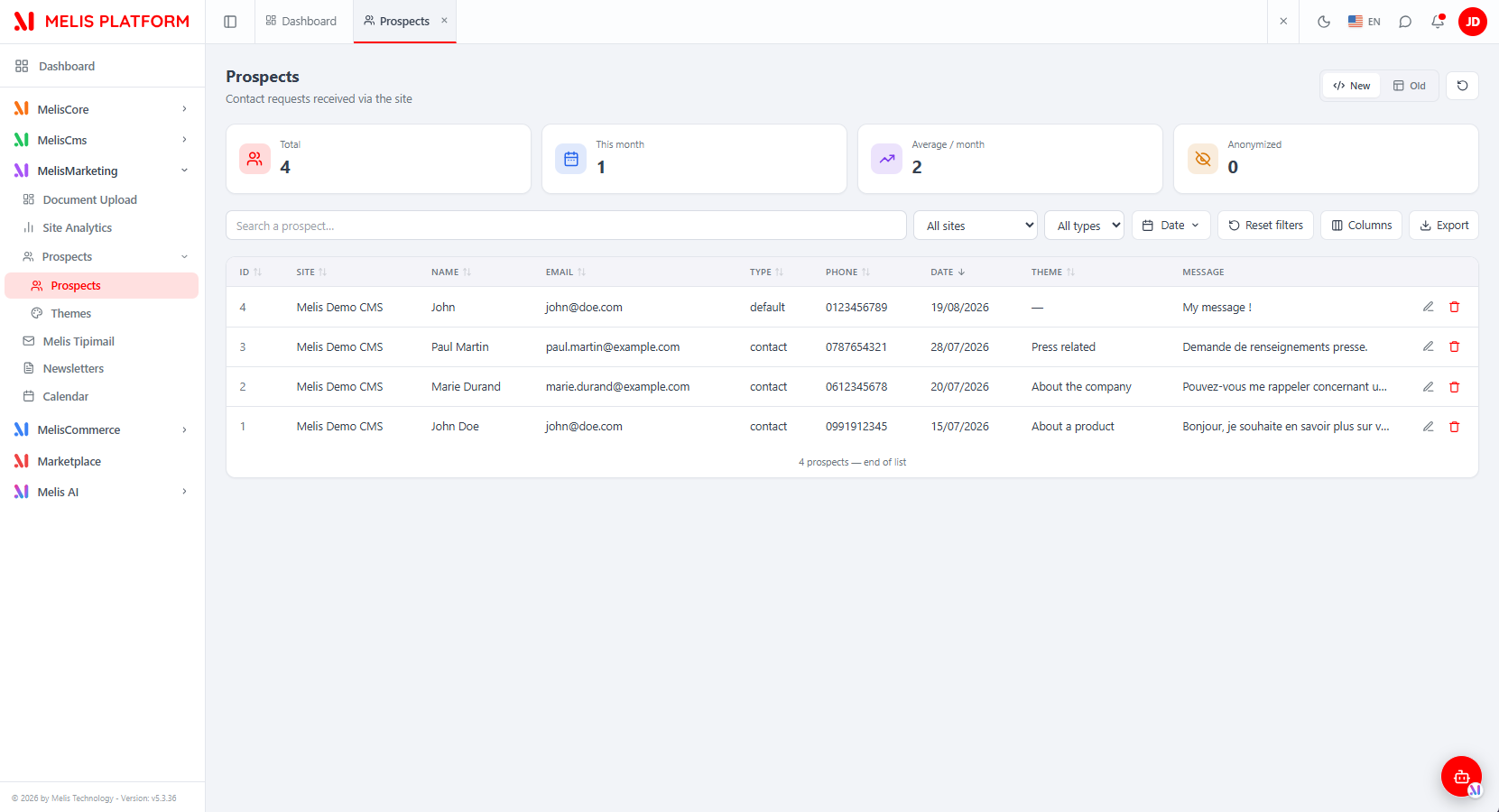
You see every prospect on the platform. The list has four KPI cards (Total, This month, Average per month, Anonymized), a search box (name / email / phone / company), a site filter, a type filter, a Date range picker (Today / Yesterday / Last 7 / Last 30 / This month / Last month / Custom), Reset filters, a persisted Columns manager, Export and a refresh button. Click a header to sort (all columns except Message). Each row has edit and delete.
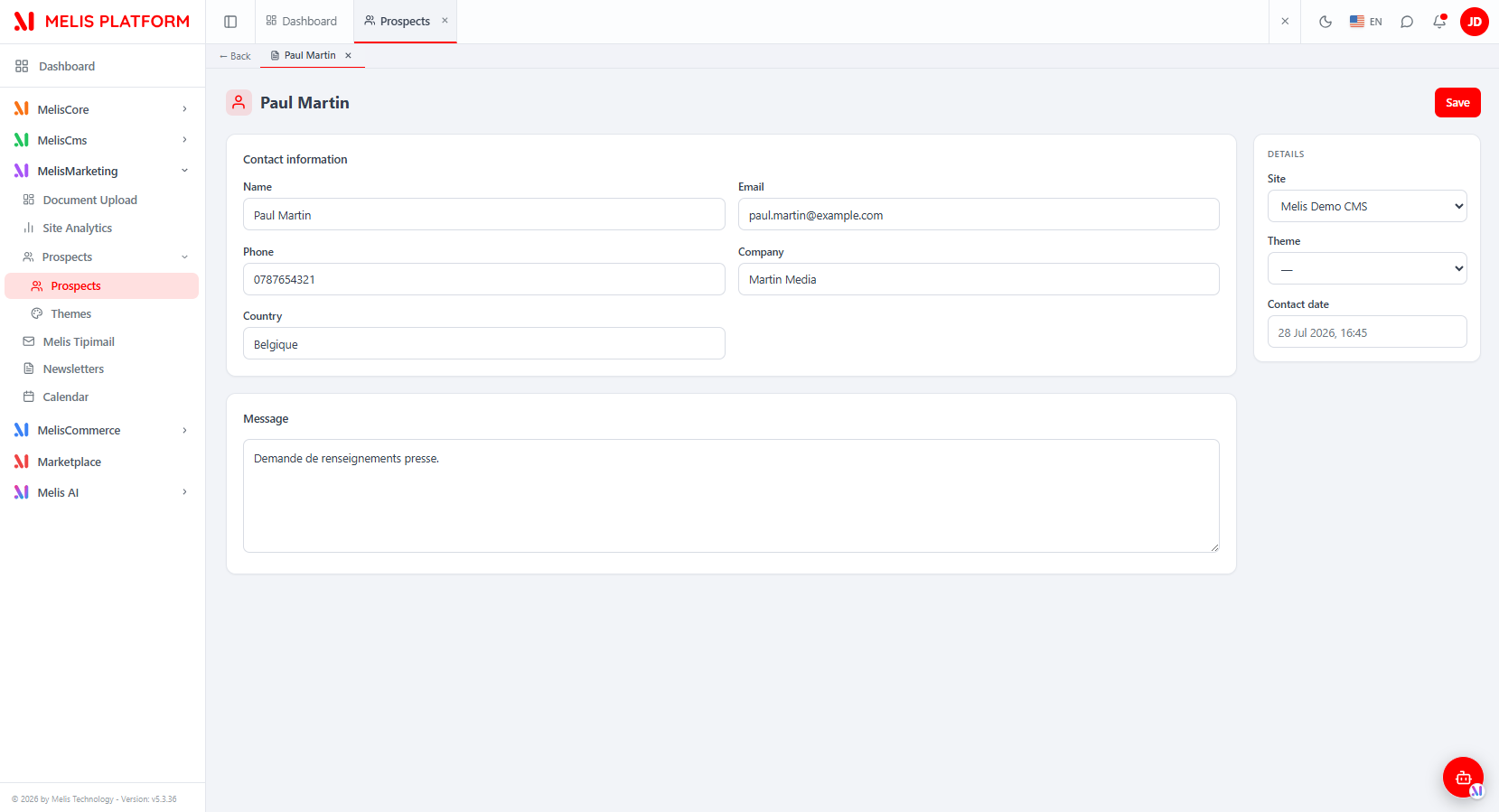
Prospects are not created here — they arrive only from the front contact form. Clicking edit opens the prospect as a host sub-tab (← Back) showing a React form: a Contact information card (Name, Email, Phone, Company, Country), a Message card and a Details side card (Site picker, Theme picker, read-only Contact date). No field is mandatory (email is format-checked only if filled); Contact date and type are immutable — they are set at capture time by the front form.
Themes tool
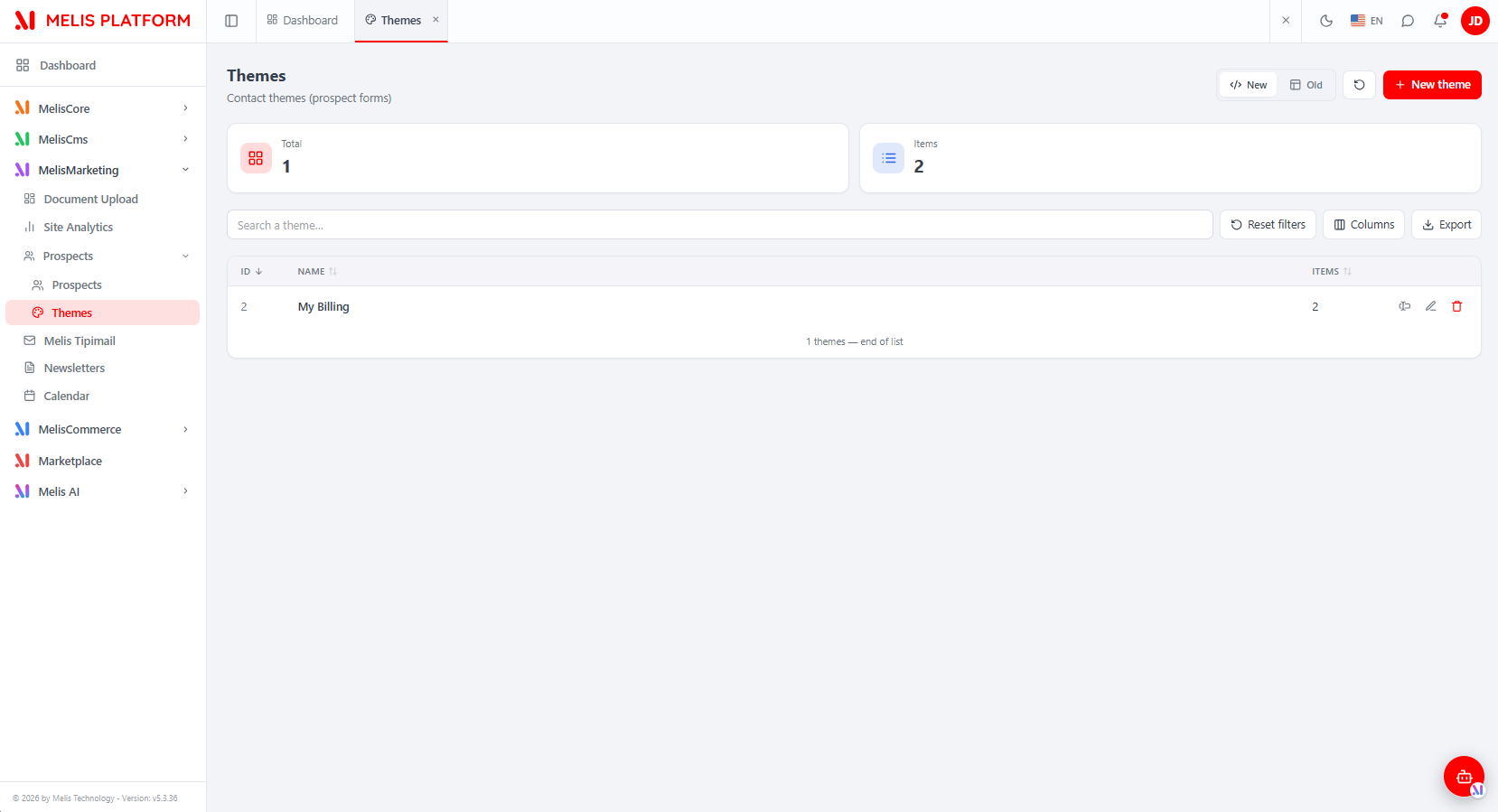
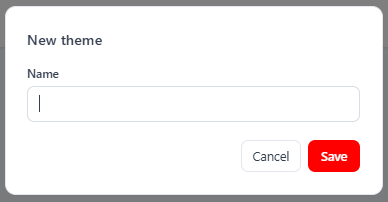
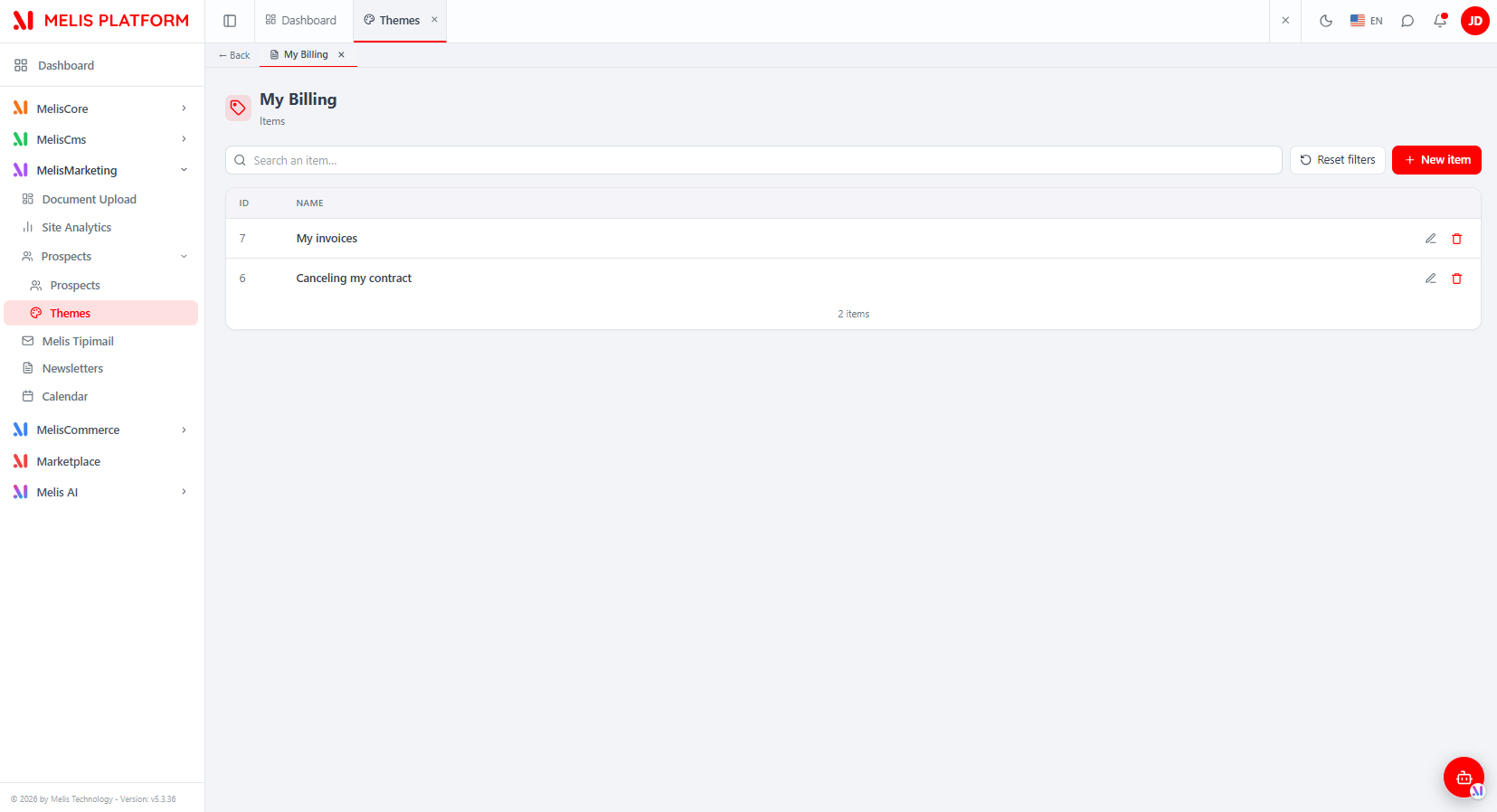
The Themes list shows two KPI cards (Total themes, total Items), a search box, Reset filters, a Columns manager, Export, the New/Old toggle and + New theme. Each row shows the theme name and its item count, with three actions: rename (one-field modal), edit (opens the theme's Items sub-tab) and delete.
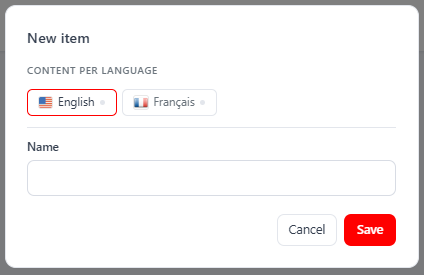
Editing a theme opens its Items panel as a sub-tab (← Back + theme name): a searchable list of items (id + name) with per-row edit/delete and + New item. Adding or editing an item opens a modal capturing a name per CMS language — a row of language tabs (flag + green "filled" dot) plus the Name field for the active language. At least one language must be filled.
React API
Routes live in config/react-api.php (merged via Module::getConfig()). All under /melis/react-api/, contract { success, data, error }; every fetch sends X-Requested-With: XMLHttpRequest and credentials: 'include'.
Prospects — MelisReactApiProspectController:
| Method & URL | Purpose |
|---|---|
GET /prospects | Keyset list (limit,search,site,type,dateFrom,dateTo,sort,dir,after) → {items,total,nextCursor} |
GET /prospects/stats | KPIs {total, thisMonth, avgPerMonth, anonymized} |
GET /prospects/sites | Site filter options |
GET /prospects/types | Distinct pros_type values |
GET /prospects/themes | Theme-item options for the form's Theme picker |
GET /prospects/:id | One prospect (formatted) |
POST /prospects/save | Update only (no create); contact date & type immutable server-side |
DELETE /prospects/delete/:id | Delete a prospect |
Themes & items — MelisReactApiProspectThemeController:
| Method & URL | Purpose |
|---|---|
GET /prospect-themes | Keyset list of themes → {items,total,nextCursor} with itemCount |
GET /prospect-themes/stats | KPIs {total, withCode, items} |
GET /prospect-themes/:id | One theme {id,name,code,itemCount} |
POST /prospect-themes/save | Create (id=0) / update (name required ≤45, unique; code preserved if absent) |
DELETE /prospect-themes/delete/:id | Delete a theme + items + translations (cascade) |
GET /prospect-themes/languages | CMS languages {languages:[{id,name,locale}]} |
GET /prospect-themes/items?themeId=X | A theme's items (name in session language) |
GET /prospect-themes/items/:id | One item {id,themeId,translations:{langId:text}} |
POST /prospect-themes/items/save | Create/update an item (≥1 non-empty translation; per-lang upsert/delete) |
DELETE /prospect-themes/items/delete/:id | Delete an item + its translations |
// update a prospect (no create)
await apiFetch<{id:number}>('/melis/react-api/prospects/save', {
  method: 'POST', headers: { 'Content-Type': 'application/json' },
  body: JSON.stringify({ id: 3, siteId: 1, name: 'Paul Martin',
    email: 'paul.martin@example.com', message: '…', theme: null }),
})
// save a theme item (name per language)
await apiFetch<{id:number}>('/melis/react-api/prospect-themes/items/save', {
  method: 'POST', headers: { 'Content-Type': 'application/json' },
  body: JSON.stringify({ id: 0, themeId: 2, translations: { '1': 'My invoices', '2': 'Mes factures' } }),
})
Both controllers talk to the tables directly via parameterised SQL (
AdapterInterface, keyset lists viaMelisReactKeysetListTrait), reproducing the legacy business rules. They still fire the legacy log events (meliscmsprospects_toolprospects_save_end/_delete_end,meliscmsprospects_theme_save_end/_delete_end,meliscmsprospects_theme_item_save_end) so the module's flash/log listeners keep working.
Capabilities
Declared in config/react.capabilities.php (melisReactToolCapabilities), keyed by the rights-bearing menu-node melisKey. Capabilities::flatten() produces dotted strings passed to MelisCan(melisKey, cap) in React and denyUnlessCan(cap) server-side (default-allow for an undeclared cap).
'melisprospects_tool_prospects_section' => ['list', 'edit', 'delete', 'export'], // NO create
'melisprospects_tool_themes_section' => [
    'actions' => ['create', 'list', 'edit', 'delete', 'export'],
    'tabs' => [
        ['key' => 'items', 'label' => 'tr_melis_cms_prospects_theme_items',
         'actions' => ['list', 'create', 'edit', 'delete']],
    ],
],- Prospects:
list,edit,delete,export(nocreate— a prospect is only born from the public contact form). - Themes:
create,list,edit,delete,export, plus theitemssub-tab (items,items.list,items.create,items.edit,items.delete).
Each controller action guards twice: denyUnlessAccess() (auth + MelisCoreRights::canAccess) then denyUnlessCan('list') etc. save picks edit vs create by id.
Key services
| Service alias | Role |
|---|---|
MelisCmsProspectsService / MelisProspectsService | Main service. saveProspectsDatas($datas, $prosId = null) creates or updates a prospect; getProspectsDataForWidgets($widgetId = '') returns total / this-month / average counts; getProspectsDataByDate($type, $date) counts registrations by date; getWidgetProspects($identifier) retrieves data for a widget. |
MelisProspectsGdprAutoDeleteService | Handles the GDPR auto-delete cycle (module list, tags list, warning / second-warning user lists, account deletion). |
Table gateways: MelisProspects, MelisCmsProspectsThemeTable, MelisCmsProspectsThemeItemTable, MelisCmsProspectsThemeItemTransTable.
The React controllers do not use
MelisCmsProspectsService(they query the tables directly); the classic tools (Old view), the Show Form plugin, the dashboard widget and the GDPR listeners still rely on it.
Front office
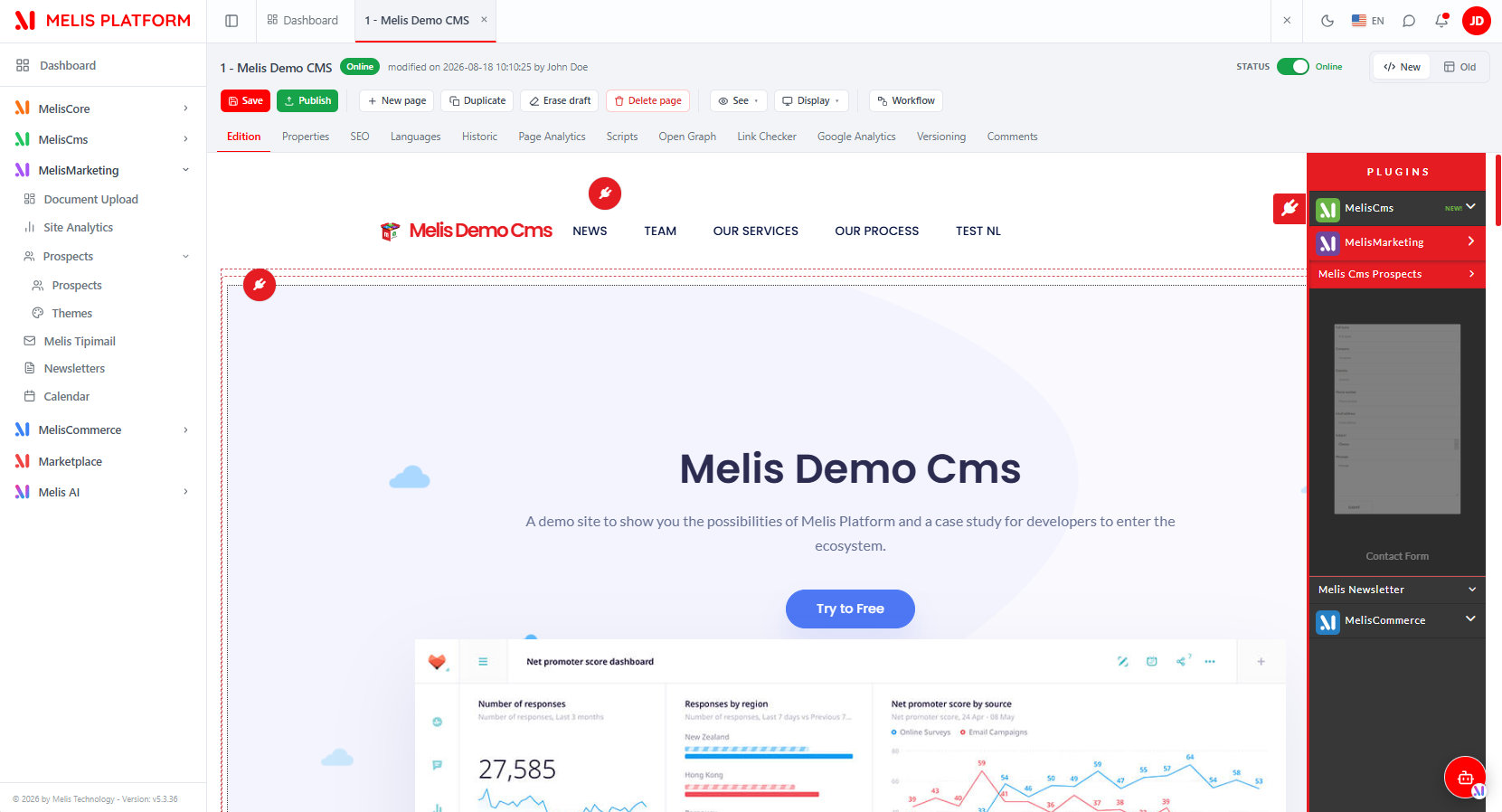
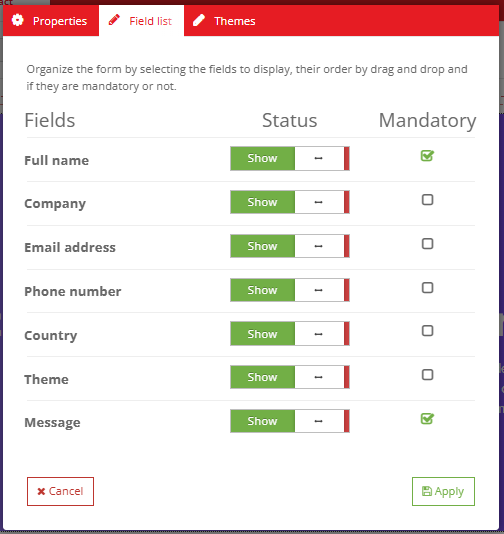
The MelisCmsProspectsShowFormPlugin controller plugin renders the contact form on the front end. Drop the Show Form block onto a page from the React page editor's plugins panel (under Melis Cms Prospects). Its settings modal keeps three tabs:
| Tab | Controls |
|---|---|
| Properties | Rendering template (template_path) and source site (pros_site_id). |
| Field list | Field-builder — per field a Show/Hide switch and a Mandatory checkbox (enabled only when Show is on); drag rows to set the form order. Fields: pros_name, pros_company, pros_country, pros_email, pros_telephone, pros_message. |
| Themes | The theme that populates the form's subject dropdown. |
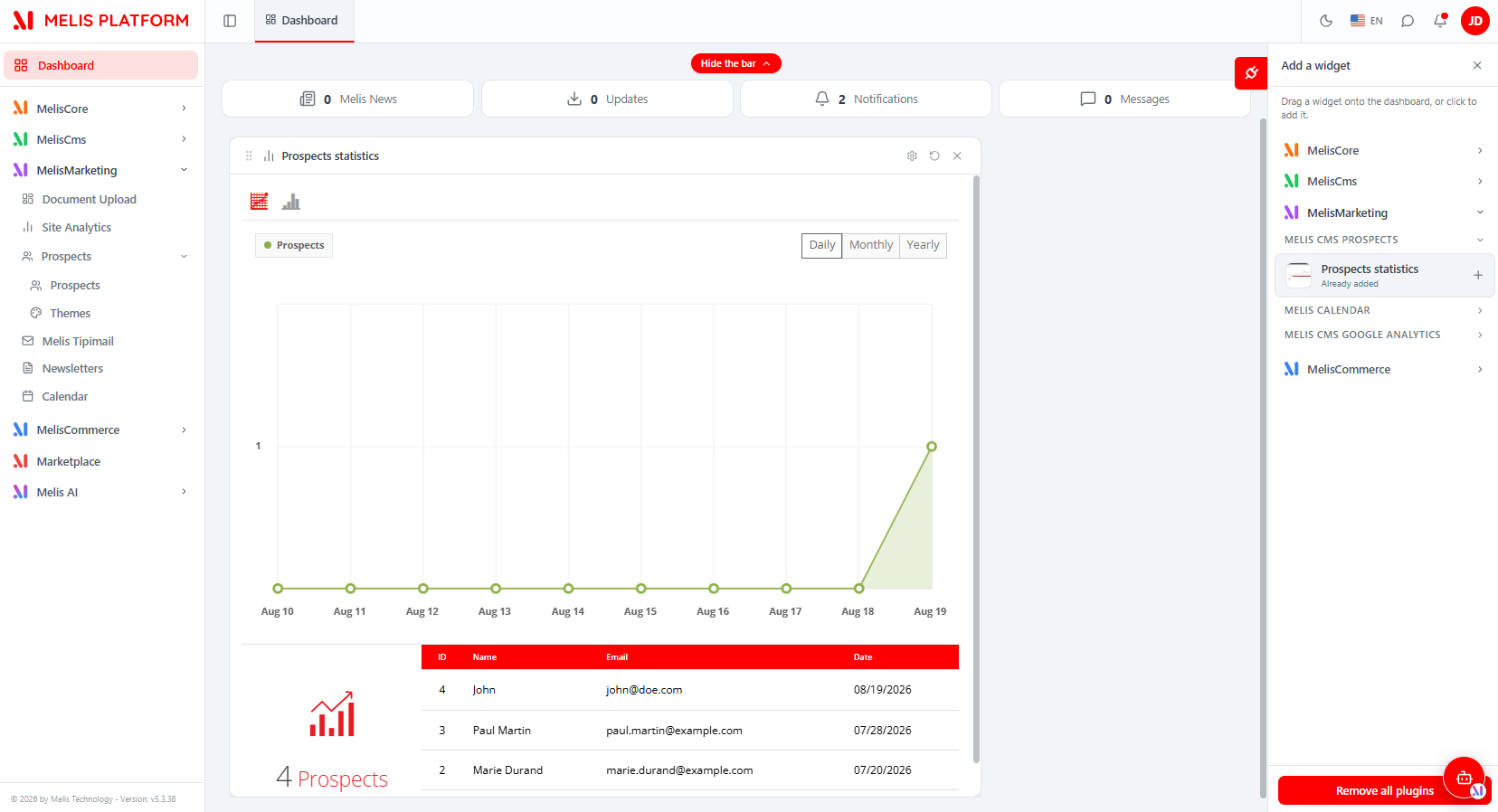
Config file: config/plugins/MelisCmsProspectsShowFormPlugin.config.php. Front template: view/.../plugins/prospects-form.phtml. On the back-office Dashboard, the Prospects Statistics widget (MelisCmsProspectsStatisticsPlugin, section MelisMarketing) charts registrations over time.
Database tables
| Table | Holds |
|---|---|
melis_cms_prospects | A captured lead: site, type, theme, name, email, telephone, message, company, country, contact date, GDPR last date. PK: pros_id. |
melis_cms_prospects_themes | Subject themes (pros_theme_name, pros_theme_code). PK: pros_theme_id. |
melis_cms_prospects_theme_items | Items belonging to a theme. PK: pros_theme_item_id. |
melis_cms_prospects_theme_items_trans | Per-language translations of theme items. PK: item_trans_id. |
Event hooks
Attach with MelisCmsProspects as the target identifier:
| Event name | Fired by |
|---|---|
meliscmsprospects_toolprospects_save_start / _end | Prospects tool (classic + React controller) |
meliscmsprospects_toolprospects_delete_start / _end | Prospects tool (classic + React controller) |
meliscmsprospects_theme_save_end / _delete_end | Themes tool (classic + React controller) |
meliscmsprospects_theme_item_save_end | Theme items (classic + React controller) |
$sharedEvents->attach(
    'MelisCmsProspects',
    'meliscmsprospects_toolprospects_save_end',
    $fn,
    50
);
GDPR listeners (user info, extract, delete, auto-delete) are wired in src/Module.php. GDPR field mappings live in config/app.gdpr.php.
Key files
| Concern | Path (under vendor/melisplatform/melis-cms-prospects/) |
|---|---|
| Module config / routes / services | config/module.config.php |
| React-api routes + invokables | config/react-api.php |
| React capabilities | config/react.capabilities.php |
| Back-office interface tree | config/app.interface.php |
| Classic tool tables & forms | config/app.tools.php |
| Templating plugin config | config/plugins/MelisCmsProspectsShowFormPlugin.config.php |
| Dashboard widget config | config/dashboard-plugins/ |
| GDPR field mapping | config/app.gdpr.php |
| React API controllers | src/Controller/MelisReactApiProspectController.php, MelisReactApiProspectThemeController.php |
| Classic controllers | src/Controller/ToolProspectsController.php, MelisCmsProspectsThemesController.php, MelisCmsProspectsThemeItemsController.php |
| Main service | src/Service/MelisCmsProspectsService.php |
| GDPR auto-delete service | src/Service/ |
| Front form plugin | src/Controller/Plugin/MelisCmsProspectsShowFormPlugin.php |
| Dashboard widget | src/Controller/DashboardPlugins/MelisCmsProspectsStatisticsPlugin.php |
| React bricks (source / build) | ui-react/src/ → public/ui-react/brick.js + brick.manifest.json |
| Table gateways | src/Model/Tables/ |
| GDPR listeners & bootstrap | src/Module.php, src/Listener/ |
See also: Module reference · melis-cms · melis-core