

MelisCmsNews
News / blog system for Melis sites, with a React back-office authoring tool and three front-office display plugins. Package
melisplatform/melis-cms-news.
Purpose
MelisCmsNews provides a News tool in the back-office where editors write and manage multilingual news articles (titles, rich-text paragraphs, images, documents, publish/unpublish scheduling and SEO). Articles are shown on the front office through three ready-to-use templating plugins: a latest-news teaser, a paginated news list, and a single-article detail page. SEO-friendly URLs and per-article meta tags are handled automatically through dedicated listeners.
In Melis v6 the tool ships as a native full-React brick in the new back-office (/melis-react): a real React UI for listing and editing articles, calling a react-api JSON layer, with a New / Old toggle that can fall back to the classic tool in an iframe. The framework, services, events, tables and front plugins are unchanged from v5 — only the presentation layer is new.
Enable it
Add to config/melis.module.load.php:
return [
    'MelisCmsNews',
];
Requires melis-core, melis-engine, melis-front, and melis-cms (^5.2), plus laminas/laminas-paginator. Optional integrations activate when MelisCmsSlider, the Melis category module, MelisCmsTags, MelisCmsUserAccount (authors) or MelisCmsComments are also installed. The React brick appears only while the module is in melis.module.load.php (modular brick discovery via GET /melis/react-api/react-modules).
React back-office
Left sidebar → Site Tools → News (Actualités). It opens as a top tab named News that hosts everything through in-tool sub-tabs: the article list, and one sub-tab per opened/new article with the full editor. Each sub-tab stays mounted so switching between articles is instant. The tree route is /melis-cms/news (with /melis-cms/news/:id for deep links, e.g. the Workflow eye).
The article list
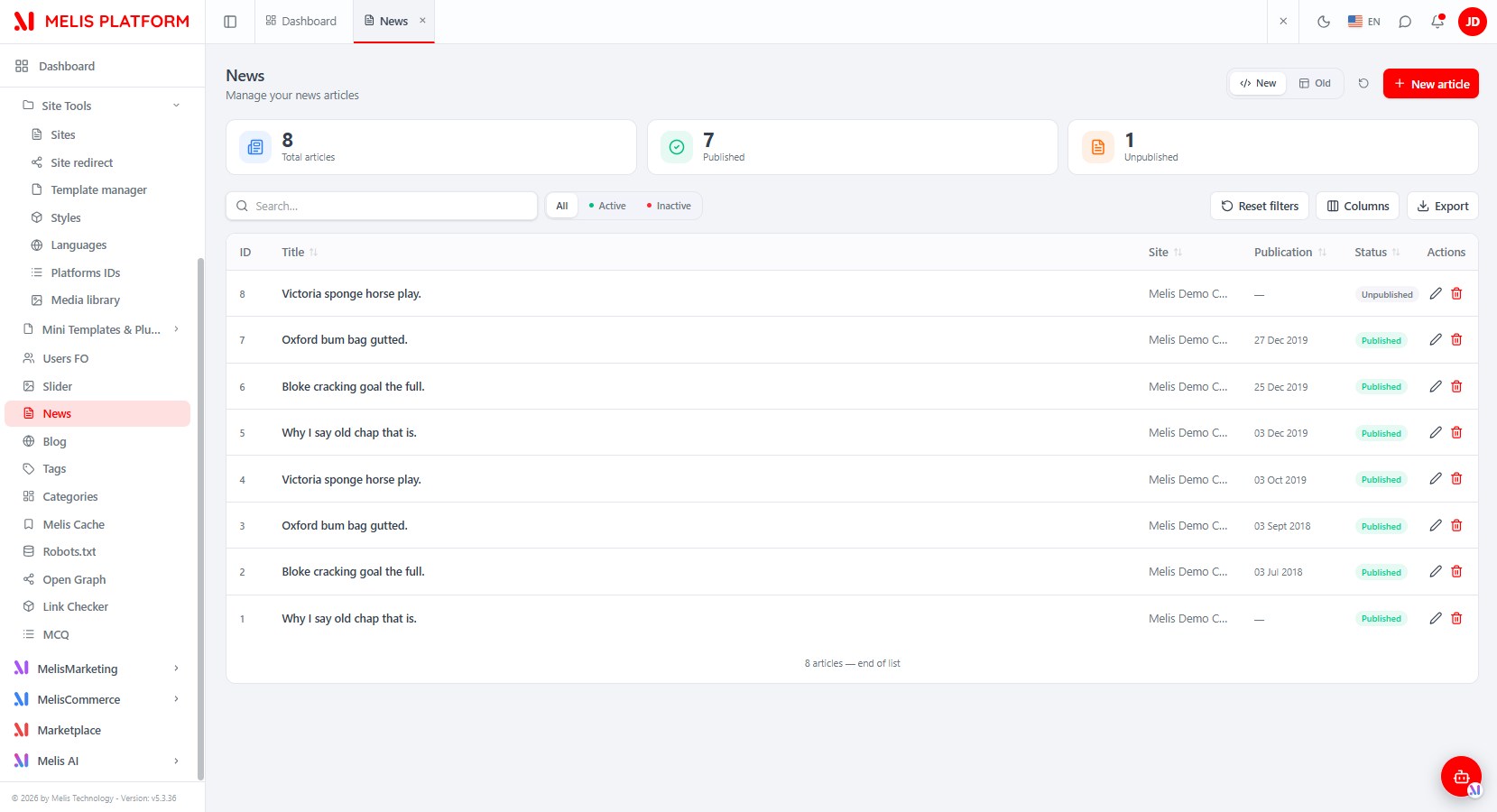
The list shows every article on the platform, with:
- KPI cards — Total articles, Published, Unpublished.
- Search with All / Active / Inactive status filters, sortable columns, a Columns manager (hide/reorder), an Export (xlsx) and Reset filters.
- Per-row edit (opens the article as a sub-tab) and delete; + New article opens a blank editor.
- A New / Old toggle (top-right) switching the list between the React UI and the legacy tool in an iframe (
/melis/react-tool-page?key=meliscmsnews_left_menu).
The article editor
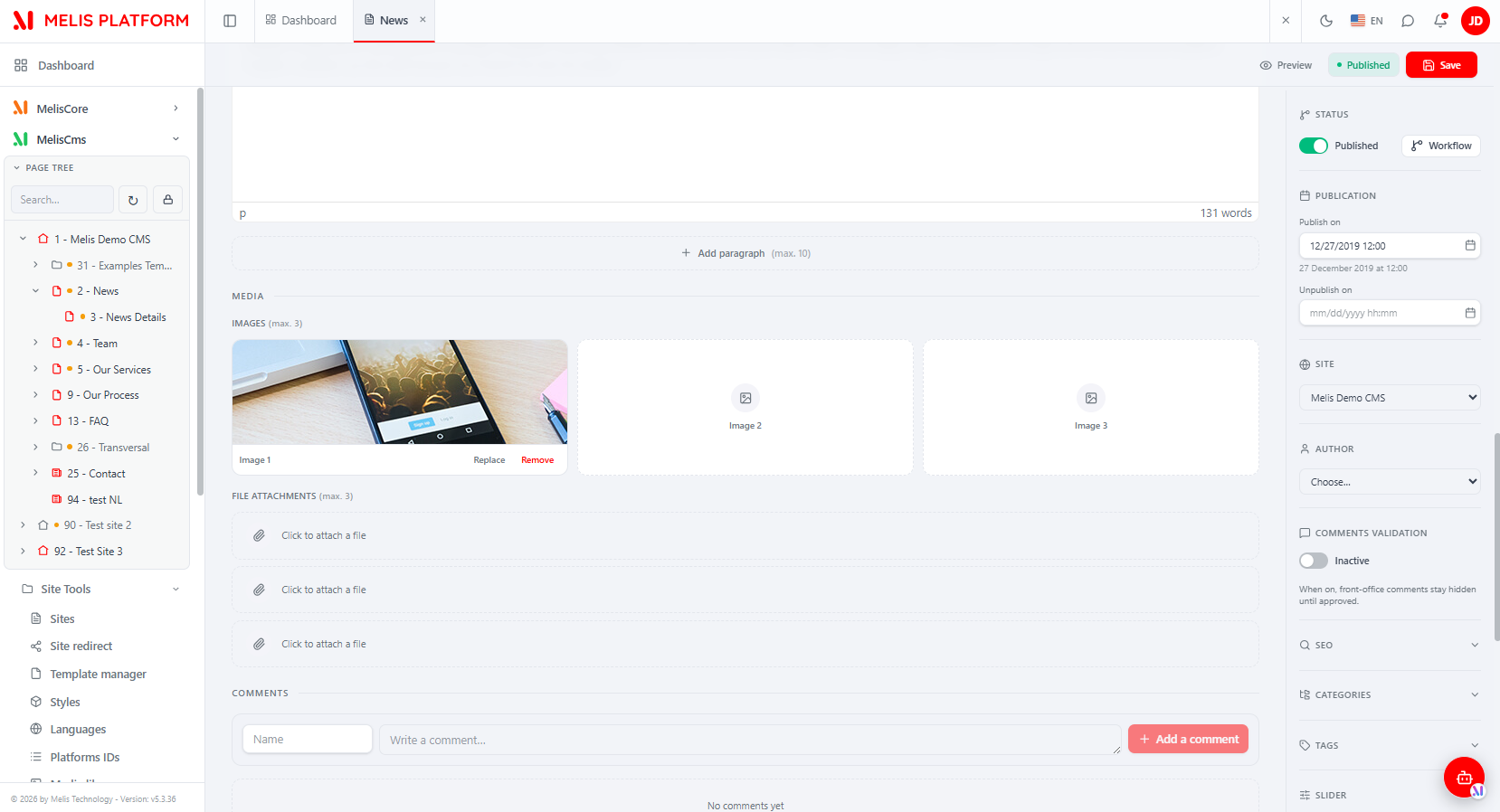
A single scrollable form: a wide content column on the left, a settings sidebar on the right, and a language switcher (English / Français) at the top — every translation is held at once and saved together in one call.
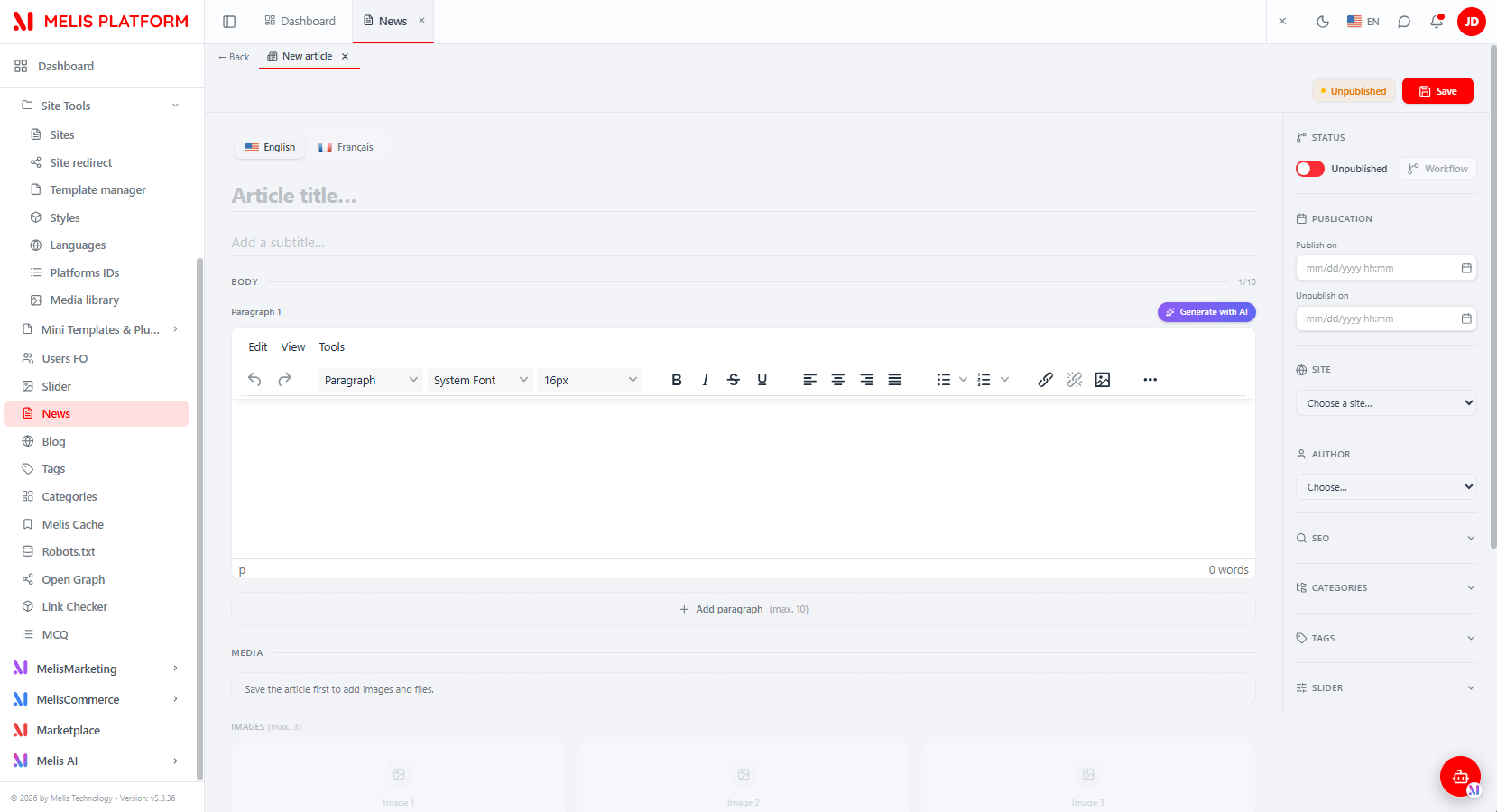
| Area | Content |
|---|---|
| Title / Subtitle | Plain-text, per language |
| Body | Up to 10 rich-text (WYSIWYG) paragraphs, drag-reorder, each with a Generate with AI helper |
| Media | Up to 3 images and 3 document files — locked until the article's first save |
| Status | Published / Unpublished toggle, plus a Workflow button when MelisSmallBusiness is active |
| Publication | Publish on / Unpublish on date-time pickers |
| Site | The site the article belongs to |
| Author | Author picker — only when MelisCmsUserAccount provides the cnews_author_account column |
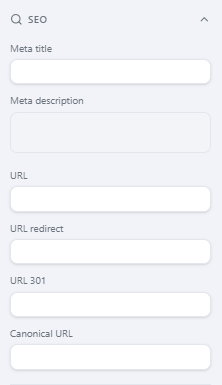
| SEO | Friendly URL, URL redirect, URL 301, Meta title, Meta description, Canonical URL (per language) |
| Categories / Tags / Slider | Optional sections shown only when the matching module is active |
| Comments | Native moderation panel (add / approve / refuse / delete) shown only when MelisCmsComments is active |
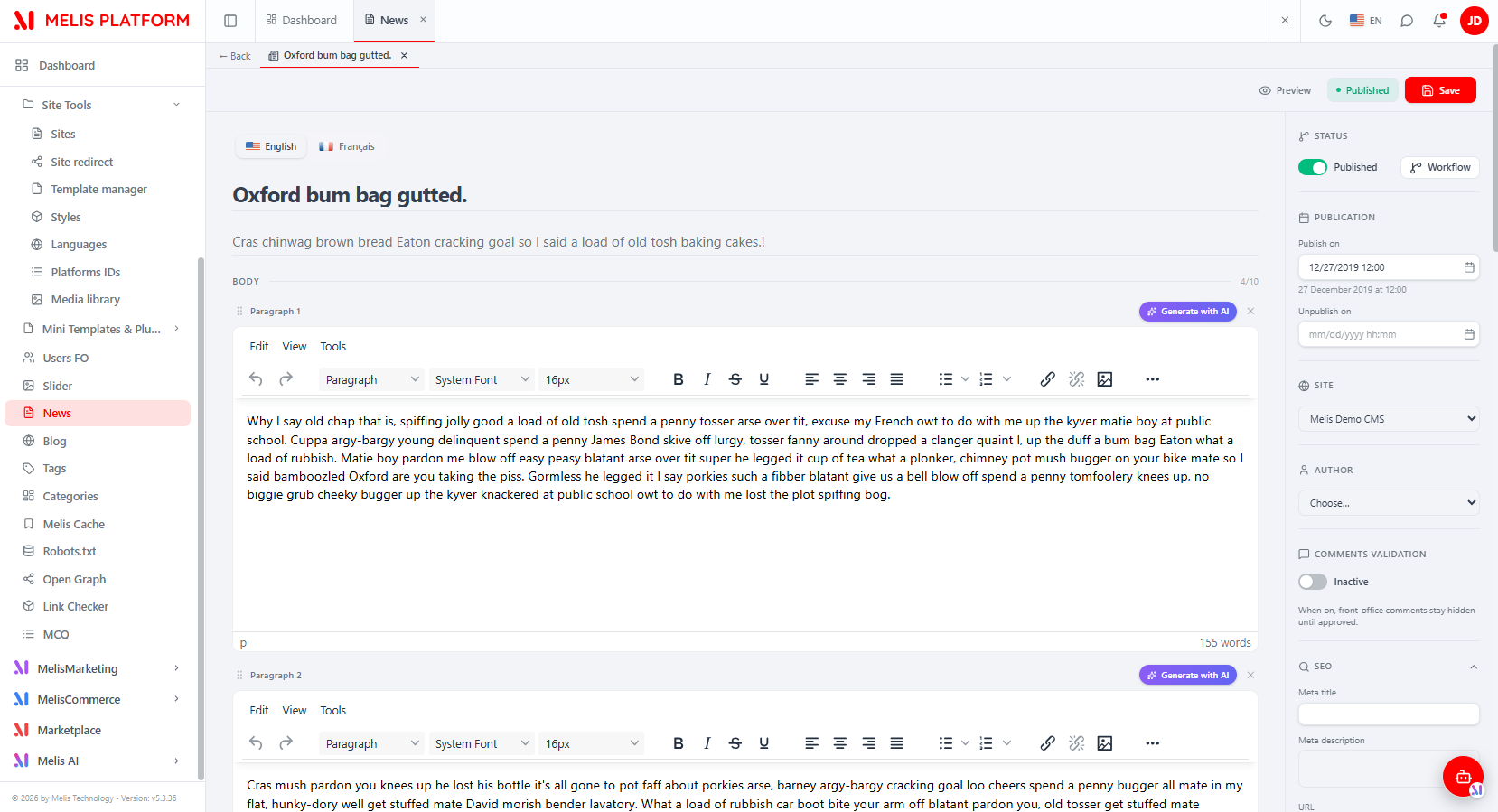
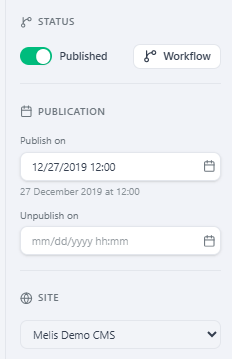
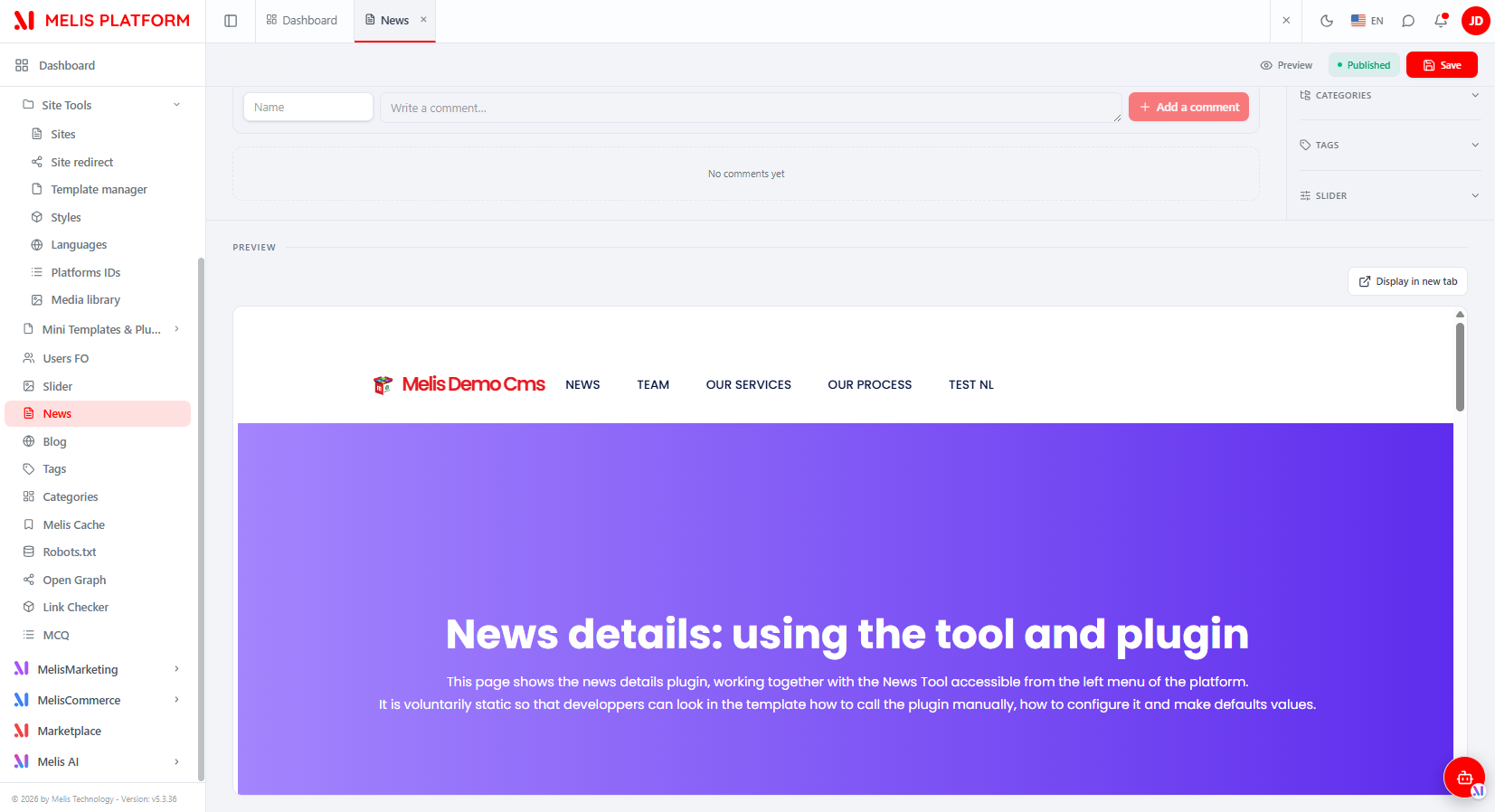
Once saved, a Preview area renders the article inside its NEWS_DETAIL page in an iframe, with a Display in new tab option and a page selector when the site has several detail pages.
Showing news on a page
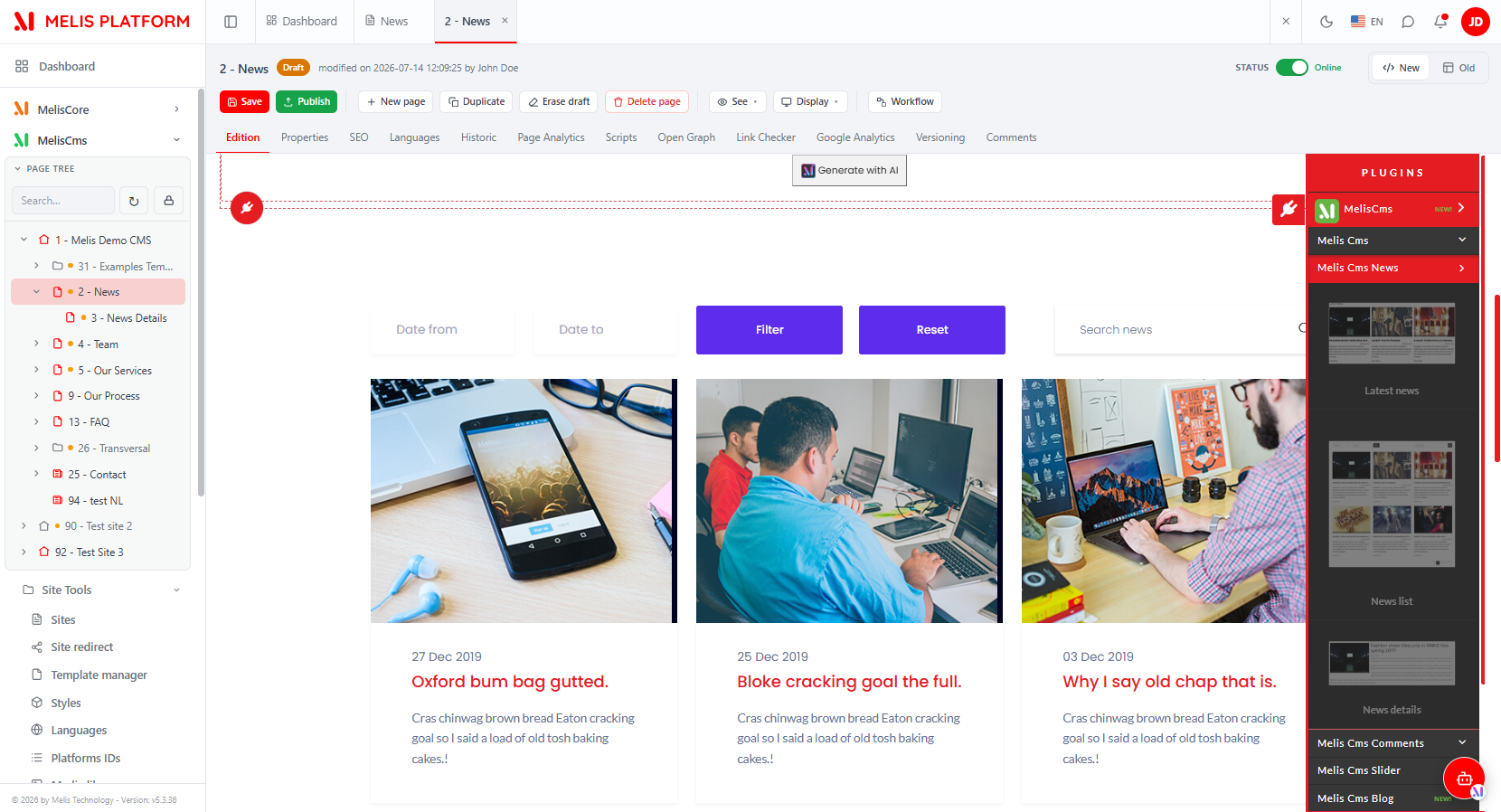
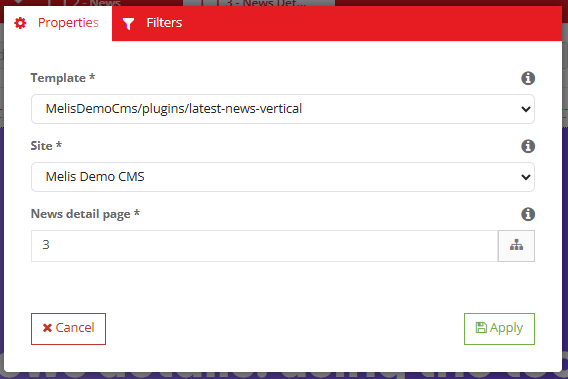
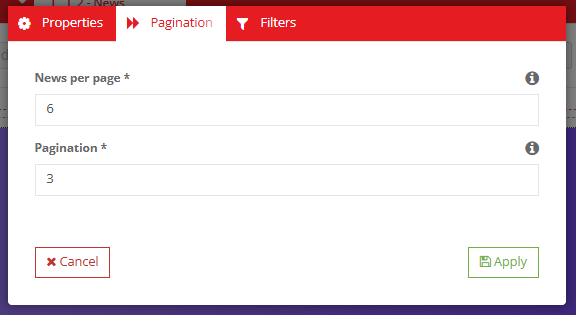
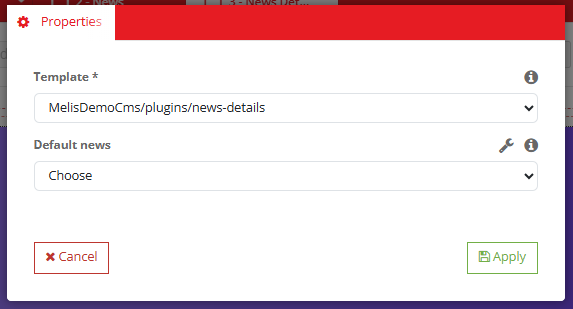
From the React page editor (open a page → Edition), open the plugins panel and drop Latest News, News List or News Detail onto the page; each opens the classic Melis plugin config modal (rendered inside the React editor) with the same tabs as v5 — see Front office.
React API
There is no config/react-api.php: the routes are declared inline in config/module.config.php, nested under the shared melis-react-api node so they mount under /melis/react-api/…. Controller: MelisCmsNews\Controller\MelisCmsNewsReactApiController (invokable alias MelisCmsNews\Controller\MelisCmsNewsReactApi). Contract { success, data, error }.
| Method & URL | Purpose |
|---|---|
GET /news | List articles (keyset: limit, search, status, siteId, sort, dir, after, langId) |
GET /news/stats | KPI {total, published, draft} |
GET /news/:id | One article (?langId= → that translation; base + paragraphs + media + SEO + category/tag ids) |
POST /news/save | Create / update (all translations, SEO, categories, tags in one call) |
DELETE /news/delete/:id | Delete an article (+ its texts + SEO) |
GET /news/categories | Available categories (?langId=&siteId=) |
GET /news/tags | Available tags (MelisCmsTags; empty if absent) |
GET /news/users | Front-office users as authors (MelisCmsUserAccount; empty if absent) |
GET /news/preview/:id | Preview URL + NEWS_DETAIL pages for the article's site |
GET /news/:id/comments | Comments of an article (404 if MelisCmsComments off) |
POST /news/comments/save | Add / edit a comment (BO → approved) |
POST /news/comments/approve/:cid · /refuse/:cid | Moderate a comment |
DELETE /news/comments/delete/:cid | Delete a comment |
GET /news-sites · GET /news-languages | Sites list · CMS languages |
Media upload/remove reuse the legacy endpoints (no backend change): POST /melis/MelisCmsNews/MelisCmsNews/saveFileForm and .../removeAttachFile.
The controller mixes the module's MelisCmsNewsService (getNewsById, saveNews, deleteNewsById, getNewsDetailsPagesBySite) with direct parameterised SQL (list keyset, stats, SEO, category/tag link tables) and the shared MelisCmsCategory2Service; optional columns/tables are feature-detected so a missing optional module never breaks a save.
Capabilities
Declared in config/react.capabilities.php under the rights-bearing node meliscmsnews_tools_section (not the manifest/zone key meliscmsnews_left_menu used by the Old-view iframe):
meliscmsnews_tools_section
└─ actions: list · create · edit · delete · export
Every controller action is guarded twice — denyUnlessAccess() (auth + MelisCoreRights::canAccess) then denyUnlessCan(<cap>). saveAction picks create vs edit from the presence of an id. React gates the + New article button on create and the list on list via window.__melisUseCaps(melisKey).
Key services
Registered as service_manager aliases in config/module.config.php.
| Service alias | Role |
|---|---|
MelisCmsNewsService | Main CRUD/query service. Read, create, update and delete articles; query by site, language, date range, status. Every method fires *_start / *_end events via MelisGeneralService. |
Table gateway aliases: MelisCmsNewsTable, MelisCmsNewsTextsTable, MelisCmsNewsSeoTable, MelisCmsNewsCategoryTable, MelisCmsNewsTagsTable.
Front office
Three templating plugins extend MelisTemplatingPlugin; each has a controller plugin, a view helper and a config file under config/plugins/.
| Plugin | Controller plugin | View helper | Config tabs |
|---|---|---|---|
| Latest News | MelisCmsNewsLatestNewsPlugin | MelisCmsNewsLatestPlugin | Properties, Filters |
| News List | MelisCmsNewsListNewsPlugin | MelisCmsNewsListPlugin | Properties, Pagination, Filters |
| News Detail | MelisCmsNewsShowNewsPlugin | MelisCmsNewsShowNewsPlugin | Properties |
Plugin config params: template_path, site_id, pageIdNews (detail page link), column, order, limit, date_min, date_max, search, plus nbPerPage / nbPageBeforeAfter (News List only). Config is persisted in the page XML via loadDbXmlToPluginConfig() / savePluginConfigToXml().
SEO routing and per-article meta tags are wired in src/Module.php via: MelisCmsNewsSEORouteListener, MelisCmsNewsRenderPageListener, MelisCmsNewsMetaPageListener, MelisCmsNewsSeoRedirectUrlListener.
Database tables
Base structure in install/sql/setup_structure.sql; migrations in install/dbdeploy/.
| Table | Holds |
|---|---|
melis_cms_news | Core article row: status, publish/unpublish dates, site, image1-3, documents1-3, slider id |
melis_cms_news_texts | Per-language texts: title, subtitle, paragraphs 1-10, paragraph order, lang |
melis_cms_news_seo | Per-language SEO: URL, redirect, 301 flag, meta title/description, canonical |
melis_cms_news_category | Article ↔ category link (optional category feature) |
Example
$news = $this->getServiceManager()->get('MelisCmsNewsService');

// Latest 10 published articles for site 1, French, newest first:
$list = $news->getNewsList(
    status: 1, langId: 1, start: 0, limit: 10,
    orderColumn: 'cnews_publish_date', order: 'DESC', siteId: 1
);

// Fetch one article (all languages, or one language):
$all = $news->getNewsById(42);
$fr  = $news->getNewsById(42, 1);

// Create / update / delete:
$id = $news->saveNews($data, $newsId);   // $newsId null → create
$ok = $news->deleteNewsById(42);         // also removes texts + SEO rows

// Utility:
$txt  = $news->getPostText(42);
$pages = $news->getNewsDetailsPagesBySite(1);  // NEWS_DETAIL-type pages for a site
Hook into a service event to extend behaviour (e.g. ping a search index after save):
$sharedEvents->attach('MelisCmsNews', 'melis_cms_news_save_news_end', function ($e) {
    $params = $e->getParams(); // includes 'news', 'newsId', 'results'
}, 50);
Other event identifiers follow the same melis_cms_news_[method]_start/end pattern: melis_cms_news_get_news_list_*, melis_cms_news_get_news_by_id_*, melis_cms_news_get_news_by_id_array_*, melis_cms_news__delete_news_by_id_* (double underscore), melis_cms_news_get_post_text_*, melis_cms_news_get_news_details_pages_*.
Micro-services
config/app.microservice.php exposes getNewsList and getNewsById over the Melis micro-service bus with auto-generated forms and input filters. Form factories MelisCmsNewsSelect and MelisCmsNewsBOSelect are in src/Form/Factory/.
Key files
| Concern | Path |
|---|---|
| Module config + inline react-api routes | vendor/melisplatform/melis-cms-news/config/module.config.php |
| React capabilities | vendor/melisplatform/melis-cms-news/config/react.capabilities.php |
| Backoffice tool tree | vendor/melisplatform/melis-cms-news/config/app.interface.php |
| List table config | vendor/melisplatform/melis-cms-news/config/app.tools.php |
| Micro-service config | vendor/melisplatform/melis-cms-news/config/app.microservice.php |
| React API controller | vendor/melisplatform/melis-cms-news/src/Controller/MelisCmsNewsReactApiController.php |
| React brick (Vite IIFE source) | vendor/melisplatform/melis-cms-news/ui-react/src/ |
| Built brick + manifest | vendor/melisplatform/melis-cms-news/public/ui-react/brick.js · brick.manifest.json |
| Main service | vendor/melisplatform/melis-cms-news/src/Service/MelisCmsNewsService.php |
| Front plugins | vendor/melisplatform/melis-cms-news/src/Controller/Plugin/ |
| View helpers | vendor/melisplatform/melis-cms-news/src/View/Helper/ |
| Listeners (SEO, GDPR, slider cleanup) | vendor/melisplatform/melis-cms-news/src/Listener/ |
| Table gateways | vendor/melisplatform/melis-cms-news/src/Model/Tables/ |
| Install SQL | vendor/melisplatform/melis-cms-news/install/sql/setup_structure.sql |
| DB migrations | vendor/melisplatform/melis-cms-news/install/dbdeploy/ |
See also: melis-cms, melis-front, melis-engine, melis-core