

MelisCms
The CMS back-office — sites, page tree, page editor, templates, styles and SEO, delivered as a React back-office. Package
melisplatform/melis-cms.
Purpose
MelisCms is the back-office where you build and run your websites on the Melis platform. It provides the site page tree, the page editor (Edition, Properties, SEO, Languages tabs), the drag-and-drop plugin zones for composing content, and the administration tools for sites, templates, styles, languages, platform IDs, domains and redirects. It owns no database tables — it reads and writes everything through melis-engine, and page rendering (including the live editing preview) is handled by melis-front.
In Melis v6 the business logic is unchanged; the display layer is a React back-office (/melis-react). MelisCms ships one multi-brick bundle exposing nine tools: the page editor (a sidebar host: page tree + tabbed editor) and eight native React side tools. The only part that is still the classic UI is the page editor's Edition tab, loaded in an iframe.
The MelisCms / MelisFront / MelisEngine trio
These three modules form one tightly coupled system; a question about one usually involves the others.
- MelisEngine — owns the entire CMS database model (pages, tree, sites, templates, languages, SEO, styles) and exposes it via table gateways and services. Defines
MelisTemplatingPlugin, the base class every content block extends. - MelisFront — front-office rendering pipeline; turns a URL into a finished page and powers the live editable preview inside the back-office (
renderMode/melis). - MelisCms (this module) — the back-office UI layer; drives the page lifecycle by firing events that engine and front listeners handle.
Load order: melis-core → melis-front → melis-engine → melis-cms.
Enable it
Add to config/melis.module.load.php:
return [
    'MelisCms',
];
Requires melisplatform/melis-core, melisplatform/melis-engine and melisplatform/melis-front. It has no install SQL of its own; the CMS schema is part of melis-engine. Bricks appear in the React back-office only when MelisCms is active (discovery via GET /melis/react-api/react-modules).
The React back-office — one bundle, nine bricks
The bundle (public/ui-react/brick.js + brick.manifest.json) declares nine bricks that self-register in brick.tsx. All are native full-React except the page editor's Edition tab.
| Brick id | Route | melisKey | Kind |
|---|---|---|---|
cms | /melis-cms/page | meliscms_page | Page editor (sidebar host: tree + tabbed editor) |
cms-sites | /melis-cms/sites | meliscms_tool_sites | Native React (list + editor + 5-step wizard) |
cms-templates | /melis-cms/templates | meliscms_tool_templates | Native React (list + form) |
cms-styles | /melis-cms/styles | meliscms_tool_styles | Native React |
cms-languages | /melis-cms/languages | meliscms_tool_language | Native React |
cms-platform-ids | /melis-cms/platform-ids | meliscms_tool_platform_ids | Native React |
cms-site-301 | /melis-cms/site-301 | meliscms_tool_site_301 | Native React |
cms-mini-templates | /melis-cms/mini-templates | meliscms_mini_template_manager_tool | Native React |
cms-menu-manager | /melis-cms/menu-manager | meliscms_mini_template_menu_manager_tool | Native React |
The cms brick is special: it registers both a routed Component (the tabbed editor) and a Sidebar (the page tree), so the tree stays visible in the left sidebar while you work. Every side tool carries a New / Old toggle — New is the React UI, Old is the classic tool in an iframe (/melis/react-tool-page?key=<melisKey>).
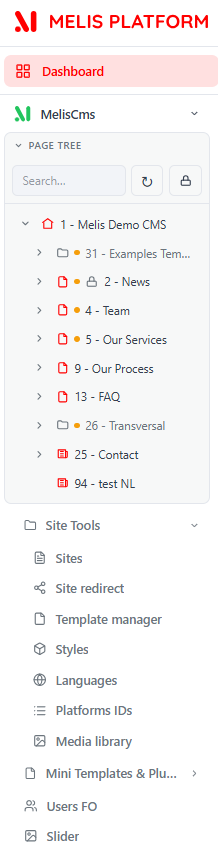
Page tree (left sidebar)
The page tree is the map of your sites and every page inside them. Click a page to open it as a top tab in the editor; search finds pages not yet loaded and expands the tree to them; a node's right-click menu adds a child page, shows details, duplicates a page or a whole branch, or deletes. Move a page by drag-and-drop (server-side rights decide what you may move).
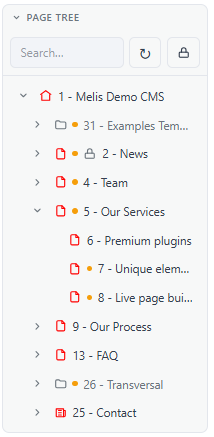
The tree reuses the legacy CMS endpoints (no backend change) via cms-tree-api.ts:
| Purpose | Endpoint |
|---|---|
| Children of a node (lazy) | GET /melis/MelisCms/TreeSites/get-tree-pages-by-page-id?nodeId=<id> (-1 = site roots) |
| Search pages by name | POST /melis/MelisCms/Page/searchTreePages |
| Move / re-parent | GET /melis/MelisCms/Page/movePage |
| Duplicate a tree | POST /melis/MelisCms/TreeSites/duplicateTreePage |
| Delete a page | GET /melis/MelisCms/Page/deletePage?idPage=<id> |
The tree listens for the melis:cms-tree-refresh event to refresh and reveal a page after Save/Publish/Delete.
Page editor
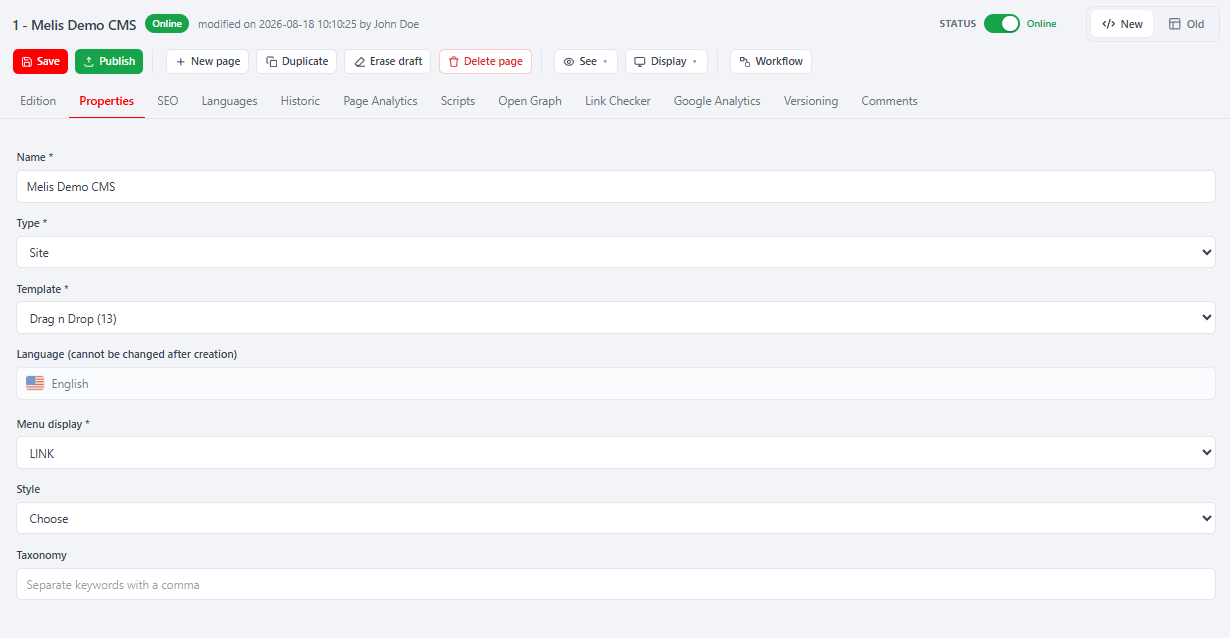
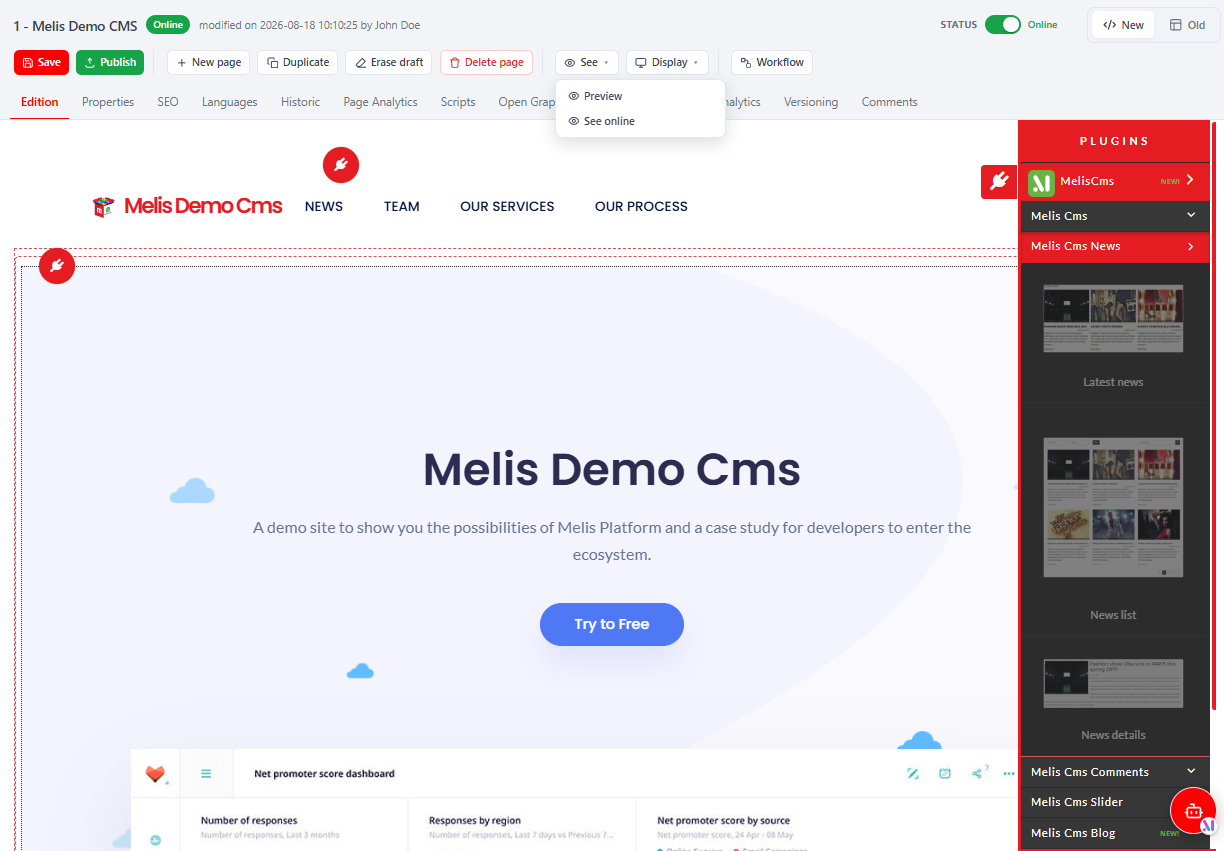
Open a page from the tree, or deep-link /melis-cms/page/:idPage. The editor has a native React chrome (title + status, action buttons, tab bar) around the tab content. The chrome is assembled from a server-merged structure (GET /melis/react-api/cms-page/structure?idPage=<id> → { header, tabs[], buttons[] }), so other modules can add tabs and buttons by merging config server-side.
Native tabs first, then any contributed by other modules: Edition · Properties · SEO · Languages · Historic · Page Analytics · Scripts · Open Graph · Link Checker · Google Analytics · Versioning · Comments. Action buttons: New page · Duplicate · Erase draft · Delete page · See · Display · Save · Publish (plus a Publish/Online status switch and modular buttons such as Workflow).
Properties tab (native React)
Set the page name, type (Page / Folder / Site…), template (layout), language (locked after creation), menu display, style and taxonomy keywords.
Edition tab (legacy drag-and-drop in an iframe)
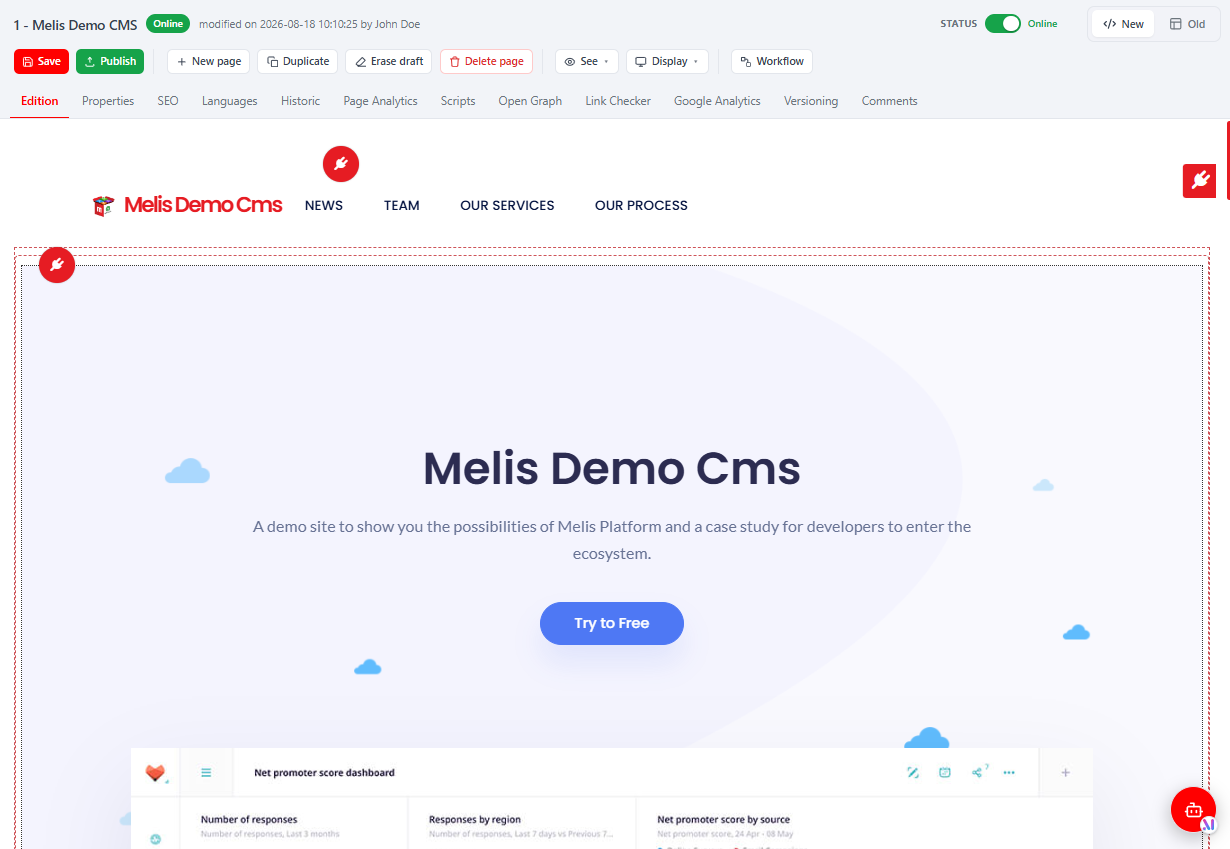
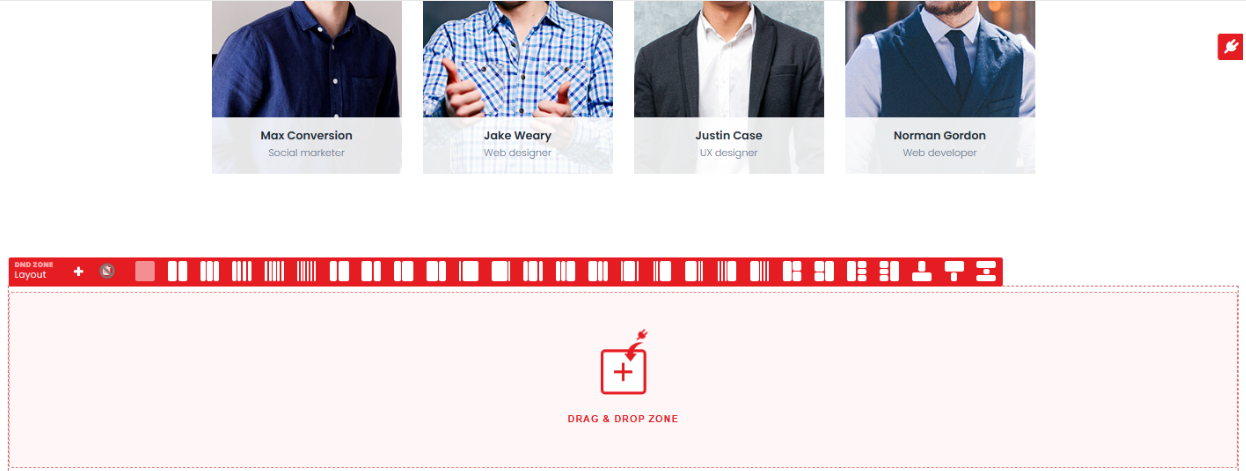
The Edition tab fills the page: it renders live and you drag content blocks (plugins) into the template's zones. It is the classic editor loaded in an iframe inside the React chrome (/melis/react-tool-page?key=meliscms_page&idPage=<id>); the drag-drop, plugin menu, mini-template manager and rich-text editors are the same as in the classic back-office. Their content is auto-saved into the PHP session and written when you Save or Publish.
SEO and Languages tabs (native React)
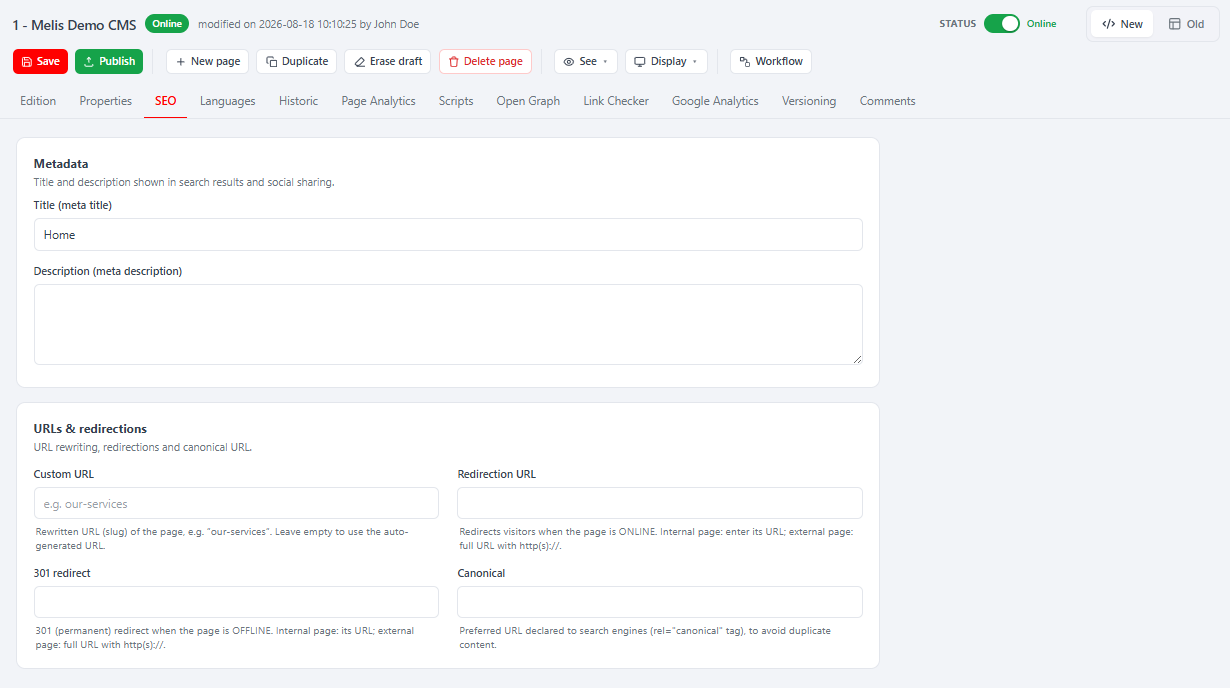
The SEO tab holds the friendly URL, meta title/description, canonical and redirect URLs. The Languages tab manages language versions of the page (each with its own content and SEO).
Saving vs publishing
- Save writes the draft (Properties + SEO + the Edition XML together, one action).
- See → Preview / See online shows the draft or the live page.
- Publish makes the current draft live; the status switch publishes / unpublishes.
- Erase draft discards the draft back to the published version.
Save/Publish post to the legacy endpoints with the legacy field names: POST /melis/MelisCms/Page/savePage?idPage= and .../publishPage?idPage= (plus unpublishPage, clearSavedPage, deletePage); the Edition XML is read from the PHP session.
Side tools
Sites — create and manage websites
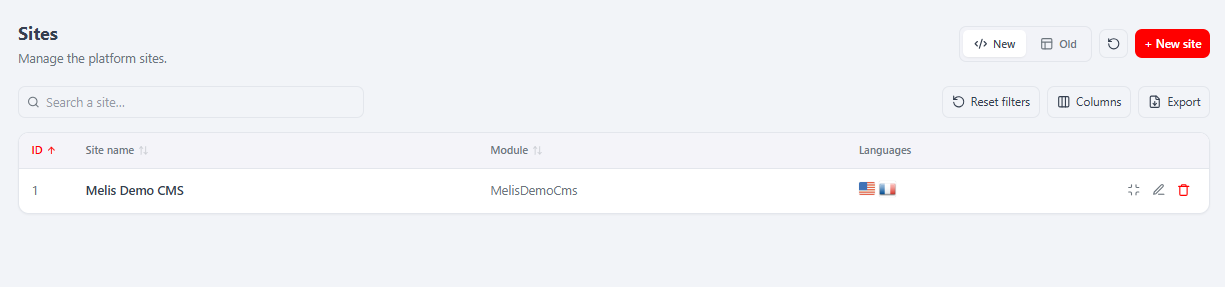
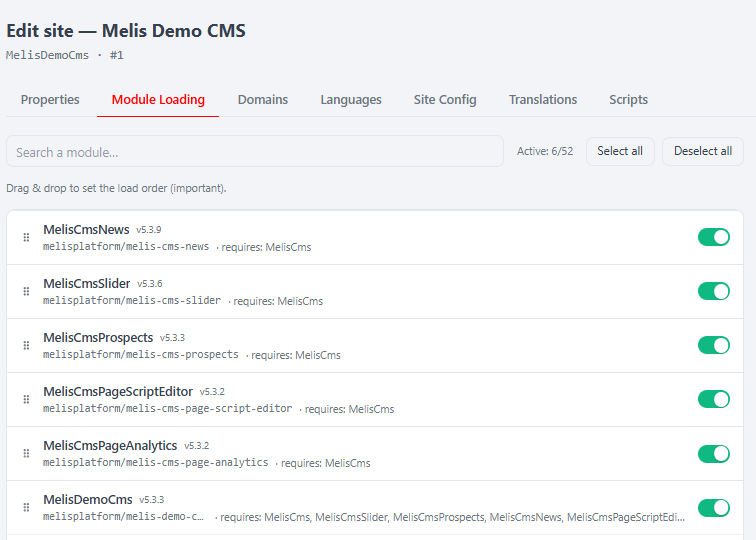
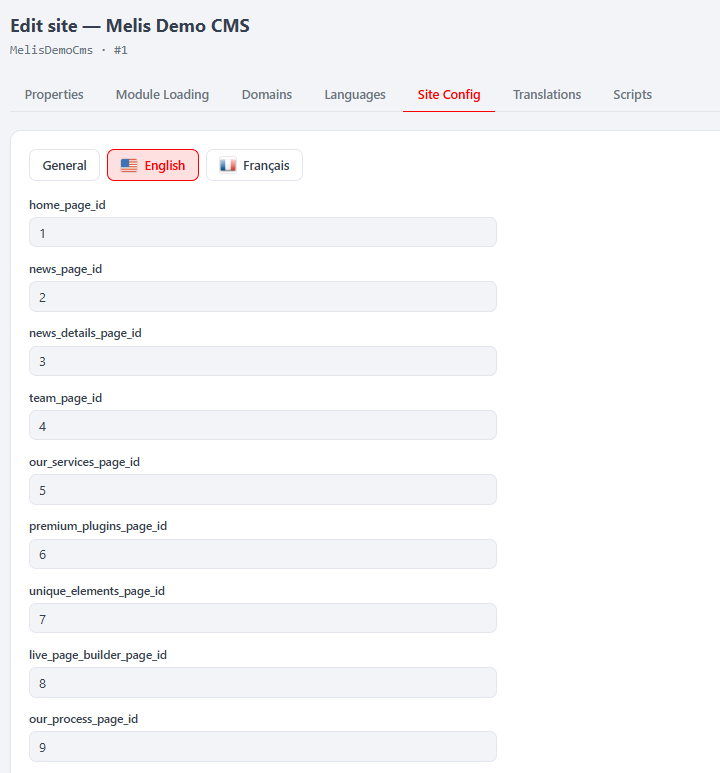
/melis-cms/sites. Each row is a whole website (ID, name, module, languages). + New site runs a 5-step wizard: Multilingual → Languages → Domains → Module → Summary. An existing site is managed through native React tabs: Properties · Module Loading · Domains · Languages · Site Config · Translations · Scripts.
Templates — page layouts
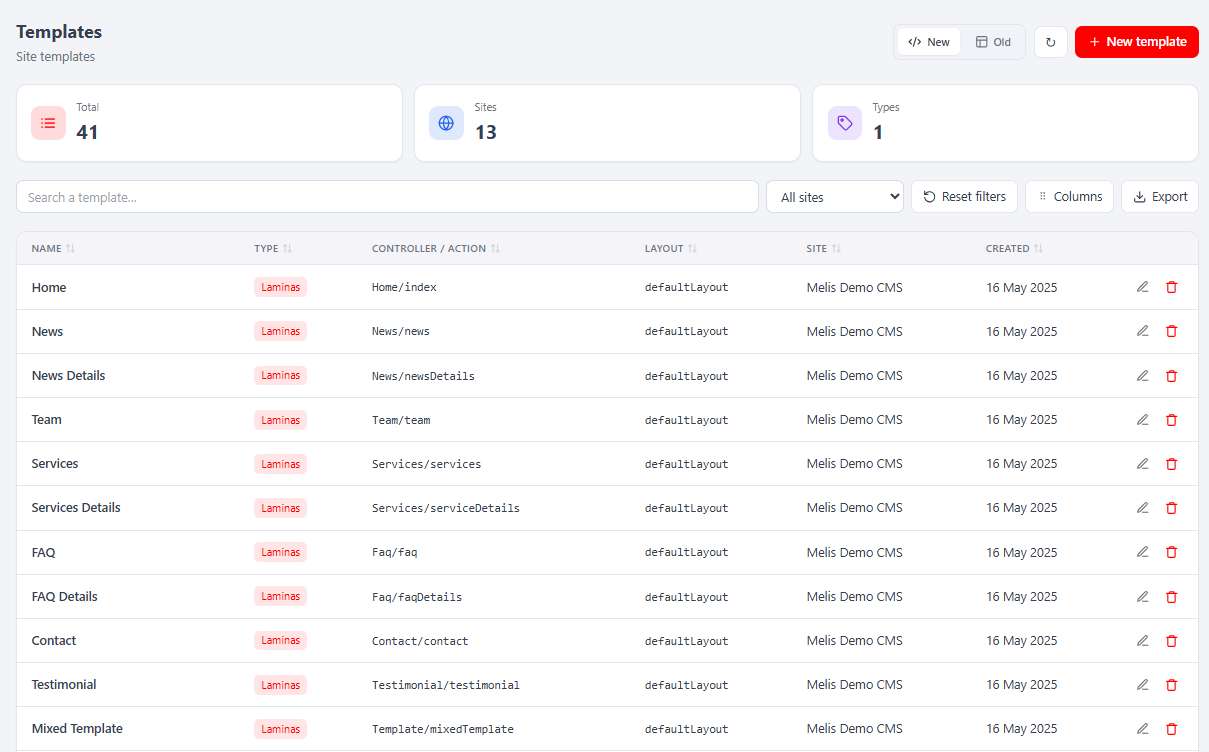
/melis-cms/templates. Native list and native form: Name / Type / Site, and Layout / Controller / Action (the .phtml layout the template maps to).
Styles — CSS applied to pages
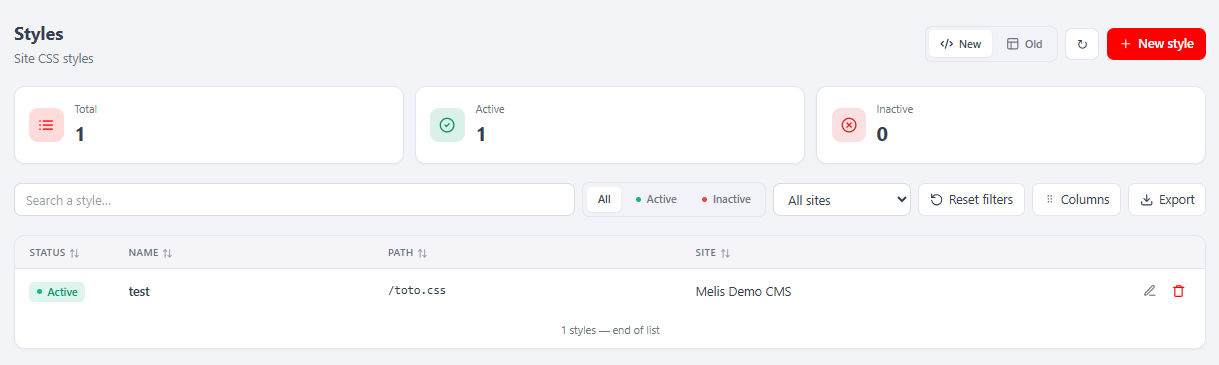
/melis-cms/styles. Manage CSS stylesheets (name, CSS path/source, site); attach a style to a page from the page Properties tab.
Front-office Languages
/melis-cms/languages. The master list of locales the platform knows (locale + name with flag).
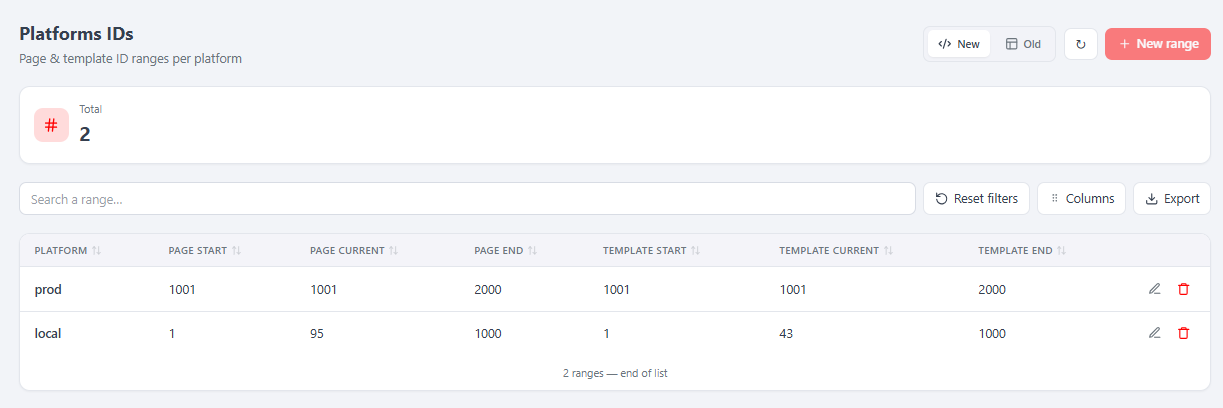
Platforms IDs — page-id ranges per environment
/melis-cms/platform-ids. Reserves a distinct band of page and template IDs per environment so IDs never collide when moving content between dev / staging / production.
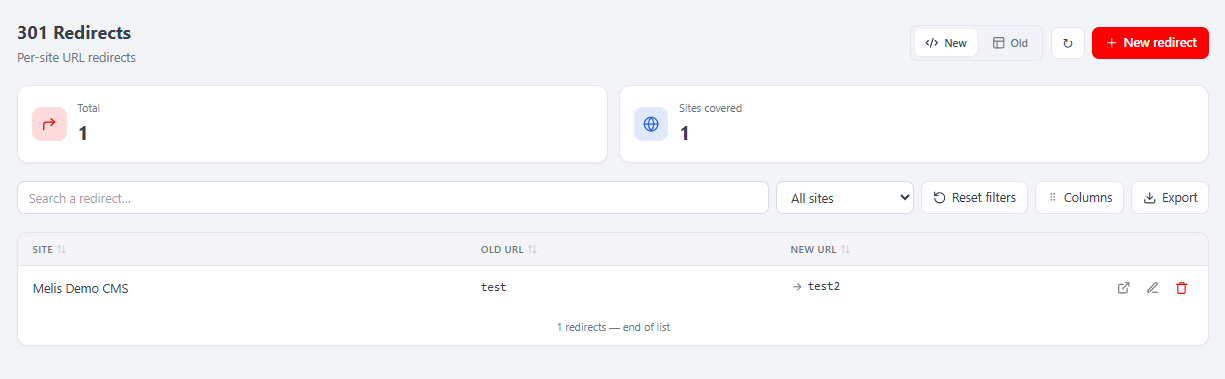
301 Redirects — keep old links working
/melis-cms/site-301. When a public URL changes, add a redirect (old URL → new URL, unique per site) so the old address still resolves.
Mini-Templates & Menu manager
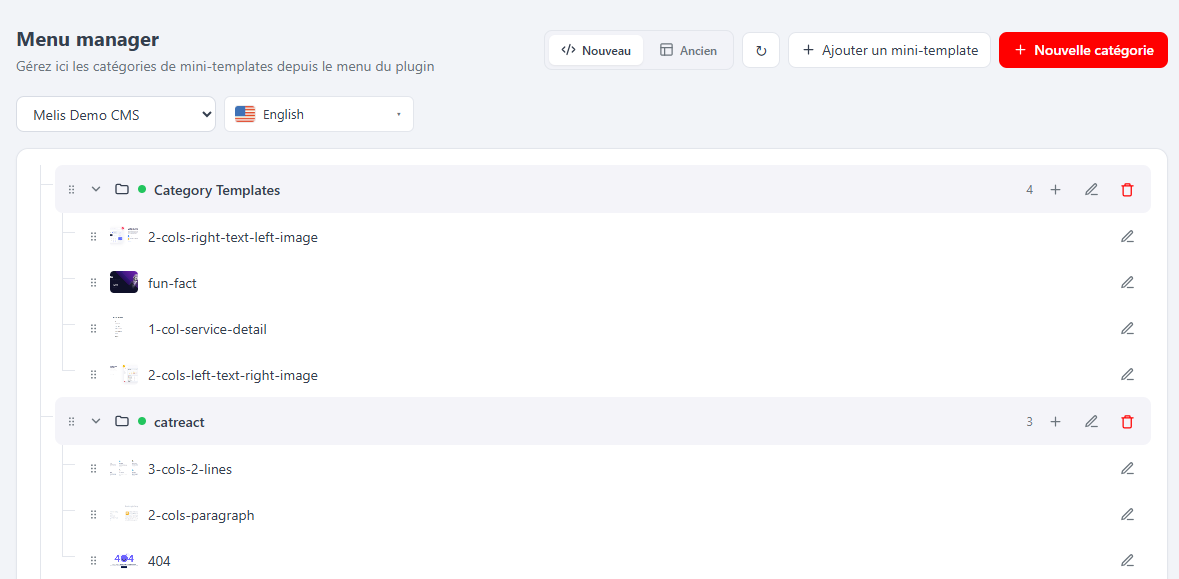
Mini-Templates (/melis-cms/mini-templates) are pre-built content blocks editors can drop onto a page in one click; the Menu manager (/melis-cms/menu-manager) organises them into categories so they are easy to find in the page editor's mini-template manager.
React API endpoints
Routes are declared in config/react-api.php under /melis/react-api/…; controllers are in src/Controller/MelisReactApi*Controller.php. Every action is guarded by CapabilityGuardTrait (denyUnlessAccess() for MelisCoreRights::canAccess(MELIS_KEY), then denyUnlessCan('<action>')). The contract everywhere is { success, data } on OK and { success:false, error } on failure; every fetch sends X-Requested-With: XMLHttpRequest with credentials.
| Controller | Guard (melisKey) | Base | Actions |
|---|---|---|---|
MelisReactApiPageController | meliscms_page | /cms-page | structure, properties, seo, refs, languages, ancestors, save-properties, save-seo |
MelisReactApiCmsSitesController | meliscms_tool_sites | /cms-sites | list, meta, get, config, modules, create |
MelisReactApiSiteRedirectController | meliscms_tool_site_301 | /site-redirects | list, stats, sites, get, save, delete |
MelisReactApiTemplateController | meliscms_tool_templates | /templates | list, stats, sites, get, save, delete |
MelisReactApiCmsLanguageController | meliscms_tool_language | /cms-languages | list, stats, get, save, delete |
MelisReactApiCmsPlatformIdController | meliscms_tool_platform_ids | /cms-platform-ids | list, stats, get, save, delete |
MelisReactApiCmsStyleController | meliscms_tool_styles | /cms-styles | list, stats, sites, get, save, delete |
MelisReactApiCmsMiniTemplateController | meliscms_mini_template_manager_tool | /cms-mini-templates | list, stats, sites, item, save, delete |
MelisReactApiCmsMenuManagerController | meliscms_mini_template_menu_manager_tool | /menu-manager | sites, languages, tree, saveTree, category, saveCategory, deleteCategory |
// GET the styles list (keyset), then POST a 301 redirect
const r = await fetch('/melis/react-api/cms-styles?limit=25', {
  headers: { 'X-Requested-With': 'XMLHttpRequest' }, credentials: 'include',
})
const { success, data } = await r.json()   // { success, data: { items, total, nextCursor } }

await fetch('/melis/react-api/site-redirects/save', {
  method: 'POST',
  headers: { 'X-Requested-With': 'XMLHttpRequest', 'Content-Type': 'application/json' },
  credentials: 'include',
  body: JSON.stringify({ id: null, siteId: 1, oldUrl: 'old', newUrl: 'new' }),
})
Capabilities
Declared in config/react.capabilities.php under melisReactToolCapabilities, keyed by each tool's rights-bearing melisKey (export only where the tool has an Export button):
'meliscms_tool_site_301'                    => ['list','create','edit','delete','export','test'],
'meliscms_tool_templates'                   => ['list','create','edit','delete','export'],
'meliscms_tool_styles'                      => ['list','create','edit','delete','export'],
'meliscms_tool_language'                    => ['list','create','edit','delete'],
'meliscms_tool_platform_ids'                => ['list','create','edit','delete','export'],
'meliscms_tool_sites'                       => ['list','create','edit','delete','export'],
'meliscms_mini_template_manager_tool'       => ['list','create','edit','delete','export'],
'meliscms_mini_template_menu_manager_tool'  => ['list','create','edit','delete'],
The page editor is keyed under meliscms_page as a structured tree so its buttons and tabs each become a capability:
'meliscms_page' => [
  'actions' => ['create','save','clear','publish','status','delete','duplicate','view','display'],
  'tabs'    => ['edition','properties','seo','languages'],
],
Each contributing module adds its page tabs/buttons under this same meliscms_page key (Laminas merge), and CmsPage.tsx filters them via useCaps('meliscms_page').can(cap). Two related keys in the same file expose the editor's rights: melisReactRightsTools injects a rights-only meliscms_page ("Page edition") node into Users → Rights, and melisReactSidebarHostSections keeps the MelisCms section visible so the page tree is reachable even for a user with only page rights.
Modular extension seams
Other modules contribute page-editor tabs and cross-tab saves without touching MelisCms:
// Register a page-edit tab (link-check, Open Graph, GA, historic, script-editor…)
window.__melisRegisterPageTab(key, ({ idPage }) => <MyTab idPage={idPage} />)
// Register a cross-cutting save hook, run by the global Save/Publish
window.__melisRegisterPageSaveHook(key, async (idPage) => { /* persist my tab */ })
Server-side, the same extension points remain available:
melis_cms_page_tabs_alter— add or remove tabs in the page editor.modify_page_properties_form_config— alter the Properties form to add custom fields.
Key services
Resolve with $sm->get('<alias>'). Business logic stays server-side (Laminas services); React is presentation plus API calls.
| Service alias | Role |
|---|---|
MelisCmsPageService | Write the page model: savePage(), savePagePublished(), savePageSaved(), savePageSeo(), savePageLang(), savePageStyle(), savePageTree(), saveProperties(). |
MelisCmsSiteService | Site CRUD and page-per-site queries. |
MelisCmsPageGetterService | getPageContent($pageId) — returns cached rendered HTML of a page. |
MelisCmsRights | Back-office permission checks: isAccessible(), isActionButtonActive(). |
MelisCmsSitesDomainsService | Per-environment domain management. |
MelisCmsSitesPropertiesService | Site-wide key/value settings (Site Config tab). |
MelisCmsSiteModuleLoadService | Per-site module loading (Module Loading tab). |
MelisCmsMiniTemplateService / MelisCmsMiniTemplateGetterService | Mini-template library and category management. |
MelisCmsPageExportService / MelisCmsPageImportService | Export/import a page tree as a file. |
Database tables
MelisCms owns no tables. The CMS schema is defined in melis-engine and accessed via its gateways and services. Never query the CMS tables directly — use the engine gateways/services so caching and the rest of the ecosystem stay consistent.
Page lifecycle events
The page lifecycle is implemented through 19 listeners wired in Module.php::onBootstrap. These events are the primary extension point — hook them instead of calling MelisCmsPageService directly so history, caches and other modules stay in sync.
| Action | Events |
|---|---|
| Save draft | meliscms_page_save_start / _end (+ …savetree_*, …saveproperties_*, …saveedition_*, …saveseo_*) |
| Publish | meliscms_page_publish_start / _end |
| Unpublish | meliscms_page_unpublish_start / _end |
| Delete | meliscms_page_delete_start / _end (+ …deleteseo_*, …delete_page_*) |
| Move | meliscms_page_move_start / _end |
| Duplicate | meliscms_page_duplicate_start / _end |
| Plugin session | meliscms_page_savesession_plugin_*, meliscms_page_removesession_plugin_* |
// React to a page being published — in Module.php::onBootstrap or a listener's attach()
$eventManager->getSharedManager()->attach(
    'MelisCms',
    'meliscms_page_publish_end',
    function (\Laminas\EventManager\EventInterface $e) {
        $idPage = $e->getParams()['idPage'] ?? null;
        // log, sync, clear a custom cache, notify…
    },
    50
);
Adding a new content block
Every content block extends MelisTemplatingPlugin (defined in melis-engine). Implement front() to render on the live site and back() to render the edit container, then register the plugin. The News, Slider and Category2 modules are reference implementations.
Dashboard widget
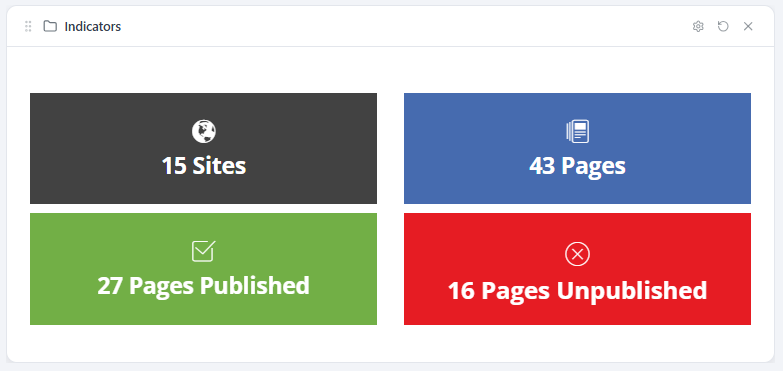
MelisCmsPagesIndicatorsPlugin shows site and page counts (published vs not) on the back-office Dashboard.
Key files
| Concern | Path |
|---|---|
| Module bootstrap + listener wiring | vendor/melisplatform/melis-cms/src/Module.php |
| React API routes + controllers | vendor/melisplatform/melis-cms/config/react-api.php |
| React capabilities | vendor/melisplatform/melis-cms/config/react.capabilities.php |
| Brick source (all 9 tools) | vendor/melisplatform/melis-cms/ui-react/src/ |
| Built bundle (committed) | vendor/melisplatform/melis-cms/public/ui-react/brick.js + brick.manifest.json |
| Page service | vendor/melisplatform/melis-cms/src/Service/MelisCmsPageService.php |
| Site service | vendor/melisplatform/melis-cms/src/Service/MelisCmsSiteService.php |
| Rights service | vendor/melisplatform/melis-cms/src/Service/MelisCmsRightsService.php |
| All listeners (19) | vendor/melisplatform/melis-cms/src/Listener/ |
| Dashboard widget | vendor/melisplatform/melis-cms/src/Controller/DashboardPlugins/MelisCmsPagesIndicatorsPlugin.php |
See also
- melis-engine — owns the CMS data model and all table gateways.
- melis-front — front-office rendering and live preview.
- melis-core — auth, rights, events and base config.