

MelisCmsBlog
Blog system for Melis sites, with a native React back-office for post management and three front-office display plugins. Package
melisplatform/melis-cms-blog.
Purpose
MelisCmsBlog provides a Blog tool in the back-office where editors create and manage multilingual blog posts (titles, subtitle, up to four rich-text paragraphs, images, documents, publish/unpublish scheduling, an optional slider, and SEO url + meta). Posts are surfaced on the front office through three ready-to-use templating plugins: a latest-posts teaser, a paginated and filterable post list, and a single-post detail view. SEO-friendly URLs, per-post meta tags and automatic 301 redirects to the canonical URL are handled through dedicated event listeners.
In the v6 React back-office (/melis-react) the module ships a native full-React brick — a real React UI for listing and editing posts, backed by a react-api JSON layer — with a New / Old toggle that can fall back to the legacy tool in an iframe. It is the architectural twin of MelisCmsNews. The framework, services, data model, SEO routing and front plugins are unchanged from v5; only the back-office display layer is new.
Enable it
Add to config/melis.module.load.php:
return [
    'MelisCmsBlog',
];
Requires melis-core and melis-cms, PHP ^8.1|^8.3|^8.4. Optional integrations activate when MelisCmsComments, MelisCmsSlider, MelisSmallBusiness, or MelisCmsUserAccount are also installed. The brick appears in the React sidebar only if the module is present (modular brick discovery via GET /melis/react-api/react-modules).
Key services
Registered as service_manager aliases in config/module.config.php. The React controller reuses these same business rules server-side, keeping parity with the legacy tool.
| Service alias | Role |
|---|---|
MelisCmsBlogService | Main CRUD/query service. Read, create, update and delete posts; query by site, language, date range, status, author. Every method fires *_start / *_end events via MelisEngineGeneralService. |
Table gateway aliases: MelisCmsBlogTable, MelisCmsBlogTextsTable.
Database tables
Base structure in install/sql/setup_structure.sql; migrations in install/dbdeploy/.
| Table | Holds |
|---|---|
melis_cms_blog | Core post row: status, publish/unpublish dates, site id, image1-3, documents1-3, slider id |
melis_cms_blog_texts | Per-language texts: title, subtitle, paragraphs 1-4, lang id, SEO url, SEO meta title/description, author account |
Unlike MelisCmsNews, the blog has no categories and no tags — no link table and no
melis_cms_tag*support.
React back-office
Sidebar → MelisCms group → Blog (fa-rss). The brick opens as a top tab named Blog and draws its own in-tool sub-tab bar: one sub-tab per open post, plus a Back to the list. Each opened post stays mounted, so switching between posts is instant.
The list of posts
The React list shows every post on the platform, with KPI cards (Total posts, Published, Unpublished), a search box with All / Active / Inactive filters, a Columns manager (hide/reorder), an Export button (xlsx/csv), keyset pagination and per-row edit / delete. Click a column header to sort. + New post starts a blank editor.
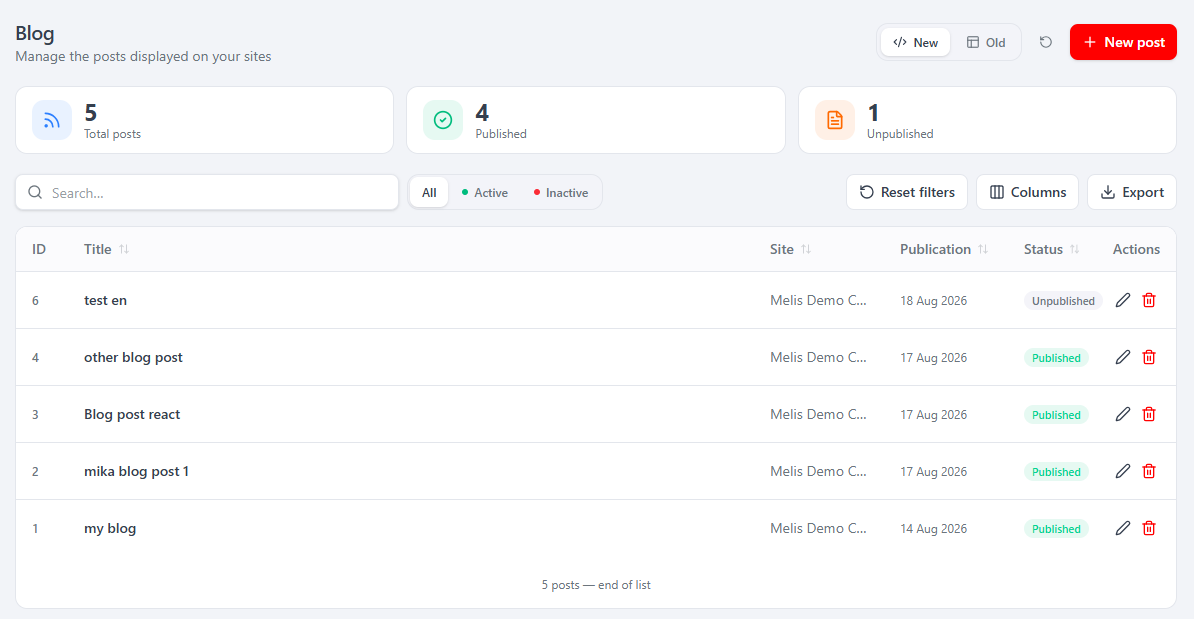
A New / Old toggle (top-right) switches the list — and only the list — between the React UI and the legacy tool rendered in an iframe (/melis/react-tool-page?key=meliscmsblog_left_menu), so the two interfaces can be compared side by side.
The post editor
Where the legacy tool used separate top tabs (Properties / Texts / Medias), the React editor is a single scrollable page: a wide content column on the left and a collapsible settings sidebar on the right. A language switcher at the top holds every translation at once — all languages are saved together in one call.
Content column
- Title / Subtitle — plain-text, per language.
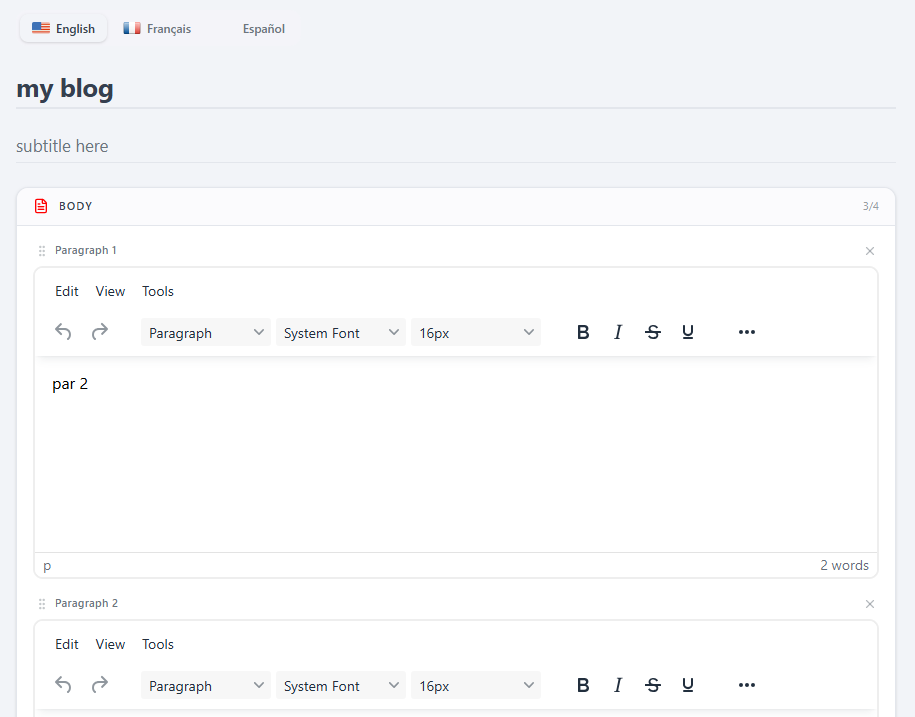
- Body — up to 4 rich-text (TinyMCE) paragraphs (
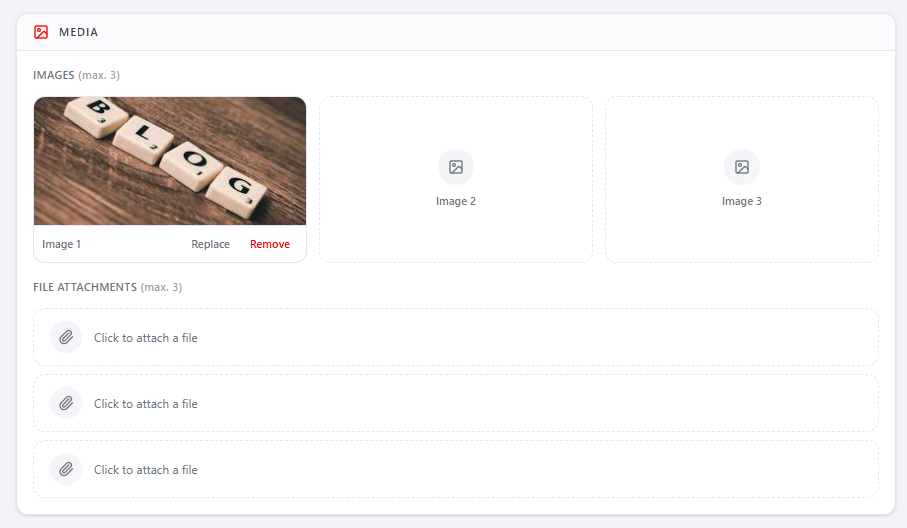
cblog_paragraph1..4), drag-reorderable, with + Add paragraph (max. 4). - Media — up to 3 images (Replace / Remove per slot) and up to 3 file attachments. Appears only after the first save, since uploads need the post to exist first.
- Comments — a native moderation panel (add/edit, approve/refuse/delete, paginated), shown only when MelisCmsComments is installed.
Settings sidebar (collapsible sections)
- Status — a Published / Unpublished toggle, plus a Workflow button (validation) when MelisSmallBusiness is active.
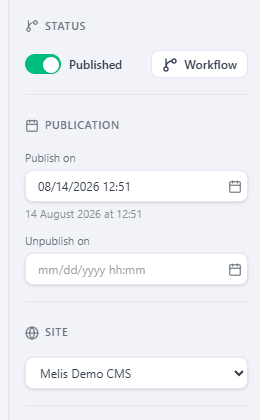
- Publication — Publish on / Unpublish on date-time pickers.
- Site — the site the post belongs to (required).
- Author — an author picker, shown only when MelisCmsUserAccount provides the
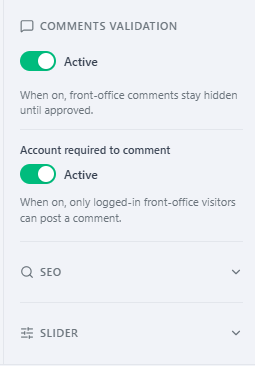
cblog_author_accountcolumn. - Comments validation — a "front-office comments stay hidden until approved" toggle plus a blog-only "Account required to comment" switch, shown when MelisCmsComments is active.
- SEO — Meta title, Meta description and friendly URL, per language (stored in the texts table, not a dedicated SEO table).
- Slider — a slider to show with the post, shown only when MelisCmsSlider is active.
Optional sections are feature-detected at runtime (companion endpoints 404 gracefully; module state is read from /melis/react-api/react-modules), so a missing companion module never breaks a save. Save (top-right) persists every translation, SEO, dates, media links, slider and author in one call. A Preview area then renders the saved post on its detail page in an iframe.
React API
Routes live in config/react-api.php (merged via MelisCmsBlog\Module::getConfig()), mounted under /melis/react-api/…. Controller: MelisCmsBlog\Controller\MelisCmsBlogReactApiController. Contract { success, data, error }; every fetch sends X-Requested-With: XMLHttpRequest and credentials:'include'.
| Method & URL | Purpose |
|---|---|
GET /blog | List posts (keyset: limit, search, status, siteId, sort, dir, after) → {items,total,nextCursor} |
GET /blog/stats | KPI {total, published, draft} |
GET /blog/:id | One post (?langId= → that translation; base fields + paragraphs + media + SEO + slider/author) |
POST /blog/save | Create / update (all translations, status, siteId, dates, sliderId, authorId, comment flags, seo) |
DELETE /blog/delete/:id | Delete a post and its texts |
GET /blog/preview/:id | Preview URL + list of BLOG_DETAIL pages for the post's site |
GET /blog/users | Front-office users as authors (MelisCmsUserAccount) |
GET /blog/:id/comments | Comments of a post (404 if MelisCmsComments off) |
POST /blog/comments/save | Add/edit a comment |
POST /blog/comments/approve/:cid · /refuse/:cid | Moderate a comment |
DELETE /blog/comments/delete/:cid | Delete a comment |
GET /blog-sites | Sites list |
GET /blog-languages | CMS languages (melis_cms_lang) |
There are no /blog/categories or /blog/tags routes. Sliders come from the MelisCmsSlider brick's own GET /melis/react-api/sliders. Media upload/remove and comment-author search reuse the legacy endpoints (no backend change):
POST /melis/MelisCmsBlog/MelisCmsBlog/saveFileForm— multipart image/file uploadPOST /melis/MelisCmsBlog/MelisCmsBlog/removeAttachFile— clears the column and deletes the file
Capabilities
Declared in config/react.capabilities.php under the rights-bearing node meliscmsblog_left_menu:
meliscmsblog_left_menu
└─ actions: list · create · edit · delete · export
React gates the UI via window.__melisUseCaps('meliscmsblog_left_menu').can(cap) (New post → create, Export → export, row actions → edit/delete, list body → list). Server-side, each controller action is guarded by denyUnlessAccess() (auth + canAccess) then denyUnlessCan(cap).
Brick manifest
public/ui-react/brick.manifest.json (Vite IIFE bundle, React/ReactDOM externalised to host globals):
{ "id": "blog", "route": "/melis-cms/blog", "label": "Blog",
  "forwardKey": "MelisCmsBlog/MelisCmsBlogList", "melisKey": "meliscmsblog_left_menu",
  "entry": "brick.js", "persistent": true, "subTabs": true }
forwardKey maps the legacy left-menu node to the tree route /melis-cms/blog (deep-linkable as /melis-cms/blog/:id, used by the Workflow eye). subTabs: true means the brick draws its own in-tool sub-tab bar. When MelisSmallBusiness is active, the Status section renders the mutualised window.__melisWorkflowModal with ctx.wfType = 'BLOG'. An optional module can add per-paragraph actions via window.__melisBlogExtensions.renderParagraphActions(...).
Front office
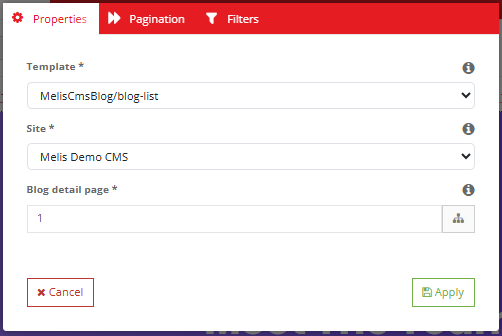
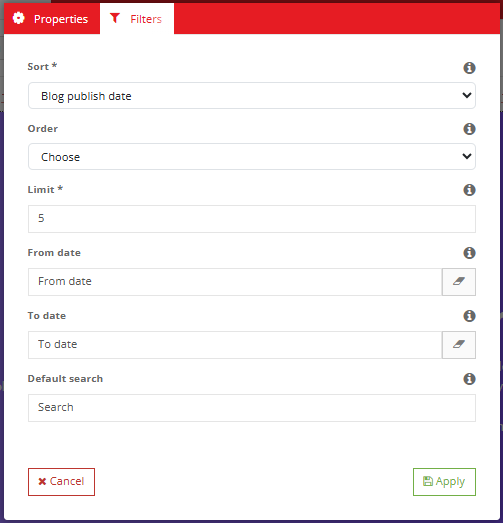
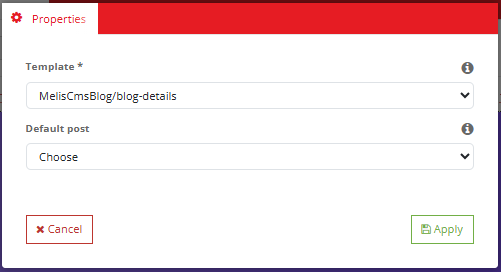
Three templating plugins extend MelisTemplatingPlugin, each with a controller plugin and a config file under config/plugins/. All read the active post id from the ?blogId query parameter. In the React page editor they are dropped from the Melis Cms Blog group in the plugins panel, and each opens the classic tabbed config modal.
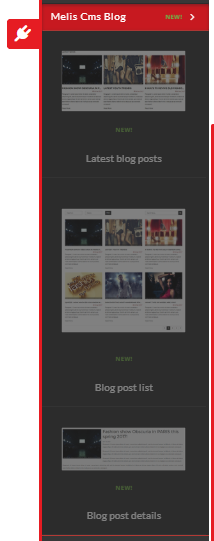
| Plugin class | Config key | View | Config tabs |
|---|---|---|---|
MelisCmsBlogLatestBlogPlugin | MelisCmsBlogLatestBlog | MelisCmsBlog/latest-blog | Properties, Filters |
MelisCmsBlogListBlogPlugin | MelisCmsBlogListBlog | MelisCmsBlog/blog-list | Properties, Pagination, Filters |
MelisCmsBlogShowBlogPlugin | MelisCmsBlogShowBlog | MelisCmsBlog/blog-details | Properties |
Plugin config params: template_path, site_id, pageIdBlog (detail page link), column, order, limit, date_min, date_max, search; plus nbPerPage / nbPageBeforeAfter (Blog list only). The Blog list plugin also filters by ?authorId. The Blog details plugin falls back to the most recent published post when no blogId is in the request, and supports preview mode (renderMode === 'previewtab').
Available sort columns: cblog_id, cblog_title, cblog_publish_date, cblog_creation_date.
SEO routing
Posts are served through a page of type BLOG_DETAIL carrying the Blog details plugin, at the post's cblog_seo_url. Four listeners implement the full SEO pipeline:
| Listener | Event | Role |
|---|---|---|
MelisCmsBlogSEOReformatToRoutePageUrlListener | EVENT_ROUTE | Matches the SEO URL and builds a route to the BLOG_DETAIL page |
MelisBlogSEODispatchRouterRegularUrlListener | EVENT_DISPATCH | 301-redirects a non-canonical URL to the post's cblog_seo_url |
MelisCmsBlogRedirect301Listener | meliscmsblog_redirect_page | Sets the page's SEO meta from the post's meta fields |
MelisCmsBlogSEOMetaPageListener | EVENT_FINISH | Rewrites the rendered <title> / <meta description> with the post's SEO meta |
MelisCmsBlogPreviewTypeListener registers the BLOG_DETAIL page type in the page-properties form (event modify_page_properties_form_config).
Example
$blog = $this->getServiceManager()->get('MelisCmsBlogService');

// Latest 10 published posts for site 1, newest first:
$list = $blog->getBlogList([
    'siteId'   => 1,
    'langId'   => 1,
    'limit'    => 10,
    'orderBy'  => 'cblog_publish_date',
    'orderDir' => 'DESC',
]);

// Fetch one post (with its texts for a given language):
$post = $blog->getBlogById($blogId, $langId);
$txt  = $blog->getPostText($blogId);

// Create / update / delete:
$id = $blog->saveBlog(['cblog_site_id' => 1, 'cblog_status' => 1, ...], $blogId); // null → create
$blog->deleteBlogById($blogId);  // also removes its texts

// Utility:
$pages  = $blog->getBlogDetailsPagesBySite($siteId);       // BLOG_DETAIL-type pages for a site
$isDupe = $blog->checkSeoUrlDuplication($seoUrl, $blogId); // SEO URL uniqueness check
$slug   = $blog->cleanURL($title);                         // slugify (handles accents)

// Posts by a front-account author:
$posts  = $blog->getBlogListByAuthorId($authorId);
Other listeners
| Listener | Event | Purpose |
|---|---|---|
MelisCmsBlogSliderDeletedListener | meliscmsslider_delete_slider_end | Clears a deleted slider from posts (cblog_slider_id) |
MelisCmsBlogGdprAutoDeleteActionDeleteListener | melis_cms_user_account_gdpr_auto_delete_action_delete | GDPR: nulls cblog_author_account for a deleted user account |
MelisCmsBlogServiceMicroServiceListener | melis_core_microservice_amend_data | Turns image paths into absolute URLs in getBlogList results for API/microservice output |
SiteMenuBlogDataListener | MelisFrontMenuPlugin_melistemplating_plugin_end | Feeds posts (grouped by month/year) into the front menu plugin |
MelisCmsBlogFlashMessengerListener | meliscmsblog_delete_blog_end, meliscmsblog_save_blog_*_end | Flash-messenger feedback for blog actions |
Key files
| Concern | Path |
|---|---|
| Module config (services, gateways, plugins) | vendor/melisplatform/melis-cms-blog/config/module.config.php |
| React API routes | vendor/melisplatform/melis-cms-blog/config/react-api.php |
| React capabilities | vendor/melisplatform/melis-cms-blog/config/react.capabilities.php |
| Backoffice tool tree (legacy / Old view) | vendor/melisplatform/melis-cms-blog/config/app.interface.php |
| Comments tab injection | vendor/melisplatform/melis-cms-blog/config/comments.config.php |
| Plugin configs | vendor/melisplatform/melis-cms-blog/config/plugins/ |
| Main service | vendor/melisplatform/melis-cms-blog/src/Service/MelisCmsBlogService.php |
| React API controller | vendor/melisplatform/melis-cms-blog/src/Controller/MelisCmsBlogReactApiController.php |
| Front plugins | vendor/melisplatform/melis-cms-blog/src/Controller/Plugin/ |
| Listeners (SEO, GDPR, slider, menu, flash) | vendor/melisplatform/melis-cms-blog/src/Listener/ |
| React brick source | vendor/melisplatform/melis-cms-blog/ui-react/src/ |
| Built brick + manifest | vendor/melisplatform/melis-cms-blog/public/ui-react/ |
| Install SQL | vendor/melisplatform/melis-cms-blog/install/sql/setup_structure.sql |
See also: melis-cms, melis-front, melis-engine, melis-core, melis-cms-slider, melis-small-business