

MelisCron
Back-office scheduled-task manager: define CLI or HTTP tasks with flexible schedules, run them on demand or via a per-minute CLI runner, and inspect full run history — now driven by a native React tool. Package
melisplatform/melis-cron.
Purpose
MelisCron replaces hand-written crontab lines with a managed list of tasks. Each task points at a CLI command or an HTTP URL and declares when to run (every N minutes/hours/days, hourly, daily, weekly, or monthly). Every execution is recorded in a history table with state, duration and captured output. Scheduled execution still requires one OS-level crontab entry calling the melis:cronexec runner every minute; the React tool only defines, records and (on demand) triggers tasks.
Enable it
Add to config/melis.module.load.php:
return [
    'MelisCron',
];
Requires MelisCore (provided by the platform). Composer dependencies: PHP ^8.1|^8.3, ext-curl, composer/composer ^2.9.6, laminas/laminas-cli ^1.5. The React tool appears only if the module is activated (modular brick discovery).
Back-office (React)
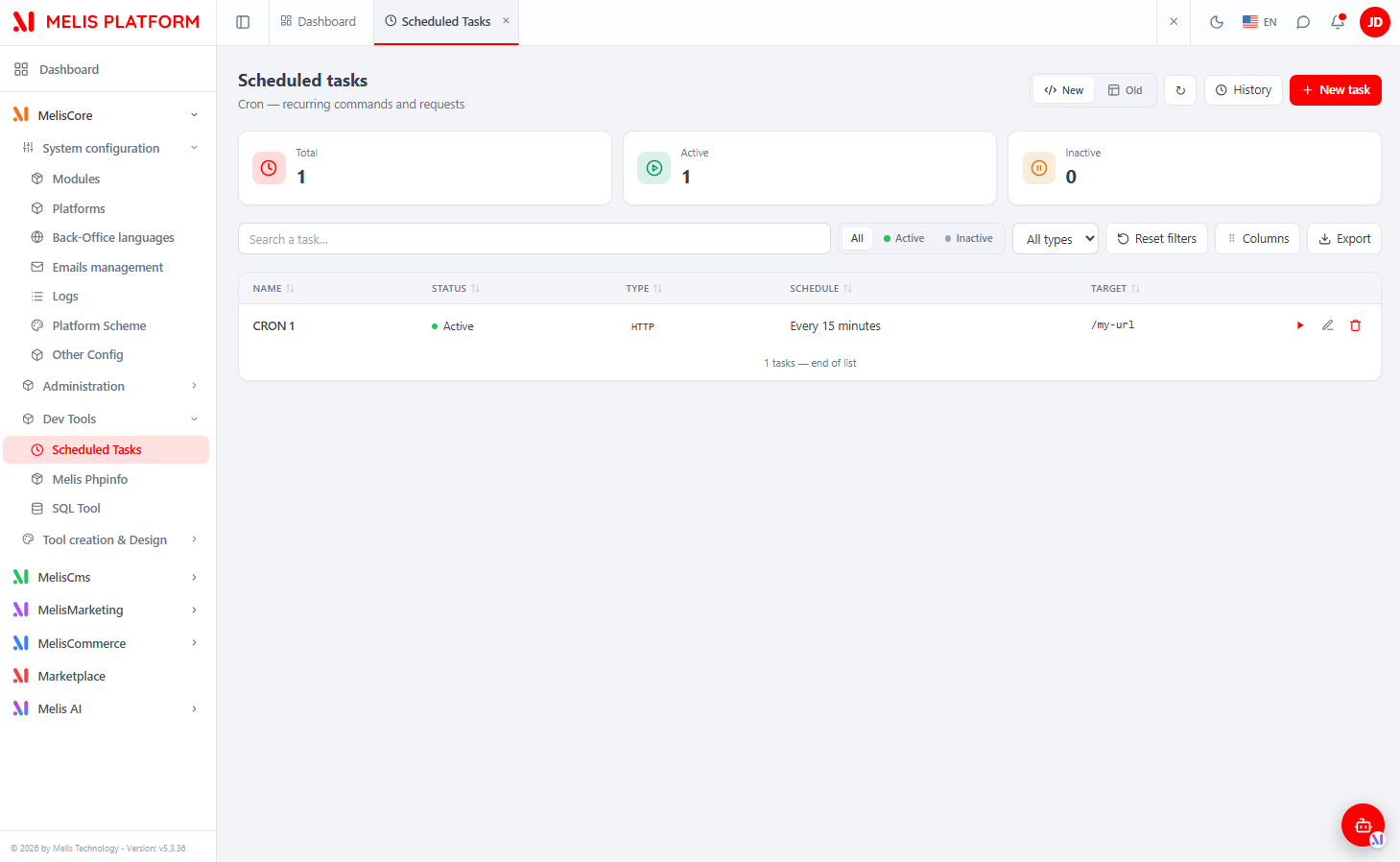
Sidebar → MelisCore → Dev Tools → Scheduled Tasks, alongside Melis Phpinfo and the SQL Tool. It opens as a top tab named Scheduled Tasks and ships as a native full-React brick (brick id cron, melisKey cron_tool), with a New / Old toggle: New is the React UI (default); Old renders the legacy jQuery tool in an iframe.
Because a cron task runs arbitrary CLI commands and HTTP callouts, create / edit / run are restricted to platform admins server-side, on top of the capability checks.
Task list
The list shows every scheduled task with KPI cards (Total / Active / Inactive), a search box (name and target), status (All / Active / Inactive) and type (CLI / HTTP) filters, Reset filters, a Columns manager (persisted), an Export and a refresh button. Click a column header to sort. Each row has three per-row actions: Run now (▶), edit and delete (deleting also removes the task's history). Top-right buttons: History, the New / Old toggle, and + New task. The form and History pages open as native sub-tabs inside the Scheduled Tasks tab, each keeping its state.
Create / edit a task
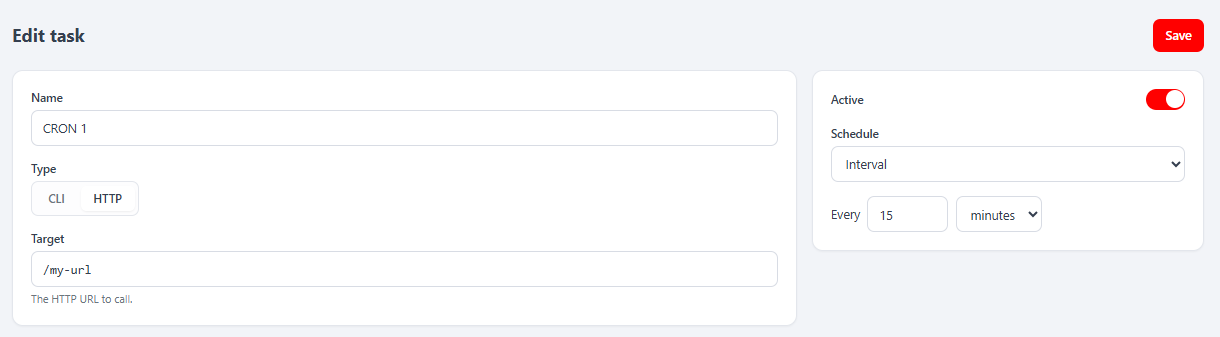
+ New task (or a row's edit pencil) opens a two-panel React form in a sub-tab:
- Identity + target — Name, Type (CLI / HTTP segmented toggle), and Target (the CLI command such as
cache:clear, or the HTTP URL), with a type-aware hint. - Options — an Active toggle and the Schedule selector. Picking a schedule reveals its editor: Interval = value + unit (minutes/hours/days); Hourly = minute of the hour; Daily = hour + minute; Weekly = weekday buttons + hour + minute; Monthly = day of month + hour + minute.
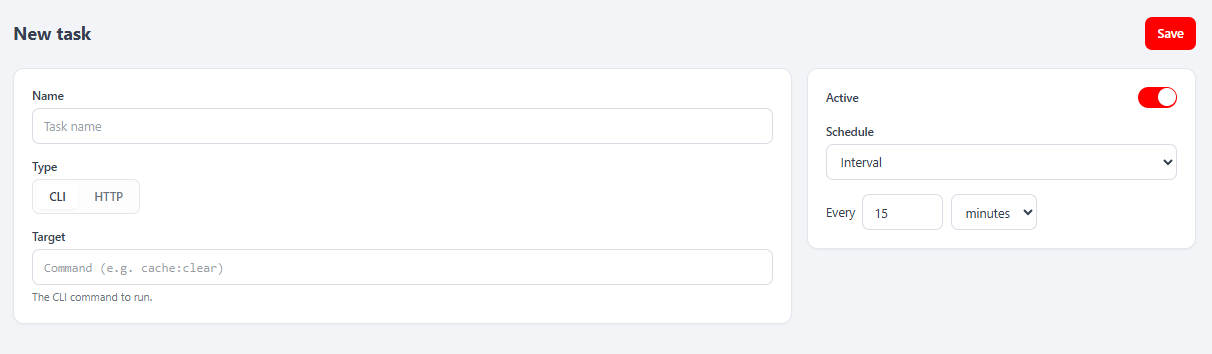
Save persists the task. Validation (mirrored client- and server-side): name required (≤ 100 chars), target required (≤ 255 chars), type must be CLI/HTTP, and schedule options valid for the chosen type.
Run now & history
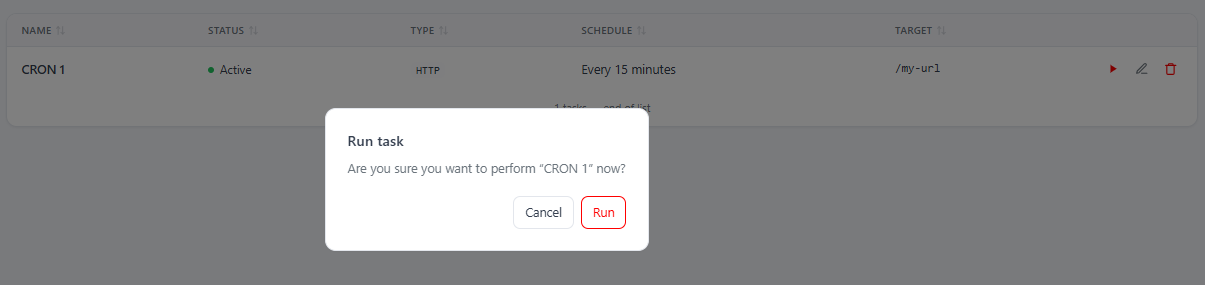
The per-row Run (▶) button asks for confirmation, then executes the task immediately (synchronously, in-request) and reports the outcome — state, HTTP status for HTTP tasks, duration — as a notification, and writes a history entry. This bypasses the schedule.
The History button opens the Execution history page in a sub-tab: KPI cards (Executions / Succeeded / Failed / Running), filters (search on name & logs, task dropdown, state dropdown, From/To date range), and a table of runs (task, type, state, duration, run date, rerun badge). A per-row Logs popup shows the execution detail (target, queued/run dates, duration, HTTP code) and the raw captured logs.
React API
Routes in config/react-api.php, controller MelisCron\Controller\MelisReactApiCronController. All under /melis/react-api/crons, contract { success, data, error }.
| Method & URL | Action | Purpose |
|---|---|---|
GET /crons | list | List tasks (keyset: limit, search, active, type, sort, dir, after) |
GET /crons/stats | stats | KPI {total, active, inactive} |
GET /crons/:id | get | One task |
POST /crons/save | save | Create / update a task (validated) — admin only |
DELETE /crons/delete/:id | delete | Delete a task and its history |
POST /crons/run/:id | run | Execute a task now (synchronous) — admin only |
GET /crons/history | history | Run history (filters cronId, state, search, startDate, endDate, page, limit) |
GET /crons/history/:id | historyDetail | One execution + full logs |
Every action first calls denyUnlessAccess() (auth + MelisCoreRights::canAccess('cron_tool')). Mutating actions add denyUnlessAdmin() (blocks non-usr_admin) and denyUnlessCan(cap). Reads and CRUD talk to the two tables via parameterised SQL; run delegates to MelisCronService::runTaskNow($id).
Capabilities
Declared in config/react.capabilities.php under the cron_tool node — a flat CRUD list:
'melisReactToolCapabilities' => [
    'cron_tool' => ['list', 'create', 'edit', 'delete', 'export', 'run'],
],
In React, useCaps('cron_tool').can(cap) gates the UI (hides + New task, per-row actions, Export). The model is default-allow with admin-bypass; on top of it, create/edit/run are hard-restricted to admins.
Key service — MelisCronService
$cron = $sm->get('MelisCronService');

$cron->getActiveTasks();
$cron->saveItem($data, $id);   // fires events
$cron->deleteItem($id);

// Job queue
$cron->addJob($cronId, $forceRun);       // inserts a 'pending' row in melis_cron_history
$cron->getPendingJobs();
$cron->updateProcessingJob($jobId);      // claims job: pending → processing
$cron->finishJob($jobId, $data);         // writes state/duration/logs/status
$cron->runTaskNow($id);                  // synchronous execution used by the React Run action

// Helpers
$cron->getDateLastRunByCron($cronId);
$cron->getWordingScheduleType($type, $optionsJson);
Events fired: cron_service_get_list_start, meliscron_service_get_list_end, meliscron_service_get_listhistory_end, meliscron_service_save_item_start/_end, meliscron_service_delete_item_start/_end.
Database tables
| Table | Holds |
|---|---|
melis_cron | Task definitions: cron_id, cron_name, cron_active, cron_target, cron_type (ENUM CLI|HTTP), cron_schedule_type (ENUM every|hourly|daily|weekly|monthly), cron_schedule_options (JSON) |
melis_cron_history | Run records: id, cron_id, state (ENUM pending|processing|success|error), date_add, rerun, date_run, duration, logs, status |
cron_schedule_options JSON shapes
cron_schedule_type | JSON structure |
|---|---|
every | { "everyItem": "minutes|hours|days", "everyValue": N } |
hourly | { "hourlyValue": MM } |
daily | { "dailyHour": HH, "dailyMinute": MM } |
weekly | { "weeklyDays": [1..7], "atHour": HH, "atMinute": MM } (ISO weekday, Mon=1) |
monthly | { "monthlyDay": D, "atHour": HH, "atMinute": MM } |
Runner setup
Scheduled execution is driven by MelisCron\Command\ExecCommand, registered with laminas-cli as melis:cronexec. Add one line to the server crontab:
* * * * * cd /path/to/project && php vendor/bin/laminas melis:cronexec --env=production >/dev/null 2>&1Each tick runs two phases:
scheduleTasks()— evaluates each active task's schedule against the current time; callsaddJob()for any task that is due.runJobs()— claims each pending job (pending → processing) then executes it inside a PHP Fiber for concurrency:- HTTP —
curlGET ofcron_target; records HTTP status and response body. - CLI —
exec()ofcron_target; non-zero exit code sets state toerror.
- HTTP —
An HTTP fallback trigger is available at /melis/MelisCron/Cron/execute for environments where a CLI crontab is unavailable.
Scheduling resolution is one minute (the tick cadence). Without the crontab line, tasks are defined but only fire when triggered manually via Run now.
See also: MelisCore